Demo: 1 Remote Operator. 2 Inspections. 1 Response. No Field Dispatch.
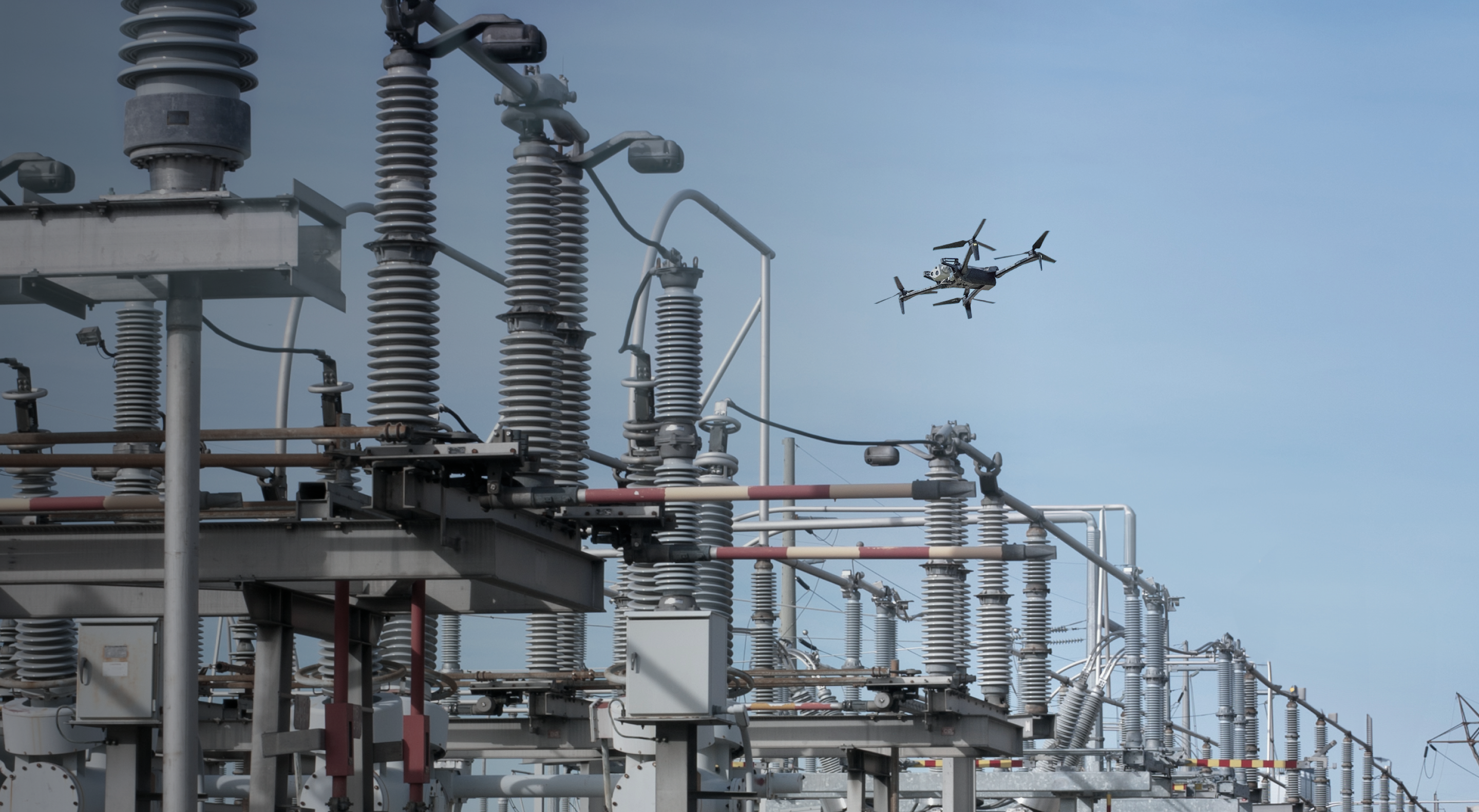
A drone lifts off. Flies into places you can’t reach. Finds the issue. Comes back with answers. No scaffolding. No shutdowns. No sending crews into the field.
This is real. It’s live. And it’s all controlled from a web browser, over 2,000 miles away.
What you'll see: An inspection scenario, start to finish, done in minutes.
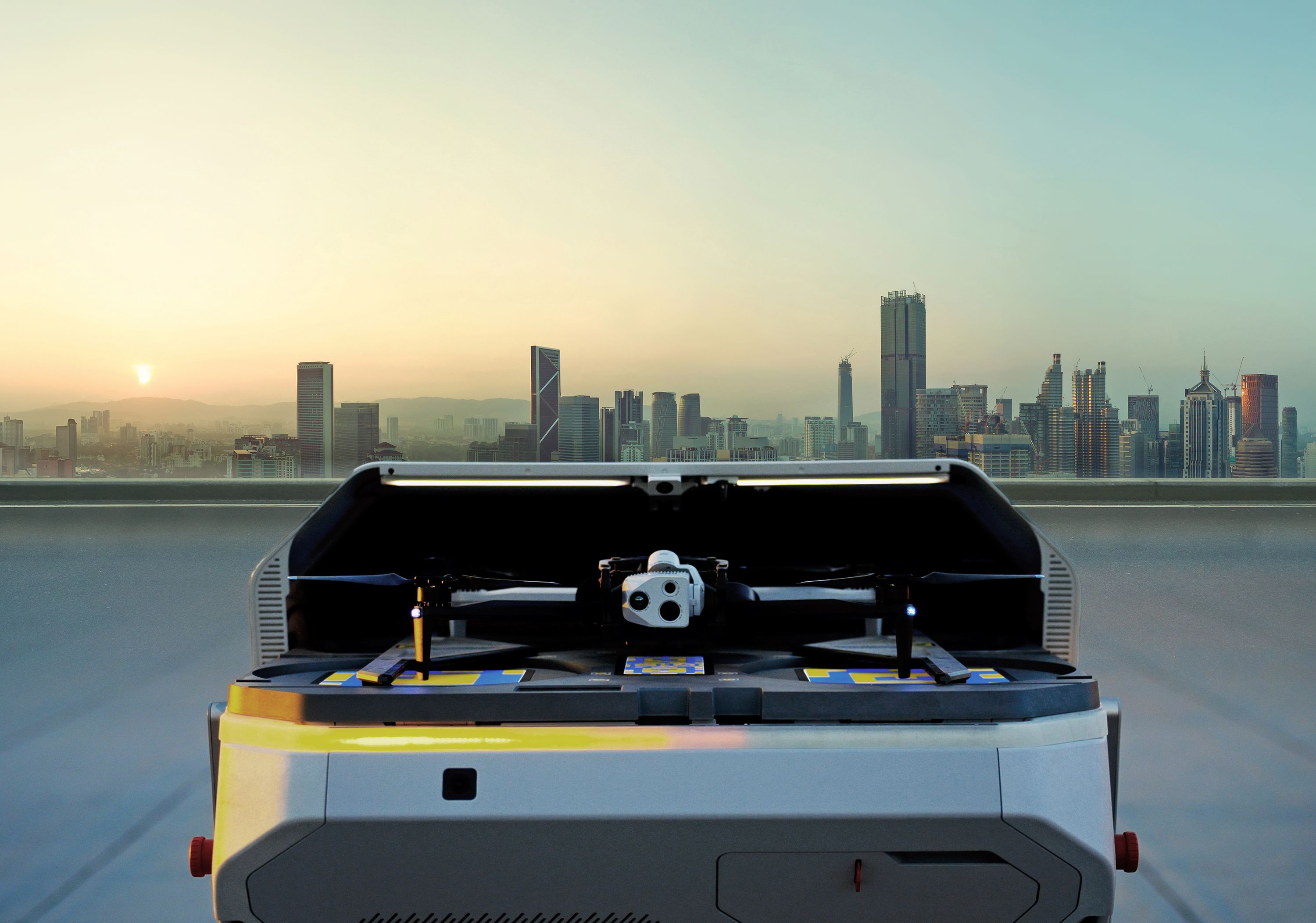
An alert comes in → instead of dispatching a crew, an operator launches a mission remotely → a dock opens → a drone lifts off.
It navigates tight industrial structures, flies within feet of live assets, and zooms into a pressure gauge and simulated leak, capturing details that typically require scaffolding, specialized crews, or shutdowns.
Right after, two additional drones at a separate location take off to perform automated panorama capture.
One operator. One screen.
What this enables:
- Inspect high-risk assets without sending crews into the hazard zone: Active pressure gauges, quarter-turn valves, a steam release, a visible oil leak, a cracked concrete pad. Captured autonomously, without putting people at risk.
- Run multiple facilities without adding headcount: One operator managing multiple drones across states simultaneously.
- Replace days of setup with minutes of flight: What used to take days and tens of thousands of dollars happens in a single flight.
- Thanks everyone for joining. I'm Nico from Skydio,
- and today we're going
- to show a new operating model for oil and gas inspection and
- response.
- It's not just how to fly a drone, but how to get eyes on
- assets that are operating in a way faster mode with less field
- exposure and without dispatching crews every time you need
- answers.
- We'll show this live in a demo environment from our headquarters
- in San Mateo, California, together with the unique operator's
- perspective on what this looks like in real world environment.
- As I said, it's a live demo, so we have a lot of flexibility, and we
- love to address your specific interests.
- So please put any questions you have in the chat, and we'll answer them
- throughout the session and at the end, uh, with a Q&A moment.
- So
- here's the team. I'm joined today by Conrad,
- RPAS Program Manager at
- LNG Canada.
- He brings his operator perspective, what it actually takes to make
- remote inspect- inspections work in a real oil
- and gas environment, and he
- has a ton of experience to share.
- Sterling from the Skydio Solution Engineering team will help guide the live
- portion
- and show what the system looks like in practice.
- And again, I'm Nico from the Product Marketing team
- here at Skydio.
- As you may all know here, um, oil and gas operators run some of the most
- complex and hazardous infrastructure in the world.
- Uh, asset management is complex because the assets
- run twenty-four/seven. They are hazardous and hard to access
- most of the time, and labor constraints, combined with
- inspection expectations, are increasing at the same time.
- Um, we see today that the model is shifting from
- traditional inspections that are most of the time scheduled,
- labor-intensive, which makes them expensive.
- Uh, where in many cases it takes days to
- identify an issue, to mobilize the
- right people and to get to the site, mount the scaffolding and collect the
- information needed to make a decision.
- That also means more exposure for crews working around live
- infrastructure and difficult access points.
- The new model that we would like to present here live is on-demand and
- remote. So instead of waiting for the next planned
- inspection or sending someone
- into the field for a quick check, teams can inspect in minutes.
- They can get standardized visual context faster, and they can do it with lower
- exposure from the security of their desks.
- So that promise, um, is actually made possible
- by a docked drone operations.
- What is that? So in practice, dock is a kind of box
- where a drone is installed and leaves, uh, at any facility ready to
- be dispatched for scheduled and on, on-demand missions from anywhere in the
- world.
- Basically, an operator can log in from their browser,
- open the
- lid of the dock, and let the drone take off and go on the
- mission that it has to perform.
- For oil and gas teams, that means more access and more
- visibility. It means being able to look at assets
- when the
- question comes up, not hours later.
- It means turning inspection from a periodic activity into a
- repeatable source of awareness.
- LNG Canada is a strong example of this model in action.
- I leave the stage to Conrad to briefly present what a low overhead remote
- inspection model can look like. The floor is yours.
- Yeah. So a quick introduction. I'm Conrad Bingham.
- I'm kinda like the RPAS program lead up at LNG Canada.
- Um, I'm not gonna take too much time on this
- 'cause I wanna sprint ahead to the
- live demo Sterling's gonna give, 'cause I think that goes more than just
- looking at
- slides. But as a brief overview, LNG Canada, really big natural gas
- facility up in northern BC in Canada.
- Uh, actually biggest private, uh, project in Canadian history.
- But we've been working with Skydio for the last three years.
- We've got a really good foundation set up.
- So you can kinda see on the right here on that slide, the entire operational area
- we cover under an industry-leading SFOC, uh, that Skydio helped us set up,
- uh, initially, and we've since taken, uh, to some very, uh, cool levels.
- Coverage is about four and a half kilometers,
- so it's a very large operational
- area. Um, the Skydio program with operations over
- LTE and redundant
- connectivity really let, really lets us access that entire volume
- very quickly. Um, so you can probably actually just jump to
- the next
- slide and we have a couple fun GIFs and videos just covering a, a
- few little use cases we have and kind of some examples.
- So this is a,
- a fun little GIF, um, from a mission we did a while ago.
- But these are things we can do all the time at site,
- and we can really carry these
- missions out with a couple minutes heads up.
- Um, so everyone is used to seeing the fun
- technology side.
- So here we're flying long distance over site.
- Uh, we're absolutely burying this drone in a
- pipe rack, getting really close,
- trying to get these views. Um, these specific missions save us
- a huge amount of money and exposure and scaffolding, um, just 'cause we
- can get to so many places and see so many things.
- Um, can probably show the next as well.
- But the reality is, is that this one system is basically the
- Goldilocks drone for us. So we can use it for everything on site.
- Um, it's basically rain or shine, day or night, any weather, pretty much any
- location. Here's us getting really close up to
- flare, doing flare inspections.
- Um,
- and it's not just visual. Obviously, we use thermal and,
- and other sensors on the
- drone. Um, we've kinda used the full setup of
- payloads from
- speakers and attachments and spotlights to even...
- We even use our search and rescue searchlights to do, uh,
- dark area inspections
- with it. So it really unlocks that.
- Um, and I think
- what everyone sees here is the technology, but what we found really impressive
- is the hidden thing beside from the organizational perspective.
- So, um, a lot of people try to study the drone
- and the technology.
- What you're not seeing is something that enables this type of operation
- at an active hydrocarbon facility
- Um, and all the safety layers and redundancies and 3D geofencing
- and redundant
- communications and low drone size and having a parachute that
- lets us run these operations at a live facility and get approval from our
- operations and HSSE teams. So I think from that
- we can jump into and, yeah, kind of hand things off a little bit to
- Sterling.
- Excellent. Thank you, Conrad, for that overview there.
- As mentioned, my name's Sterling Hayes, part of the Senior Solutions Engineering
- team at Skydio.
- I have had the pleasure of being in the industry over a decade now,
- a couple months
- away from fifth-year completion at Skydio, and today we will be
- doing a live demonstration launching one of our docked
- aircraft at our headquarters. As mentioned, based in Austin,
- Texas, which is where I'll be performing this,
- uh, demonstration from.
- So we'll be able to launch this docked aircraft and, uh, run a
- pre-planned inspection minute, uh, inspection flight in just a
- few minutes here, capturing various levels of detail on
- this asset.
- So without further ado, I'll just go ahead
- and allow everyone to participate
- by, uh, scanning this QR code. Uh, this
- allows, um, for you to have our
- live Skydio link, uh, on your mobile device or
- computer as well,
- uh, which is pre-established either to a
- single aircraft,
- multiple aircraft, or your entire organization as well.
- And it's also pinned in the chat, uh, for the exact link needed.
- So Nicolette, I'll go ahead and, uh, share my screen.
- So this is Skydio Cloud. This is how we're able to manage
- everything from an administrative level, from our aircraft down to
- users, setting up specific groups, managing media, planning
- missions.
- So with a pre-planned mission, we have the ability to select which
- aircraft we would like to run, uh, this flight on.
- Uh, once it's initiated, it opens up Skydio Remote Flight
- Deck.
- On the, uh, UI side of things here-
- Sterling. Sterling, I think your screen is not shared. Could you try again,
- please?
- Yeah, of course. Let's jump back.
- Might have booted me there. How about that?
- Yes. We're all set. Thank you.
- Let me rewind just a second here.
- So we have, um, Skydio Cloud, which again allows
- us to command and control...
- Uh, I didn't close it again. I think that was my error there earlier.
- Uh, our aircraft, our users, our media,
- being able to plan missions, and also from a reporting standpoint as
- well,
- the who, who flew, when they flew, what they flew in terms of flight
- telemetry
- and reporting aspects.
- So when we go to Fly Missions, we can have pre-planned,
- uh, missions that can be scheduled, they can be edited,
- and then executed within, uh, various systems.
- So in this case here, uh, since I did as, um,
- uh, Nicolette had mentioned, this is a live demo, so
- when I stopped sharing my
- screen, I was in a post-flight, uh, role there.
- So just one moment for, uh, having that dock close.
- And, uh, in just a few minutes here, it'll populate on the screen in terms of
- available to fly again.
- Just a couple seconds.
- I'll do a quick refresh.
- There we go.
- So it's only a couple seconds when you initiate a flight
- that our dock opens the
- hood into a pre-flight stage, and a couple minutes to
- close the dock and resume back into a, a state conducive of
- flying a mission.
- So going back into the UI side of things here.
- So the left side of our screen, we can actually command
- which aircraft we're
- utilizing. We have our incident markers here driven
- via Skydio's REST-based API ecosystem of being able to
- ingest alerts or create alerts and responding to.
- I'll close that for a moment. And then just to quickly discuss how we
- have our
- geofencing capabilities on the left side of the screen.
- So highlighted in green is our keep in zones,
- and keep out zones are highlighted by orange.
- And we also have the ability to set safe landing points at any point in
- our, uh, site setup.
- One really quick thing I might jump in here.
- Please.
- This is a pretty simple geofence that Sterling's showing us.
- Our LNG Canada one is actually so complex we got Skydio to
- increase the number of vertexes possible. I think we're up to about 450.
- Um, and that's what really helps us unlock
- regulatory powers is showing the
- regulator this is what we're flying in, this is how we maintain compliance with
- our
- SFOC, um, and we can really tailor that to the operation.
- And this is a pre-planned, uh, mission here.
- We do have the ability to, uh, manually control the
- aircraft using our keyboard, mouse, or even also
- a gamepad,
- uh, such as a wired or wireless mouse.
- At any point, this mission can be paused.
- Uh, we can stop the mission in entirety,
- and we can also reverse the mission or skip between various
- waypoint levels as well.
- And also to note, I've planned this mission to fly about
- four miles
- an hour, just to not have a flight that's, you know, less than a few minutes here.
- So again, at any point, I can stop this mission.
- I have full manual control while still maintaining mission,
- uh, resume capabilities. We're currently utilizing our Skydio
- VT-3, uh, sorry, Skydio, uh, Z
- gimbal, which allows for some really great zoom
- capabilities here
- as we begin moving around this asset.
- So I will Pause, uh, periodically to
- zoom into some key zones as this mission continues.
- This is what we call a live mission plan.
- Uh, so I actually flew this mission once with
- the aircraft in flight and
- set all of my key frames, uh, that I wanted in terms of a teach
- and repeat, uh, which can then be edited after the fact.
- And again, at any point, uh, during this mission, if you,
- if you choose to skip
- to next waypoints, uh, you can do that quite easily.
- If you need to go back to a previous waypoint,
- again, pausing the mission as well
- allows for full control.
- And let me just back out just a teeny bit.
- So VT300Z, uh, gimbals allow for,
- uh, you know, potentially even reading a license plate
- as a good foundation at, uh,
- upwards of 800 feet or even potentially counting threads on a
- bolt at upwards of 30 feet.
- As we look around here, both analog and digital
- gauges are within our capability of reading.
- Let this mission resume.
- On the top of the screen here, you can see about four minutes left in
- this
- mission.
- And it looks like we actually just received one of our alerts in the
- system. So this is a good example here of how you
- could take your
- existing systems today
- and enter them through Skydio's API in terms of having
- alerts, alert-based response,
- uh, translate into an area that we can actually respond
- to. So since we have potentially a pressure
- warning on
- this asset here,
- I'm gonna go ahead and respond to this.
- But instead of using the mission of the aircraft that's currently flying
- this mission, I'm gonna go ahead and respond using a second
- drone. So in Skydio, this is called
- one-to-many, and we currently support in our UI up to
- four
- aircraft
- operating in a single-user environment.
- This can be conducted on a single site or multiple sites.
- So let's go ahead and launch this aircraft.
- We have a 40-minute flight time, 45 mile an hour top speed,
- 17-second launch, and have the ability to respond anywhere
- in two miles
- in under two minutes.
- And just as those stats are live in people's minds, that's
- obviously good for inspections. Um, [clears throat] but like
- security use cases or emergency response, uh, it's a really powerful tool as
- well. That's where that Goldilocks drone comes in.
- You can, you can have a system built out for site
- inspections, and you just
- happen to automatically get a really good emergency response and security program
- as well.
- And since there's a pretty good temperature delta on this pressure
- leak that actually began, um, on this asset, we can actually pick
- that up in thermal as well. Uh, and if needed, we can actually
- switch our color palettes here,
- um, if needed, uh, to different forms.
- This is a 640 by 512 radiometric thermal sensor.
- And so for providing overwatch here, we have augmented reality
- where that potential area of interest or alert has come in,
- uh, to effect. And we can just go ahead
- and leave this overwatch aircraft
- here as we continue resuming this mission.
- So we get a good overhead view of what our aircraft is performing
- as it's flying. The live stream also has access, uh,
- for our users to switch between the aircraft in the live stream.
- Also to note here, in terms of level of detail, um, in terms
- of what we have as, uh, the ability to view here, we can
- see cracks in the foundation,
- intentional leaks as well.
- Again, counting threads, uh, is, is possible with Skydio not
- only being able to capture actionable intelligence from greater distances
- but being
- up close and personal, running close visual inspections.
- And as we can see also on that physical leak itself,
- uh, in color here, potentially probably from
- some, uh, excessive rust here on this fitting.
- So go ahead and resume that mission.
- We can also, uh, change some of the UI here if needed.
- At any point, we can expand or go full screen into one of these
- assets as well.
- On the map view, we can also switch between 2D and 3D,
- so we can always have, uh, asset views in terms of where the
- drone is, where drone is projecting on the map.
- And to get a little bit closer view of the aircraft,
- which is outfitted currently with our Skydio Night Sense, a parachute
- attachment, and our Fusion+. So one of those notes that
- Conrad had mentioned, uh, which is extremely helpful, is our
- redundancy in terms of connectivity.
- Uh, so we do provide, uh, views into that in terms of our Fusion and
- Fusion+
- across the various SIM cards that you have within your equipment.
- Right there is a good shot of that leak, as we can see it, uh,
- visually here. If I switch back over, we can view it also in
- thermal as there is a temperature delta, uh, directly at the leak
- point.
- Yeah.
- So one, one really quick thing I might jump into
- just beyond this one use
- case. There's, there's, there's kind of three things going on here
- that Uh, are
- very non-standard in industry. So obviously having two drones up in the
- air with
- one pilot, [clears throat] um, that's
- fantastic and [chuckles] unlocks, unlocks a huge amount of efficiency here
- from
- LNG Canada is, is currently watching.
- One thing we have to do all the time is jump back and forth between docks when
- we're doing big survey missions, 'cause we do weekly surveys across most of
- the
- site. Um, if you're able to just take off
- two or three drones at once and do that, that obviously gives you huge efficiency
- gains.
- Um, flying two drones in close proximity, this is another we've
- actually recently updated our, our operations manual for.
- Because all Skydio drones within an organization de-conflict,
- so they basically
- keep away from each other and give you warnings.
- And Matt and I have tried, uh, to basically fly Skydio drones into each
- other
- safely to test that this feature works.
- It allows us to approve overlapping missions.
- So when we get requests from pilots to fly mission A and mission B, and those have
- temporal and geo- geographic overlaps, we can now
- safely approve that, whereas before, most operations can't do that.
- So that's another huge, uh, operational win with, with this setup.
- Yeah. And I can demonstrate that just by coming in within
- that proximity
- bubble. Uh, so as we begin coming into potential
- proximity, as Conrad mentioned, you can see also on both
- screens, whether it's the same user or multiple users within
- that site. We have that nearby drones detected, uh,
- warning that does allow for, um,
- first level near drones, nearby drones detected.
- And then as, as I, you know, continue, uh,
- increasing proximity here, it'll actually pause.
- So now I can't move in terms of physical location,
- uh, as we pass that second layer of tolerance.
- Uh, but we don't block flight fully.
- This is a notice to operations, and if needed, I simply just
- override that command and control.
- And, um,
- this allows for us to continue operating within
- closer proximity,
- um, of our area. And as you can see here, it, it really wants
- me to understand what my next action is before I perform it.
- And, uh, Conrad, if you wanna add any other, uh,
- comments towards how
- that is important for you on site with multi- multiple Skydio
- drones across different systems, um-
- Yeah
- ... please feel free.
- No. If,
- if anyone on the, the webinar is a, a chief pilot or runs an operation, uh,
- they'll, they'll know the, the, the pain involved in coordinating
- operations and then having this ability, how much that unlocks you and then kind of
- gives you some room to breathe. The other thing I'd like to point out
- is that
- Sterling paused a drone with a, like, 10X optical
- zoom on a very small visual feature about four minutes ago, and it's kept that in
- frame the whole time. So that's, that's pulling up the visual positioning
- system
- and some of the AI there, uh, 'cause that's,
- that's significantly higher level than
- just GPS accuracy would allow. So we, we do that often as well.
- You, we can just pause the drone looking at
- something.
- You don't have to worry about keeping it on track.
- That is a great call-out.
- So being able to resume this mission with just a couple minutes
- left, uh, in its flight will allow us to,
- um, complete the data capture. And then from there, we autonomously
- return back to the dock. We have full loss of comms
- settings in, in place. For whatever reason if communication is
- lost, we can define how the drone will actually
- return
- to the dock, whether it's up and over or backtrack.
- And as the drone now begins flying back to the dock autonomously, we can
- get a nice view of that here
- from both aircraft.
- I'll do my absolute best to frame it up.
- It's pretty quick landing.
- So as this aircraft has completed its in- inspection,
- uh, with also receiving potentially that pressure alarm and
- overwatch, uh, we don't necessarily have to, uh,
- potentially end this aircraft's flight.
- We still have over 73% battery. But at the same time here, we
- have a plo- post-flight report when one of our aircraft does
- complete a flight. These are customizable in terms of,
- uh, what, uh, areas that you would actually like to report
- against. They can be completed now or actually
- completed after the fact post-flight.
- And then here to, uh, exit out of the cockpit, which would then
- give me full access into
- aircraft we were using for overwatch.
- So again, we have our nice demo unit over here.
- And I think one point Conrad had mentioned, uh, which I always like to
- chime in, uh, with my customers, is work at height
- that requires scaffolding or further,
- uh, layers of inspection. Uh, being able to just simply
- fly over to assets at height and gain
- perspectives that previously were unattainable,
- uh, without physically getting up there.
- Again, in close proximity, checking on if there's damage
- to potential areas, sensors, or pipes.
- Yeah.
- Uh, getting into these lower zones, checking leaks on
- roofs.
- Uh, these are all areas that are possible through Skydio's computer
- vision. So we have six onboard cameras for those
- that are not familiar, that are
- dedicated to viewing, understanding, and providing flight
- capabilities, uh, within direct integration
- to the aircraft's environment.
- So we're able to see, understand, and act against half an inch in diameter
- static
- objects and above. And I've definitely seen, uh, some really
- fantastic operations conducted by, uh, Conrad at
- LNG Canada in some very challenging environments for, um,
- not only humans to operate, let alone flying robots.
- For sure. And one thing I'd actually like to,
- uh, bring up just with this. It's pretty common at LNG Canada, the,
- the overhead with these dock systems is so low,
- you can actually start getting a
- lot of value out of missions that on
- paper most people wouldn't approach.
- So it's fairly common that we'll have some operators come back,
- maybe they were out
- at the tank, which is 300 steps up, kind of takes an hour to
- drive out to and climb all the stairs and do an inspection.
- And if they forgot to look at something, like maybe they missed checking one valve,
- it's actually fairly common they can just ping us, and it's way faster for us just
- to kick a drone off, fly her to the tank, share our screen on Teams,
- do the quick check of what they were looking for,
- and then they just hop off the
- call and then we just send the drone back home.
- Um, so yes, we use it for a lot of really big-ticket
- items, but the overhead
- is so low that we also use it fairly often for like, yeah,
- this just saved someone an hour and a half or it maybe saved someone going
- and
- pulling a permit.
- Excellent. Uh, well, Conrad and Nico, if there's anything
- else you would like to see, um, or present to our viewers
- today, I'm more than happy to continue flying
- around, uh, campus or,
- um, more than also ready to go back to the
- dock. Just let me know.
- Thank you. Thank you, Sterling. Um, yeah, just a quick reminder that while this is
- a live demo environment, everything we're seeing, as Conrad has
- been, uh, repeating, is really deployed at scale in the field
- as well, and yeah,
- LNG Canada is a great example. So thank you for all the insights.
- Uh, maybe a word about, um, that multi-drone environment and
- remote operations on a more legal perspective in terms of
- piloting and waivers and your experience with that, Conrad?
- Yeah. So that's, so that's like, that's the only thing we haven't quite
- done yet at
- LNG Canada, is we haven't, um, amended our SFOC for one
- to many. Um, I think we'll, we'll probably do
- that in the next two months.
- But no, so the, from the legal side of getting these
- waivers to operate,
- um, I think that's one of the superpowers with
- Skydio.
- So one example is actually over the Christmas break, there was a bunch of
- regulatory changes in Canada and our operators who now changed
- from a SAALE two to a SAALE four, uh, substantiation requirement.
- So much heavier requirements on us to prove safe operations and kind of
- prove compliance with a lot of regulations.
- Um,
- because most of our system is Skydio, it was actually really quickly for me to
- go
- and rewrite that and essentially take all the substantiation.
- So there's a lot of questions Transport Canada is asking of, do we have robust
- geo-alignment or geofence containment?
- Do we have robust loss link procedures?
- Do you have 3D geofencing that supports your sheltered operations?
- If the drone loses contact and it's underneath something where up
- and over doesn't
- work, does it have an intelligent backtrack
- that can find its way home when there's
- no GPS? So these are all these little things
- that are behind the scenes that Skydio
- has that help make a really strong regulatory case.
- So I think that turnaround, jumping from a SAALE two to a SAALE four,
- was about seven days for me to rewrite a bunch of the ConOps and operations and
- kick it back to Transport Canada. And it was a, I think,
- an eight-day approval,
- which is, which is almost unheard of for a SAALE
- four operation.
- So, um,
- yeah, just having this as a standardized backend
- really helps that.
- And now that I've mentioned standardization,
- the other thing of having a Goldilocks
- drone, which is really nice, is our pilots need to be trained for the
- most part on
- one system and one drone. So you get a lot of benefits just from the
- safet- safety aspect of using this one consistent
- system across everything where
- possible. So like I said, it makes it easy for us to scale, um,
- both from the ops side and the regulatory side.
- But-
- Yeah. So Skydio's regulatory team is here to work directly with our
- customers and
- guide you through that whole waiver process
- and support you to get operational as
- fast as possible, so. If there are no more questions for now, but if
- you have any question coming up later on or if you would like to explore that
- further, please don't hesitate to reach out.
- We are very happy to continue the conversation and apply, uh, all
- that to your
- specific use case. So reach out to the team, uh, or directly
- to us and, and we'll be happy to continue the
- conversation.
Watch Time
28 Mins 28 Secs
Related Webinars
Dock for X10: Remote Inspection & Patrol, From an Office Chair
Watch webinar
Why Every Utility Will Have a Drone Fleet Sooner Than You Think
Watch webinar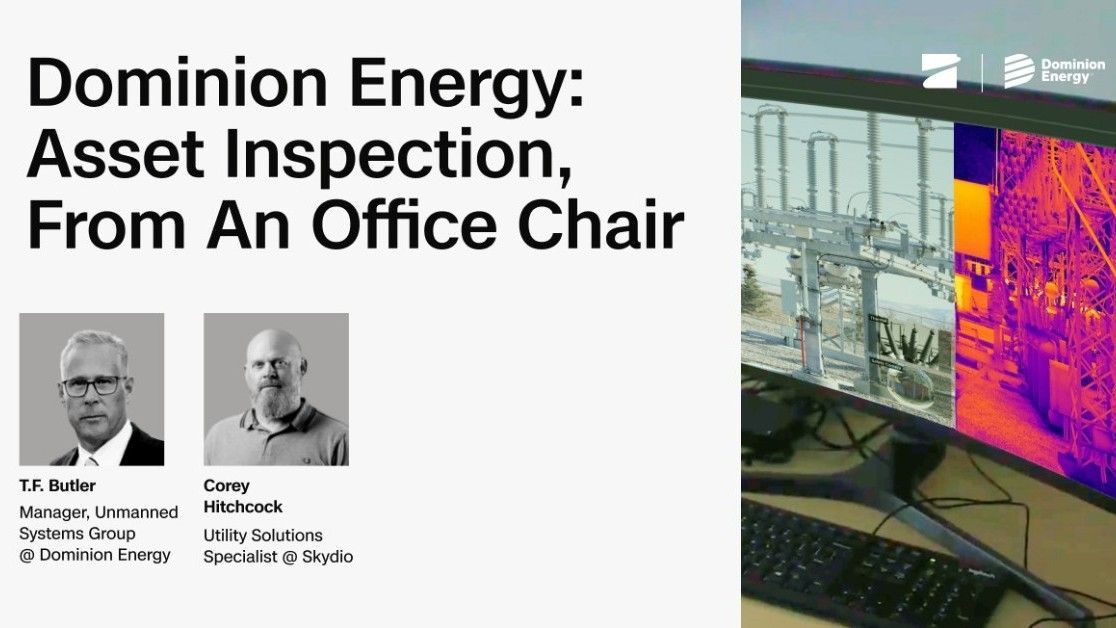
Dominion Energy: Asset inspection, from an office chair
Watch webinar