Secure your base perimeter from anywhere: Live demo
Managing security across vast perimeters with limited resources is no easy task. With over 750 U.S. military bases spanning 80 countries and covering 27 million acres, you’re likely facing constant pressure to close gaps in security while responding to threats quickly.
Imagine this: a security alert comes in from a base hundreds of miles away. Instead of scrambling to mobilize personnel, you deploy a drone from your desk, and within 90 seconds, you’re on-site, with real-time footage streaming back to command.
In this demo, we’ll show you how this works. You’ll see firsthand how technology can help solve the real challenges you face every day.
What you’ll experience during the demo:
- How to deploy and fly drones securely from anywhere, no matter the distance.
- How to schedule automated, 24/7 surveillance missions with no manual oversight.
- How to share live situational awareness with your team—even on mobile devices.
- How drones operate autonomously in tough conditions—GPS-denied areas, severe weather, day or night.
- How real-time intelligence from drones can help you make quicker decisions, even in remote locations.
Take an hour to see how this can work for you. Register now and learn how to streamline operations and respond faster to threats.
- [dramatic music] And every second counts.
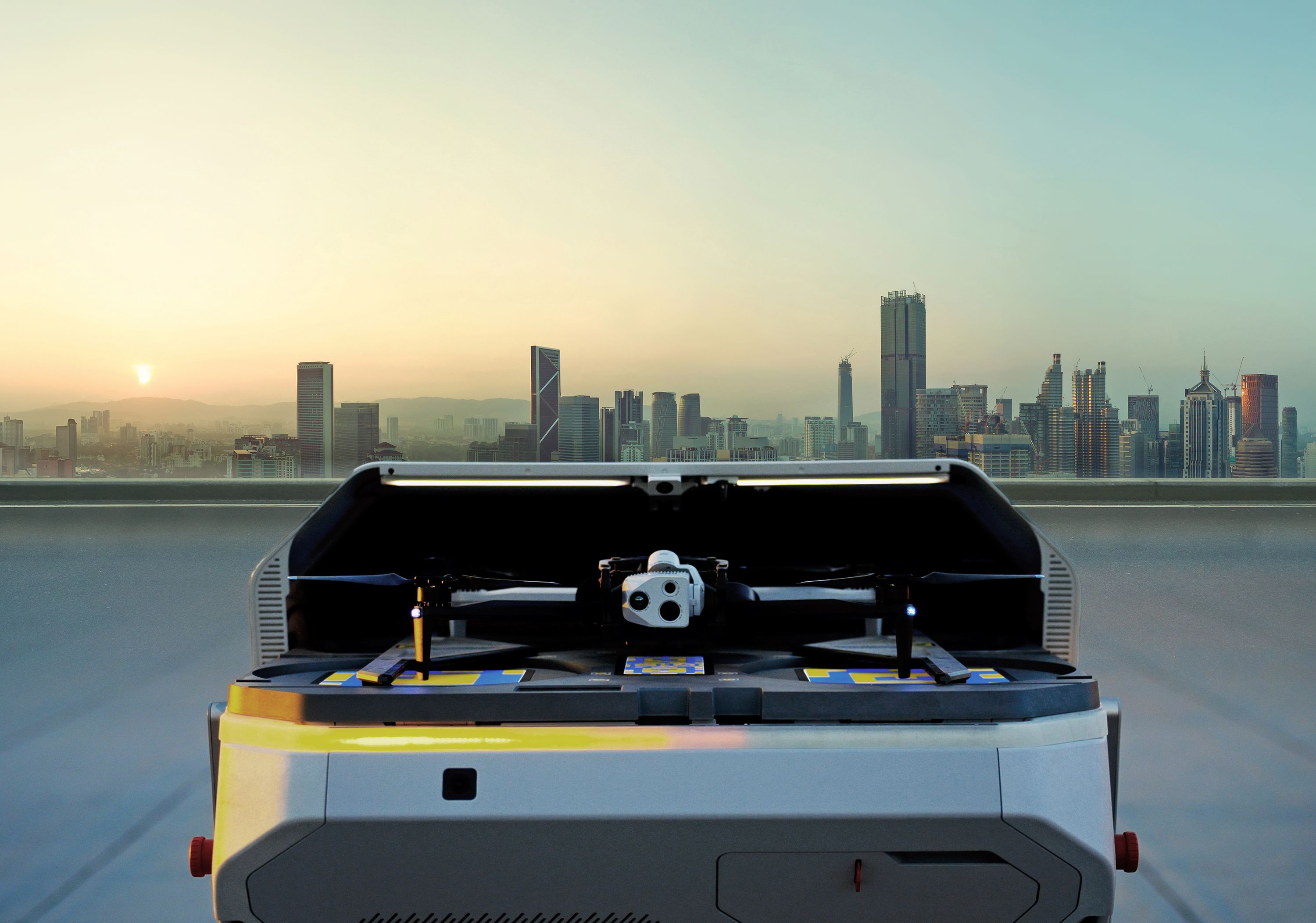
- Skydio Dock for X10.
- Station docked X10 is where critical work happens.
- Get airborne in 20 seconds.
- Operate remotely from anywhere in the world and get the data you need to
- act.
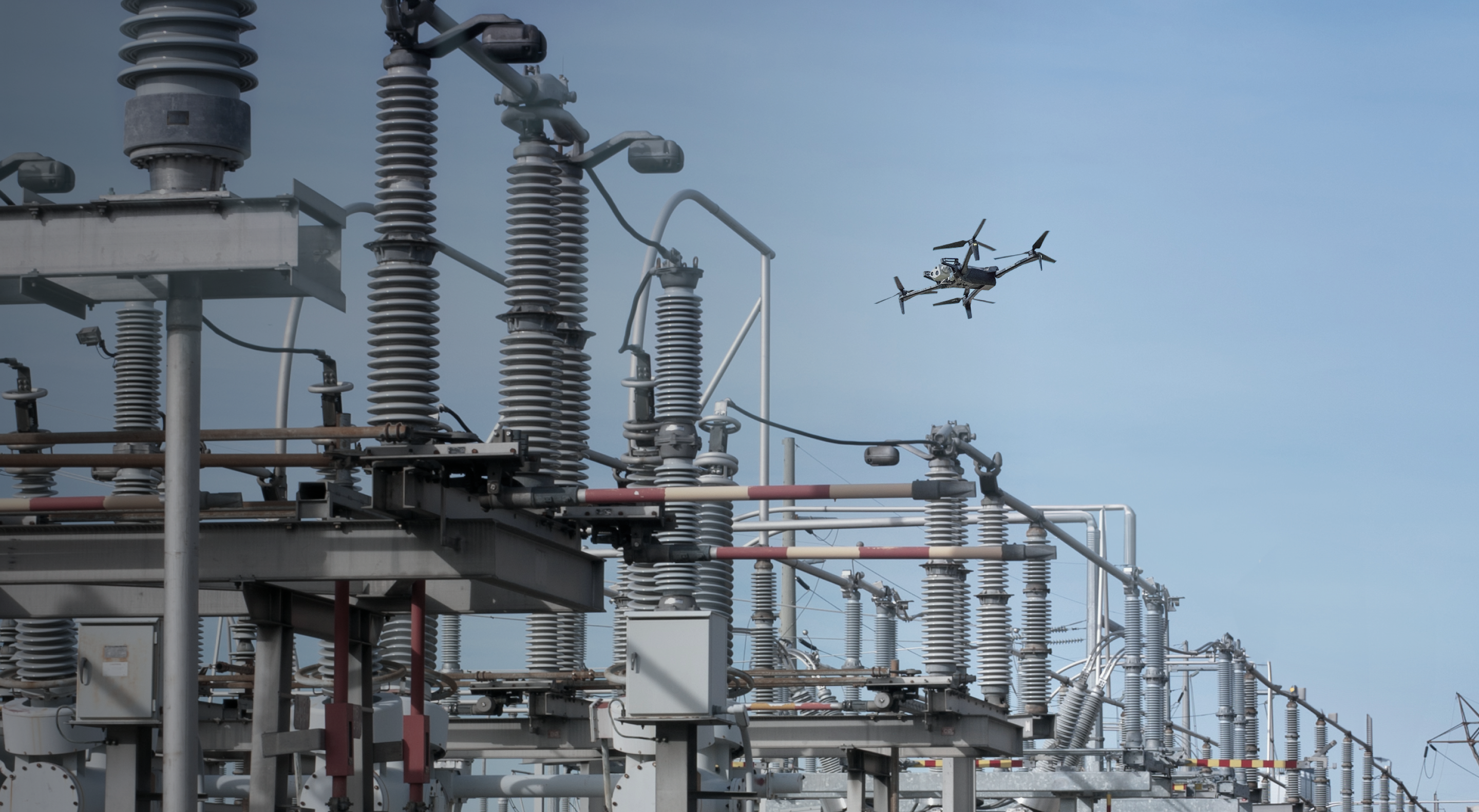
- X10 features category leading visual and thermal sensors to capture the details
- you need with the modularity and versatility for any mission.
- You are trespassing on private property.
- Dock keeps your drones ready to fly
- even in the toughest conditions.
- Scorching heat, freezing cold,
- day or night.
- Go beyond visual line of sight. With built-in weather
- sensors and airspace awareness, plus world leading autonomy with
- Skydio Pathfinder to confidently get X10 sensors wherever you need
- them
- and get limitless range with connect fusion.
- Seamless switching between point-to-point and 5G connections.
- Operate fleets of drones everywhere all at once with Skydio
- Remote Ops. From multi-drone operations to planning
- and
- scheduling missions for continuous data collection.
- [siren wailing] For public safety
- agencies, Skydio DFR Command is the ultimate software suite for
- drone operations.
- Respond to incidents with a single click,
- share live video with Ready Link
- and use augmented reality overlays for precise visual orientation.
- Manage your fleet, upload evidence and build community trust.
- It's all at your command. [dramatic music]
- Skydio Dock for X10,
- a fully integrated hardware and software solution from the drone to
- the
- dock to the cloud. To keep our community safe, keep our
- lights on and help secure our nation.
- [dramatic music]
- All right. Welcome everybody for joining us today.
- I'm excited to be here to talk to you about what we're gonna offer from a
- security, uh, perspective and our dock solutions and our drones.
- But before we get started, I wanted to go over some ground rules,
- I wanna introduce
- our speakers, and I wanna
- outline what we're gonna discuss overall.
- So my name's Greg Reeder, I'll be your host for today.
- And some technical housekeeping notes.
- Everybody's muted, so we're gonna keep this well-organized.
- Um, we will take questions though.
- You're welcome to put them in all throughout the webinar.
- We're gonna collect those questions and we'll answer them at the end.
- If there's some burning desire that you have during the demo portion,
- please, uh,
- ask the question and we'll, we'll, uh, get to it if we can during the demo, but
- otherwise we'll answer the questions at the end.
- We're also gonna be recording this session,
- so everybody will get a copy of it when
- we're done. So as we get into the webinar, I wanna introduce our two
- experts. First, we have Lee McMillan.
- He's the director of product marketing for Dock and Remote Ops here at Skydio.
- He has over 20 years' experience in hardware and software across
- public safety, and he's been with other regulated
- industries beyond
- Skydio, including Amazon and Axon.
- We also have Taylor Mitchum. She'll be our drone demo today.
- She's a, a drone industry veteran.
- She's a solutions engineer at Skydio.
- She's has more than nine years launching and leading, uh, small
- UAS programs. She has more than 2,000 drone flight
- hours,
- and she's also a sergeant in the Army Reserves where she's in the
- Innovation Command. She's an innovation analyst,
- so we not only have an expert
- drone pilot, but also an innovator.
- Um, so what we're gonna focus on today is the challenge that many of you
- face when it comes to providing security.
- How to secure large scale complex perimeters with limited resources,
- limited people, and all types of other, uh, limitations that you
- have to provide a good security picture across that entire area.
- So the goal of our webinar today is to introduce what we have as a solution
- to those types of challenges called remote operations.
- We also implement Skydio Dock that helps do that even on a broader and
- wider scale. And the star of the show with the Dock
- is our
- AI-powered drones that make all that possible.
- So just before we get into it, I know that a lot of folks that are registered
- here are either active duty, they're prior service, they're involved in
- public safety, and we have mo- almost 100 veterans here at
- Skydio. So we definitely appreciate what you do
- and
- the sacrifices that you make every day to protect the nation, protect citizens,
- and we know that it's a dangerous job.
- And that's one of the reasons why we've designed our drones to be able to
- do the tough jobs to help keep people safer and to give better
- situational awareness for people.
- For myself, I've had more than 30 years' experience in
- the Marine Corps,
- and I understand some of the challenges that people face every day
- when it comes to
- security, uh, especially on installations both domestic
- and overseas. So today, just a little bit of the agenda.
- We're gonna talk about base defense, our solution that we get into, a, a few
- use cases, how the drone operates, and then we'll dive right into the
- demo so you can see how all this comes together.
- So the big picture that we all realize is that
- providing security is a tough job.
- If we look at just the defense, there's 750
- installations around the world with millions of acres
- and millions of people to
- protect with a just a small amount of resources.
- Overworked s- uh, force protection personnel,
- and there's a lot of
- challenges that come with just those types of locations.
- We have MacDill Air Force Base with A bunch of water access.
- We have, uh, Kirkland Air Force Base with 57,000 acres
- to secure
- and manager, manage as well as managing wildlife on,
- on the, on the location. So having the capability to provide
- remote operations is enormous.
- And it's not just about the, the job at hand,
- it's about the real threats that
- exist. You can see, and you've seen, and I'm sure you've been party to a
- lot of the headlines that are out there.
- Every day, someone's trying to access, either accidentally
- or on purpose, and cause mischief on our installations,
- or even
- worse. So it's a big challenge that we have to find a way to overcome
- with, and a growing threat with limited
- resources.
- So our answer to that is integrated security and incident
- response. What we call base defense.
- And we all know, I've talked a little bit about it,
- but the challenges are there.
- We're, there's limited numbers of people. There's limited coverage.
- There's lack of situational awareness of being able to see everything all at once
- at the same time in a short period of time.
- And there are safety risks with the perimeters, with the dead zones, with the
- areas that, uh, people can't get to easily.
- They either have to take a vehicle out there.
- They could be, as I mentioned, water access, low areas that aren't
- covered well by cameras. There's tons of reasons why s- perimeter
- security and the way we do, uh, incident response today is not that
- efficient. So we've come up with a better way,
- as many have,
- but we think we've got a good solution that's packaged all together.
- Through the way that we've set up remote operations and, and our dock operations,
- we can do more with less. I know, um, force multiplier
- is a, is a cliche, but we really believe
- that having docks and drones is a
- way to make force multiplication of people that you have.
- Um, it gives efficiency because you can get
- there faster. You can respond quicker.
- You can go directly to the point of the incident without trying to locate it
- manually. There's also the ability to pull all those
- data sources in at once with an enhanced perspective so that it
- gives leaders and people right there on the scene a complete
- picture instead of going into some place unknown.
- Even just to deescalate a situation or to show up with the right
- resources because you'll know what you're facing right at the
- start.
- And so here's an example of maybe some of those challenges and those solutions.
- If we look at a traditional perimeter there, I don't know if you can
- see the, the sneaky little people that are getting [laughs] into the perimeter up
- there. But stationary cameras don't necessarily
- do a good job.
- They only point in a specific certain direction, and that's all they can do, is
- just recognize what's happening.
- Um, we do have a system or pilot program that we're
- partnering with Skyla and working with the Blue Grass Army Depot
- that can go out there and set a trigger from one of those legacy
- cameras
- that will immediately notify the drone.
- It'll launch to where that incident has been seen.
- It'll go get eyes on scene using thermal. It can see through the smoke.
- It can understand whether somebody is actually being nefarious or
- just someone has wandered into the wrong area and
- respond immediately. And with the Skyla system, for example,
- it uses the
- sensors aboard the X10D to
- use AI to decipher if someone's holding a weapon or
- if they are cutting a
- fence or they're actually determine what they're doing through detection
- of AI so that you can show up on time with the right resources in a much
- faster met- method.
- And with that, I'll turn it over to Lee to get into more
- of the details of how all
- this comes together.
- Thanks, Greg. Um, yeah, just as Greg was noting, so there's a lot of
- stuff we can do. Um, a lot of times, though, you can't get there from day one.
- So what we like to do as we kind of work with customers is kind of understand where
- they are in the kind of maturity model of their program.
- A lot of times we're coming into customers who have what we call more the
- traditional operations. That's where you're still working with
- those stationary
- cameras Greg mentioned that we want to integrate into the
- solution, along with
- a lot of foot patrols and kind of, like, high dollar, um, people,
- people resources. Then we're starting to see our custo-
- some of our customers start
- to adopt having one pilot to one drone.
- They can cover more ground, do s- perimeter sweeps, um, just
- kind of make, make their folks more productive.
- And then where we're coming in with a lot of customers is actually starting with
- our initial dock and remote ops, and that's generally where you have one
- pilot managing one, two, three, four docks on a single facility.
- And then what you're able to do is start to automate some missions.
- You get a wider field of view. You can respond to some things faster.
- And then where we ultimately want to bring our customers is to have that one
- pilot managing not only multiple docks, but multiple docks at multiple
- locations, and that's when you start to get really some of those
- efficiencies as well. And then the s- second part that Greg mentioned
- is we want to
- use these docks to be multipurpose.
- They can,
- um, do asset inspections along with perimeter
- patrols.
- They can respond. Um, you just have a lot of optionality with
- what to do with them,
- and we'll show you a little bit of that today.
- So just a little bit of how we think about our solutions in, in
- responding to a mission. There's usually something that's gonna
- initiate a flight,
- and that's gonna be what Greg mentioned.
- Maybe you have a camera hooked up to Skyla and it detects, um,
- a fence breach. That's gonna
- go to the plan stage, which will allow you to trigger
- and take off.
- We'll show you that today. While you're flying,
- you get to capture all that
- information and process it real time.
- You may want to be integrated into, um, something like Tac so you have
- that single pane of glass view of all your operations.
- Next up will be the synthesize piece, and this can happen in real
- time while you're flying or it can happen post-event then in,
- in like the
- situation where you've done an asset inspection and you want to really review
- that.
- And then finally, deliver. That's how you respond.
- That's if you have that incident, um, maybe you can clear a call.
- In public safety, we see 20% of all calls are cleared
- just with the drone alone. Um, if not, that alert may,
- you may need to send somebody, so then you're dispatching the right
- personnel for
- the right situation.
- All right, so now it's more fun to talk about how
- this works in practice.
- I'm gonna go through two quick examples here.
- One, um, these are not in my use case studies,
- but this is a large concert,
- uh,
- a large concert and venue owner that you probably have all known
- and been to their
- events. They're using dock operations to do
- multiple things across the
- security of their facilities. Generally, it starts out with traffic
- monitoring as folks, guests are coming into a concert.
- Then, you know, during the tailgate section,
- they're using drones to monitor the
- parking lot, respond to any incidents, 'cause things do happen, and just
- generally give them more coverage. During the event, they're doing sweeps.
- And then finally, post-event, they are gonna be able to,
- um, they, they actually wanna make sure their guests
- get out safely.
- They've had some incidents where people, um, you know, get lost in
- some of their large facilities, jump fence lines.
- So they run sweeps around the perimeter at night using thermal just to make sure
- all their guests got back and, and nothing, nothing wrong, nothing goes
- too bad.
- And then next up, we have one of those large data providers.
- Uh, you can probably guess, there's about three of them out there.
- Um, but we have one of them that's using
- Skydio, uh, Remote Ops
- to do things like as VIPs visit s- facilities, they run
- security checks, uh, run oversight.
- And then they go through five, all 500 of their facilities,
- and they do their
- security checks primarily with drones.
- That's checking fence lines, locks, doors, access points, and just
- making sure the facility meets all their high safety and security
- standards.
- All right. Wanna get us to the fun part of this,
- but I got a couple more slides.
- Wanna talk a little bit about the S- Skydio solution.
- On the hardware, which we'll show you today,
- you have our Dock and our X10.
- Those two things are gonna work together with the Remote Ops software, which you'll
- see, which allows you to pilot from pretty much
- anywhere you have a browser.
- So you can set up a command center, um, from your desk, or you
- can use, you know, a multipurpose facility,
- anywhere you want.
- And then finally, and the big differentiator for Skydio
- is our
- services. We're gonna make sure that you're, um,
- deployed properly and that you're trained so
- that your folks can start
- getting operational value from day one.
- Um, next up,
- um, we're also gonna make sure you're
- maintained.
- We offer maintenance services and customer support.
- So if you have any questions, you can reach us here in the US.
- Um, we have, you know, easy to reach, y- fast to respond,
- and then we make sure you're up and running so you can complete your
- missions.
- Little bit about what you'll see today, is we wanna make sure as you're
- running those missions, you need to get there fast.
- Um, we have a way to put the Docks in a ready
- state so you can get airborne in less
- than 20 seconds.
- Wanna operate some of those autonomous operations.
- So if you have a big facility, you wanna map out that facility,
- have a bunch of
- pre-planned, um, patrols you can run.
- Those can be run, um,
- on a schedule. And we can also, um, randomize the schedule so people don't get
- used
- to certain timings.
- We wanna give you situational awareness, not only for the pilot, but for the folks
- around you. So we're gonna show you some, some live streaming capabilities as well.
- And then you wanna operate with context.
- We'll show you some different views that allow your pilots to understand where
- they
- are in the environment. Um, some cool AR overlays that allow
- you to, uh, see streets, addresses, things like that.
- And then finally, it's that mult- force multiplication.
- The regulatory environment's starting to clear up. We're getting...
- Right now it's generally one pilot to one drone, but we're working close with
- FAA and other regulatory bodies to unlock one pilot controlling
- multiple drones. So Skydio internally has already won a
- couple of great waivers
- where we'll be able to do this and test it,
- and then we're gonna work hard to get
- that out to our customer base.
- And live streaming, I'm not gonna spend any time here 'cause
- we're gonna let you
- try it. Um, as we fly this mission, we're gonna flash up a QR code that you're
- gonna be able to scan and then, um, watch along on your
- cellphone.
- All right. And now my last two slides here. Um,
- deployment models.
- Skydio is,
- um, deployed over the cloud. Um, Dock, Remote Ops all connected.
- SOC 2 compliance, um, with full end-to-end encryption.
- But then we know our customers in defense departments and some of our
- federal agencies need that extra layer of security
- and want some,
- some, um, more like air graph- air gapped or on-premise models.
- So we have a local network ar- architecture that allows us to
- deploy in the environment that you prefer.
- All right. Now I know I talk fast mainly because I
- wanted to get to this
- demo. So I'm gonna hand it over to Taylor
- and just to set the stage,
- obviously we're not a base, we're a company that's located in San
- Mateo,
- so we're gonna use our, our HQ as the example today.
- We're gonna
- s- You know, we need to secure our perimeter.
- Uh, we work on some fancy drone technology,
- so we wanna keep an eye out on
- things. So with that, Taylor, who is actually based
- in Tampa, some 2,800 miles away, is gonna execute this mission.
- Taylor, off to you.
- All right. Thanks, Lee. You can see my screen okay
- and hear me okay?
- Hey, Taylor. Well, uh, f- I can hear you fine,
- and I figured I'd take this quick
- opportunity to remind folks if you do have a question,
- you can go ahead and enter
- it at any time. You don't have to wait till the end,
- and we're gonna take those as
- we're going throughout. Or if you do have a question about the demo
- that you need
- answered right away, we can take those as well.
- Awesome. Thanks, Greg. All right.
- So before we get into the actual flying portion of the demo,
- I wanted to give you a
- quick tour of our DFAR Command Center.
- Um, here is the Dock that we're gonna be flying today.
- We call it Beehive 033.
- Um, and you can see I'm the active pilot for
- this, along with the gimbal.
- Here on the map, this blue dot shows where our Dock is.
- If you have multiple Docks, you could always zoom out on the map
- and see where they
- are here. On the left you also have the- Dock
- camera. So there's actually three cameras that
- are on the dock, and which we-- once
- we get into it, I'll be able to show you all of those.
- The docks also come with a weather station,
- so we can see our real-time weather of
- the dock. A beautiful day it looks like in San
- Mateo, California this
- morning. And, uh, here's our flight history.
- Uh, Lee had mentioned earlier about being able
- to do pre-planned missions.
- You can do that in the missions tab as well as view your media and, and lots of
- other things. Unfortunately, that we won't be able to get to everything
- today.
- But let's get to the good part,
- the dock demo. So right now I'm gonna go ahead
- and hit launch
- on the dock,
- and then I'm gonna switch to the dock view.
- What's gonna happen is the dock's gonna take off,
- and it's gonna do a three hundred
- and sixty degree turn to calibrate its compass.
- But while it's doing that, I'll give you a quick little tour of our
- flight center
- here. So on the right, we have our map, and we have a few markers here on the
- map. This green outline is our flight inclusion area.
- So that is where the dock is allowed to fly.
- You can also put in an exclusion area as well.
- You will also notice that we have a couple of these markers.
- In this particular case, these are Axon body cameras that are attached to
- people so you can see where they are and actually fly the drone to that
- person. Through an API, this can work with other sensors
- as, as well. This doesn't have to be, um, an Axon body camera
- specifically. Um, you can also see here where the dock is,
- and then
- this marker out here is actually a nine one one call
- that we got.
- Um, so if we look over here on the left, these are what are-- we call our
- map markers, and these can be ingested also through
- our API. So here at the bottom, we have a suspicious person at
- the motor pool. It looks like a theft is happening at the PX,
- and then we have a traffic stop, somebody going at thirty-six miles per
- hour in a
- thirty-five mile per hour zone. But this morning we're gonna go
- investigate the suspicious person near the PT
- field over here in this area. So I'm just gonna hover, and I'm just
- gonna click respond to the incident, and the drone's gonna autonomously
- fly over to the incident. The other thing I wanna point out as well
- is that this
- drone, this dock, is in San Mateo, California, and I'm
- twenty-eight hundred miles away in Tampa, Florida, uh, flying this
- over a network.
- And as you can see while we're flying to the dock,
- you have this blue AR observer
- marker. That's just gonna show you where the
- marker is,
- uh, where the, the, the drone is flying to in real time.
- And then let's see if we can find our subject here.
- I'm gonna go ahead and make this view larger.
- Go to video. Okay.
- And then,
- let's see. We're gonna look around a little bit,
- see if we can find our subject.
- And I'll go ahead and go up a little bit higher.
- There we go.
- Looking around. Looking around. We should see them shortly.
- You may wanna try a thermal sweep as well.
- Yeah, let's try that.
- Let's see if we can find our subject here.
- And what I-- the feature I'm using right now is called,
- uh, pointer lock.
- So all I have to do is move my mouse around,
- and I can scroll around on
- the, on the view, uh, and get whatever in the camera view
- just using my mouse here. Let's see. I'm gonna go up a little higher.
- Let's see.
- Oh, I think I found, maybe found the subject. Ah.
- Let's see. I see this individual walking through the
- woods. Let's look.
- Put on the color view, and we'll zoom in.
- Oh, there they are right over here.
- So this suspicious person, it looks like... You know what?
- This looks like just a very motivated soldier that got a little lost trying to
- go get to PT this morning. Um, so we'll go ahead and call off this
- call and do a little bit of a perimeter sweep to see,
- um, if there's any other suspicious stuff in
- the area while I'm over here.
- And again, I'll just use the pointer, the pointer view, uh,
- the pointer lock, excuse me. Just to scroll around, and I'm just,
- I'm just moving
- my mouse very, very gently looking around,
- um,
- like that. Now, one thing that we can do as well is if we go back to
- our split view,
- we can open up our map, and I can actually right click on the map
- and say,
- "Fly here now." And so I'm gonna go ahead and do that. Click on Fly Here.
- And the drone's gonna fly to that point, um,
- and give us a view.
- The other thing...
- Let's see. There we go. There we go. It's going.
- Excellent.
- And at any point during a mission, you can always stop and take control
- of the drone manually if you see something
- that you wanna look at.
- So I'm actually gonna come down here and look at the license plate on this car.
- Seems like a good point of interest.
- So you can zoom in and look at a license plate.
- You know, I could report this over to the military
- police or
- the security forces or whoever is doing base security at this time.
- And
- we're good to go there. So before we-- I hand it back over to Greg and
- Lee, are there any questions from the audience?
- Yeah, we're happy to take any questions. Post them in there.
- I think we've shown a couple of great scenes.
- One, we had the kind of a little suspect call.
- We're able to locate them using thermal.
- Kind of nice power of thermal there, 'cause, um-
- To see that, and then you have the ability to zoom in,
- um, really
- capture things from far away. And it- what's great is our drones
- are really quiet
- too. So we're flying at, I believe just over or just around
- 100 feet, um, and from a few hundred yards away, um,
- virtually silent. So you're able to, you know, capture the intel you need
- and make
- those decisions. [drone whirring] All right.
- I'm not seeing any questions in the queue. Greg, are you?
- Um, well, we have a few. I wanted to throw one out there just
- as we were talking about thermal, just myself as I was doing the
- observation,
- is you found that,
- uh, lost soldier in the woods. [laughs] Uh, one of the capabilities
- that we
- have with the X10D and since it has the FLIR
- Boson, it- it has advanced thermal capabilities, uh,
- we didn't really get the opportunity to do it today, but
- you can set triggers for thermal offsets.
- So you're- you're using your mind's eye or your
- imagination or your experience to find that person like we did with
- thermal. You can also set up differentials on
- that camera so that you
- can have the actual temperature set up.
- So you recognize something that's 98.6 degrees, for example,
- and the rest of the trees around it are not, you're gonna more easily
- and quickly
- find that person. So there's advanced capabilities besides
- just the remote
- operations that allow you to do the job much more effectively for-
- for perimeter security. [drone whirring] So, okay, I
- have, uh, I do have a couple questions.
- So, um, one of the questions that came in was,
- uh, can our remote operations integrate with,
- uh, existing
- systems like motion sensors or cameras or alarm systems?
- I think, Lee, you covered this a little bit with Skyla,
- but do you have any more
- depth on that type of question?
- Yeah. Yeah. I can cover that a bit more.
- You know, Skydio, there's a lot of things you can do with
- Skydio, and we wanna have
- that open platform to make it easy to connect your devices.
- We're just one spoke in kind of your security chain.
- So what we wanna do is make sure we have, we have a full set of APIs,
- um, published documentation, and we have a full set of ICDs.
- So if you have some IT folks who are familiar with those,
- you can build your own.
- Um, we also have a lot of partners that we have some out of the
- box integrations. Um, I know some federal customers
- are using Axon.
- We have a tight integration with Axon today.
- We can get you into their use of products, body cams and evidence.com,
- um, seamlessly. And then, um, if it comes to lastly,
- we also have some professional services, so we can help you build those
- integrations you need. [drone whirring]
- Okay. One, one of the, uh, I think you mentioned early on,
- this might would have,
- might have been what sparked the question, but you talked about waivers.
- Um, one of the questions that came in was asking about
- BVLOS or beyond visual line of sight.
- H- how does Skydio address those right now?
- Can, can we help people, I think is basically what the question's getting
- at. And when it comes to regulatory challenges
- with drones, unless you're in New
- Jersey and there's just drones everywhere, but-
- [laughs]
- ... other than that, like what does Skydio help with?
- All right. Taking New Jersey out of the equation.
- Yeah.
- We, we have a, um, fully staffed regulatory team here at
- Skydio.
- And if you're under the jurisdiction of the FAA and, and flying with...
- A lot of our customers are. Some, I know of some of our, uh, defense
- agencies have different sets of rules.
- Um, but if you're flying under the SAA and your, and your, um, civil partners,
- we help you obtain what we call Part 107 waivers.
- Part 107 is what kind of regulates the US- UAS industry,
- and Skydio probably has, uh, just been a groundbreaker here.
- We have obtained, I think, well over 50 BVLOS waivers,
- and BVLOS is beyond visual line of sight, which means, like, that's how we're
- operating today. Taylor is, you know, 2,800 miles away, but we have a waiver in
- place at our headquarters which allows us to fly beyond that
- visual line of sight. And we win a lot of those waivers because
- of the Skydio
- technology, and part of that's our obstacle avoidance.
- You can fly a Skydio drone confidently that it's not gonna hit anything.
- So it allows you to kind of focus on the flight.
- And then it's also our software, and we have built in, um,
- there's a ADS-B sensor in on the drone so it can
- see other aircraft in the area. So if we would've had an aircraft fly over
- us while we're doing this, we would've been alerted.
- So it's those type of features that allow us to get those waivers.
- Um, and right now we're betting, um, we're betting
- 1,000% when it comes to helping customers attain those waivers and
- really break some ground, um, in BVLOS flight.
- Okay. Thanks. And I think the other one
- when you talked about it's ha- I think what
- we say at Skydio is it's easy to fly, it's hard to crash.
- But one of the questions was about training.
- Obviously, Taylor makes it look easy.
- She's got thousands of drone flight hours, and she understands the system,
- um, for remote ops. But what does Skydio do with regard to
- training? How hard is it to get trained up on not only this
- system, but just flying
- the X10, for example?
- Great. I mean, one of the things I think that's,
- that's great about Skydio, and I
- came in the drone industry without the same, uh, experience as Taylor, so I
- was kind of a newbie. You can actually get up
- and flying in an afternoon with
- Skydio. However, we do have a, a deeper, um, training class.
- When we come on site, help you deploy, I think we run a two to three-day
- training,
- depending on what your, your goals are.
- We can, during that time, we're gonna help you understand how to
- build all your
- mission sets, run it autonomously, and of course, get those flight hours in.
- But yeah, you're up in operational value in kind of
- a day if you want them to be.
- Okay.
- And then I guess this que-
- this question's for me. It's, it's kind of a combination of a number of
- the
- questions that we have. But
- we mentioned, uh, Skyla and the Blue Grass Army Depot
- and the ability to integrate
- with other systems. So
- Lee, can you give just a little bit more depth
- on how all those sensors come into
- play? Like how does that work when it comes to remote security, uh,
- perimeter security, intrusion detection?
- It's great that you have an AI system or you have existing cameras, but how does
- the drone doc combination kind of make all that come together from a
- sensor point of view?
- All right. Um, yeah, I mean, my point of view is it's those, it,
- it's kind of the sensors that bring everything to life.
- I mean, at the end of the day, what we do is we have a camera in the sky
- that gives
- you different angles than what you've pre- previously had.
- But you still need some kind of workflows to make that, that come to life.
- Um, one way to do that's on the front end with
- a company like Skyla, since we're
- using that as an example today. They're, um,
- they're kind of l- looking and, uh, using AI to view
- your fixed camera positions, and then they have AI
- that recognizes that.
- We can do the same thing with the drone.
- So if you're flying one of those perimeter sweeps, it triggers.
- Then that gives the pilot ability to say, "Hey, there's a trigger.
- Maybe I should check this out." Um, rather than trying to see
- everything, um,
- everything as it just kind of comes in and your eyes, you know you're gonna miss
- things. So it's those type of tools that help people be more efficient.
- And then also, it's your single pane of glass
- while you're flying.
- So we wanna integrate with the TAC systems, make sure all your feeds
- are coming
- into one place so we kind of don't overburden the pilot from a
- cognitive load. And then on the backside,
- um,
- on the backside there, let's, uh...
- We can go to how you wanna do post-processing.
- So a lot of this stuff is real time. You can dispatch folks based on what
- happens.
- The second part is if you're doing multi-use,
- maybe you're doing an asset
- inspection or a 2D map. You're gonna wanna s- send
- that to one of your third-party
- tools, and we can facilitate that integration.
- We work with Pix4D, ContextCapture,
- uh, and a bunch more, and you can bring that stuff out.
- All right. I think that covers that question.
- But I do wanna hand it back to Taylor so she can maybe, uh, come and
- land. I know she's been flying around in Humber.
- So we can let her take us home.
- Perfect. All right. So to return to the dock,
- it's very simple.
- Hit the little house, Return, and then the drone and the dock are
- gonna do the rest. Um, it's gonna fly to the dock.
- The dock's gonna open, um,
- its doors. The drone's gonna land, and then it's gonna close its doors and
- immediately start charging. So very simple to operate, uh,
- very simple to maintain, um, and like we
- talked about earlier, the training is very easy as well.
- So I'm gonna switch to the dock view. This is the inside of the dock view.
- And you can see the drone landing inside of the dock.
- And the door's gonna close on top of that, and then we'll be able to exit, um,
- and the data will automatically upload to the Skydio cloud.
- So that's all for me. Over.
- All right. Thanks, Taylor.
- I think we got two more slides, and then Greg can tell us
- if any more questions
- have come in. All right. Just a little bit.
- Loved the demonstration.
- Um, you obviously saw our new dock, the X10D, um,
- definitely out there flying missions.
- But we're launching all that new stuff, um, kind of
- sometime around the summertime timeframe, but we've been out there.
- So Skydio already has 400 of our prior generation docks out
- in the field flying missions. We've done over 100,000 missions with
- customers. That's not us. That's customers that are using this to,
- um,
- do those security missions, using it to take inventory, do
- inspections, all from dock-based remote operations.
- Uh, and then I think my last slide here is just a couple examples of who we're
- working with. Every branch of the military, 13 allied
- nations, um, critical infrastructure companies,
- so that's our power,
- um, oil, gas, public safety agencies, um,
- across the country, and then some of those transportation
- engineering
- freal- um, firms as well.
- So what I kinda like to say is, like, we support, um, the mission of keeping
- America safe and helping keep our infrastructure, um,
- moving through asset inspections, maintenance, and, um,
- response and remediation.
- So with that, I get to hand it over to Greg.
- All right. Well, thanks, Lee. And, uh, I apologize to the audience.
- I got carried away with questions and we, we stopped the flow, but hopefully we
- gave some good information there.
- We did in the meantime get, I think, one or two more questions.
- Um, and it's a little bit... One of them is more technical for you,
- Lee.
- It's about,
- um,
- the two types of network connections.
- I, I think the question was more about security,
- but it's generally talking
- about the cloud infrastructure. We have a lot of defense customers
- that, that need to have an on-premise
- capability.
- Is there any way you can give a little bit more depth on that kind of configuration
- when it comes to defense customers?
- Great. Yeah. It's just, uh, it's the deployment model you wanna,
- you wanna pick,
- and we're, we're happy to meet that for our defense customers.
- So on the defense side, um, specific to defense, we, and,
- uh, federal customers, we have a, what we call local area nar- ar-
- uh, network architecture or on-premises model.
- So that allows you to install all of Skydio Remote
- Ops on your own premises and maintain that in kind of an
- air-gap fashion from the internet, giving you that kind of ultimate security.
- Um, some of our federal agencies that we work with, however, can be
- on a cloud-based system, and they may wanna choose that for, um,
- a different set
- of reasons. Um, even so, it's, like I said, we're SOC 2
- compliant. We have end-to-end encryption, and we have a bunch of
- documentation we could send out after that call to kinda, um,
- let you understand where we are in that security coverage there.
- All right. Well, thank... I think that was most of the questions.
- I, I wanted to see, Taylor or Lee, was there anything else that you
- thought might be a good question or if there's anything else you wanna add
- before
- we end out?
- No, I'm good from my side. I like the questions that come in.
- Greg, I know you've been there and done this.
- Um, any of your thoughts you wanna add last
- couple-
- Um, I, I would say, one, as I was noticing the demo, one thing
- that kinda came to
- mind is
- command and control is obviously, uh, an important thing when it comes to either
- public safety or defense. The ability to, to understand what's going
- on and make decisions, but also to react in real time.
- One of the things that we didn't, uh, demonstrate, but which
- is capable because we
- do have this BVLOS, is to be able to commandeer the aircraft.
- So if there was a problem with Taylor's system and she could no longer
- fly or she lost connection, that drone is still there.
- It's still flying, and Lee could still see it.
- So Lee could take over that aircraft from his location, which
- is on the completely
- other coast of the United States, and fly that drone
- seamlessly. So that works great for a command
- and control, command
- operations center, being able to have multiple units
- and levels of, uh,
- command and control and hierarchy.
- You can still commandeer that, that asset because it belongs to the p-
- the
- particular mission that you're on.
- So that's a really cool capability, at least that I saw, that really
- extends the, the opportunity to do remote ops from
- anywhere with an, any number of people, which goes back to that force
- multiplication problem that you talked about, Lee.
- Yeah. Thanks, Greg.
- And I think unless... I didn't see any more questions come in,
- and, and I wanted to
- thank both Taylor for the great demo and Lee for all the great information
- and for everyone that joined us today on the webinar.
- If you do have any questions afterwards, please reach out and we'll do, uh,
- everything we can to get your answers quickly and in the most complete fashion.
- We will be sending out a copy of the recording,
- and if you do want a copy of the
- slides, we did get some requests for that, and we're happy to send those as well.
- All right. Thank you everyone for taking time out of
- the day, your day to join us.
Watch Time
38 Mins 18 Secs
Related Webinars

Demo: 1 Remote Operator. 2 Inspections. 1 Response. No Field Dispatch
Watch webinar
Site Security: When Guards and Cameras Aren't Enough
Watch webinar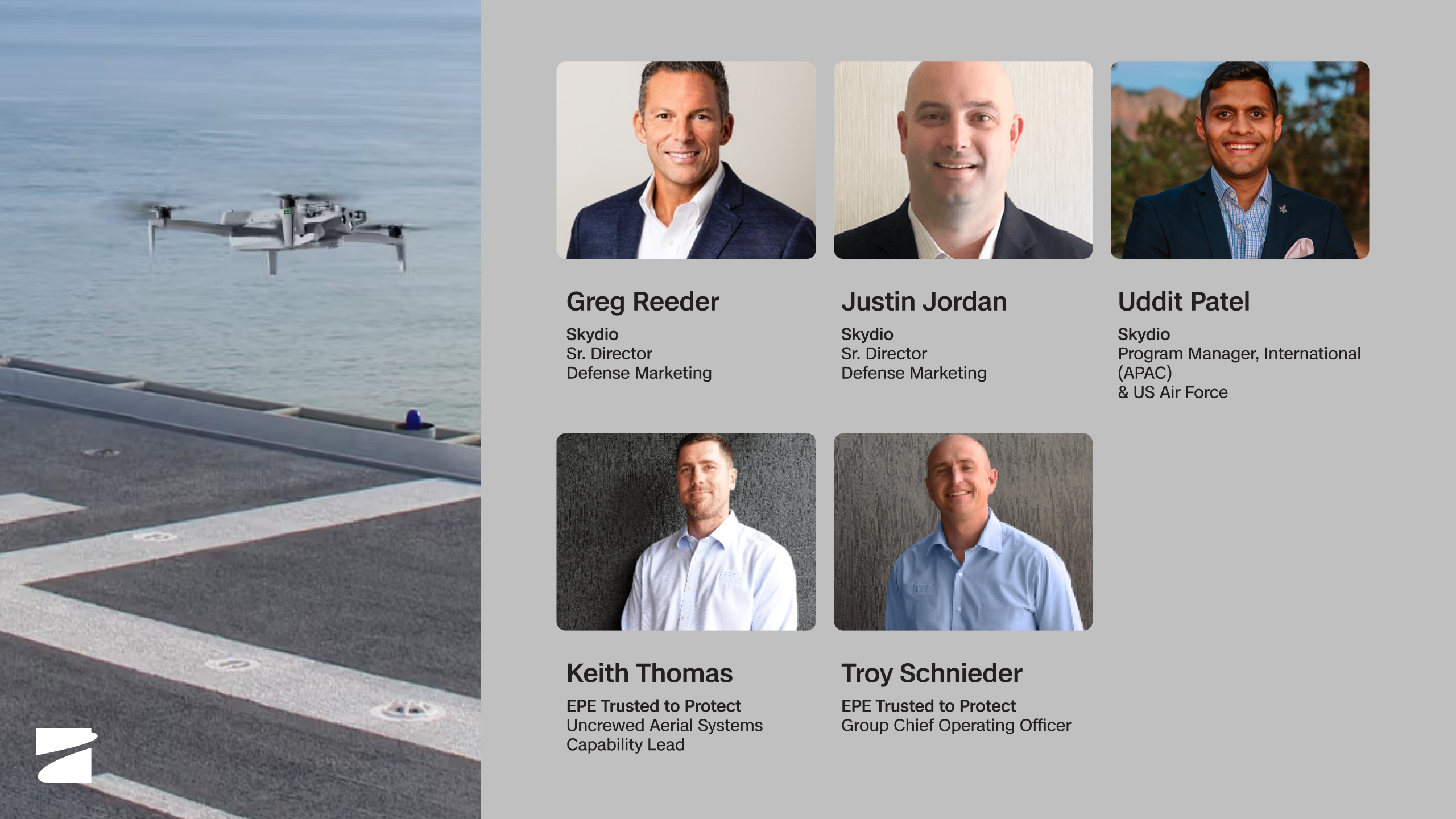
Partners in defense: Leveraging drone technology for allied security
Watch webinar