Successfully navigating drone program regulations | Skydio Ascend ’24
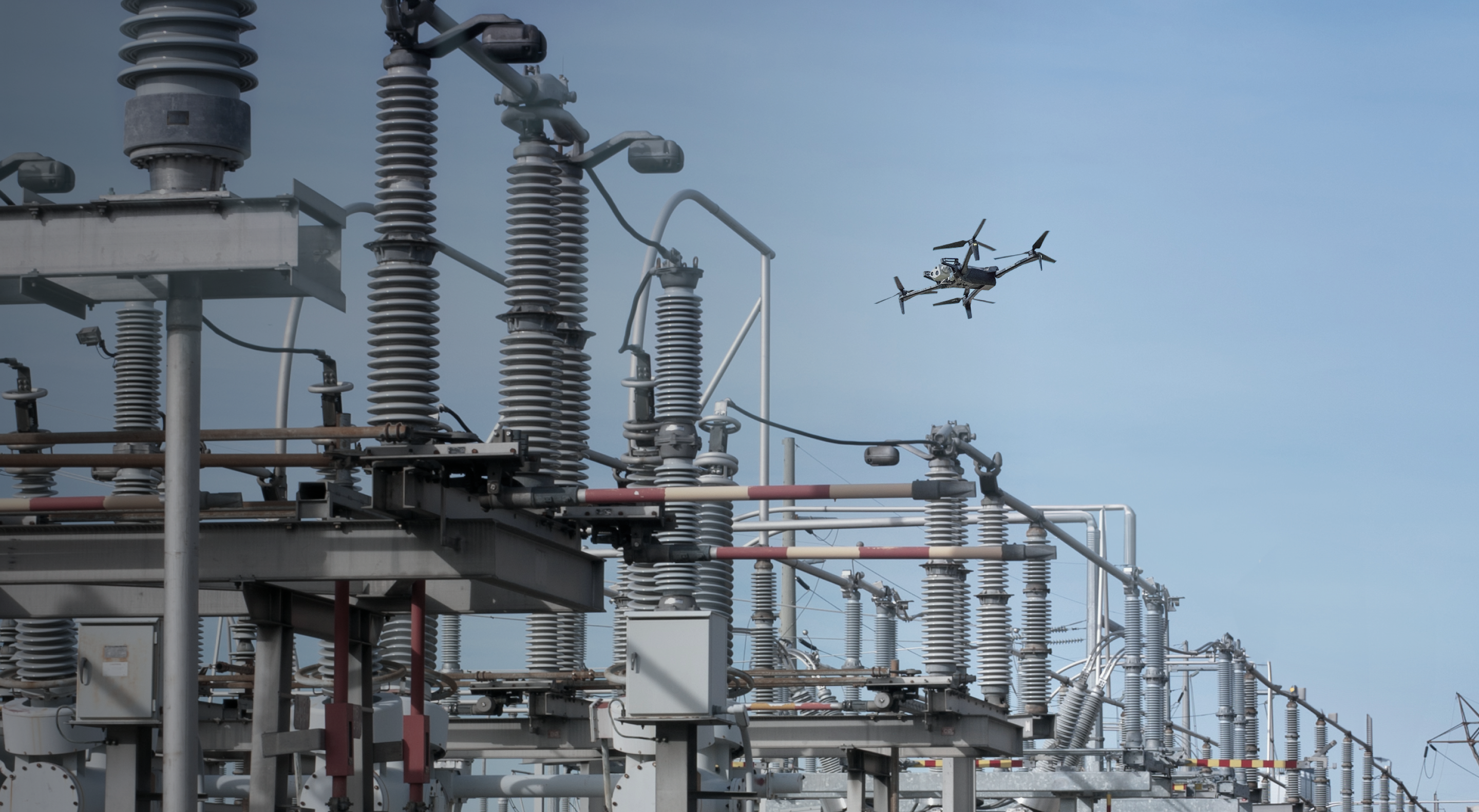
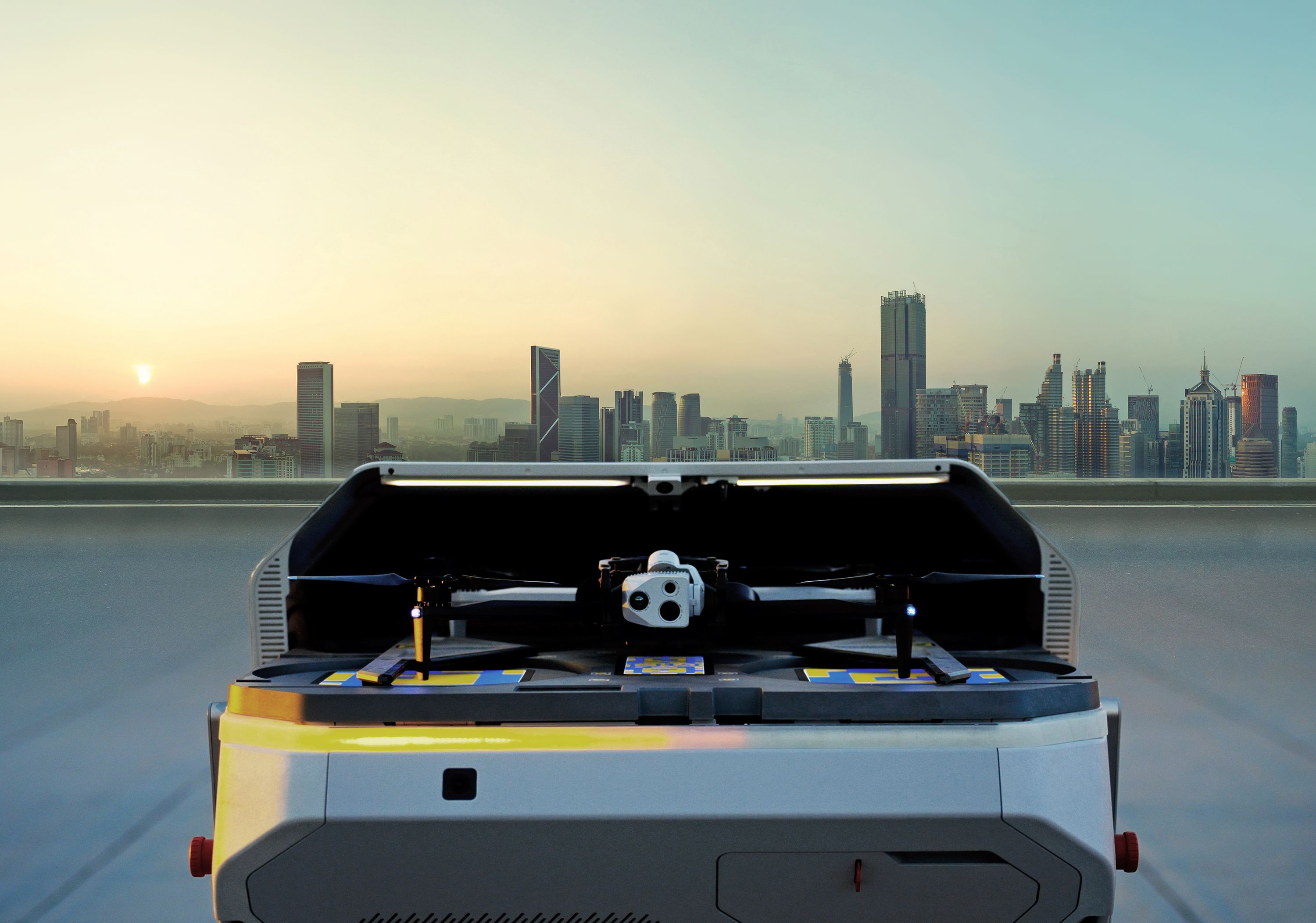
As the utility sector rapidly adopts drone technology, mastering aviation regulations is crucial to realizing the benefits of fully autonomous remote operations. Learn about the steps involved and how Skydio can help you unlock Beyond Visual Line of Sight (BVLOS) operations – and hear some real-world success stories.
Learn more about Skydio Regulatory Services.
- All right. Welcome to, uh, the, the last session
- here at Ascend. It's great to have you all with us
- and, uh, I'm gonna be running through the
- drone program regulations and the Skydio
- approach to enabling beyond visual line of sight ops
- for a variety of use cases.
- So to start with, I am Daniel Jenkins, regulatory program manager here
- at Skydio. I'm part of the regulatory team with
- Jakey and Jen.
- And
- our team is rather small compared to the rest of Skydio.
- Um, but we are really, really highly specialized
- in enabling your drone programs
- to have a quick, clear route through
- FAA regulations, and really enabling you to build
- both scale, repeatability, and reliability with
- your drone operations.
- So
- we have a very lengthy track record.
- Uh, personally, I have worked in the beyond visual line of
- spa-
- s- beyond visual line of sight space for the
- past eight years.
- I started at a detect and avoid company, working with
- cameras on drones that could see other aircraft to avoid
- them.
- Um,
- from there, I went to the MITRE Corporation,
- where I worked
- with local, state, and federal agencies in both
- designing their drone programs, developing their
- operations, and obtaining beyond visual line of sight
- approvals for those
- operations.
- Uh, at Skydio, I've been here a little over a year
- and a half, and I've worked with
- over a dozen different customers in enabling, you know, both
- new
- leading
- types of operational approvals, as well as ensuring that, you
- know, folks that just need the standard kind of
- BVLOS
- route are able to get that and are able to get that easily.
- So in the past year, we have had five
- different, we call them precedent-setting approvals.
- Basically, that means it's the first time
- that somebody has done a
- certain type of operation or used a certain safety case,
- and we've helped pioneer those ideas with the FAA and that customer,
- ultimately resulting in a successful approval.
- Beyond that, we have 28 unique regulatory approvals
- across
- customers,
- and then this has covered over thousands of sites.
- Uh, so you'll hear me use a couple terms as
- we're walking through this
- presentation.
- One of those is site-specific. Typically, that's just a handful of
- sites for a proof-of-concept style project, where,
- you know, you're limiting the initial outlay.
- You're able to take this equipment and start
- integrating it into your workflows.
- You're able to see how the drones work, the data they're collecting in a
- controlled environment, and then from there, we move into what we
- call performance-based,
- which is how we can cover, you know, thousands of sites.
- These aren't thousands of different approvals per site.
- It's one approval that covers a large variety of sites.
- So for utility customers, this could be every substation across
- their
- service area. Uh, this could be every bridge across the
- transportation network, et cetera.
- Oh,
- there we go.
- So the way that we typically think about the
- progression of
- drone operations
- is using this arc of autonomy. You know, it's kind of the sliding scale
- for how much human involvement is required,
- moving towards stage five, where it is largely automated
- and functions more as
- a, uh, data supply, where you have an
- idea of the data that you need. Say it's, you know, uh,
- all components for transformers across all of your
- substations.
- You would then
- ask the system to generate that data set.
- The drones would go out and collect that data autonomously,
- deliver that back to your system, and instead of needing to
- plan a large effort where you have
- multiple crews going to multiple different sites to be able to collect
- this data,
- this drone systems are able to do this autonomously.
- And so you interact with this system as
- more of a data delivery service than as a drone that you're going
- out and piloting.
- So right now,
- we are largely in stage three,
- and that's what Dock and remote operations really enable.
- Is instead of sending a human out on site
- to collect this data that you see in stage one and stage two,
- we're
- pulling that human off the site, putting the Dock on site, and then they're
- able to connect in remotely
- and access that sensor to collect the data that they need.
- It's then sent back over the internet to them.
- So without ever leaving their office, they're able to collect real-time
- data at a substation or at a bridge or at a construction
- project,
- get that data delivered back to them, and make near real-time decisions
- using that data.
- One thing that, uh, we demoed during the keynote was the
- multi-mission, so one-to-many.
- This can be
- multiple drones at a single site. So for like a large construction
- project or a large power generation facility,
- you can have multiple drones flying at the same time within stage
- four, collecting all of that data simultaneously.
- And then getting it back to you, drastically reducing the amount of time it
- takes to collect that data.
- Or you can have
- different systems at different sites that one pilot
- is then monitoring while they're collecting that data.
- So this could be half a dozen substations
- the pilot would then need to inspect.
- Instead of going to each of those sites, driving times between
- each of those sites, collecting the data, and then bringing it back,
- they're able to connect to the docks, fly all those missions
- simultaneously, get that information back,
- massively reducing the amount of time, the amount of resources that you'd need to
- commit to get that data,
- and
- vastly improving the efficiency of inspecting across your, you know,
- networks or your different sites that you're working with.
- So now we will dig into the waiver side.
- So this is kind of where the rubber meets the road.
- This is what we on the regulatory team do, you know, to
- enable these types of operations for you all.
- So to start with, this one is pretty straightforward.
- The pilot is out there. This is that stage one,
- stage two type of operation.
- They are able to fly up to 400 feet AGL,
- and this approximately doubles the distance that they are able to
- operate over standard Part 107 visual line of
- sight.
- So under this, the pilot is responsible for scanning that airspace,
- but they don't have to maintain line of sight with the drone.
- So that's the big difference here between standard Part 107
- and then a BVLOS waiver with that operator on site.
- One step past that is remote operations without a
- dock.
- So, uh, big utility use case here
- is for inspection of lines, uh, potentially after an event,
- if there's a report of a downed line.
- You already know that you need to send a crew out.
- That crew can have the drone with them, and then
- somebody back in the office can connect to that drone,
- fly it remotely, get the data back that they need.
- And as part of inspections, you know, this uses
- that drone to then get, uh, the imagery into
- your workflows, your data pipelines, where you're managing these
- assets.
- And since you already have the crew out in the field anyways, you're able to
- use that person as a visual observer.
- So a lot like the previous one, that visual observer
- is scanning the airspace.
- This increases the range that the drone can be flown from them
- out to about two miles, and then this supports up to 400
- feet operations without any additional waiver.
- So we're gonna spend a little bit of time on this slide because, uh, as you
- can see on the right, there are a lot of different variants
- when it comes to remote operations with a dock.
- So here, you don't need to send anyone out into the
- field.
- You have that docked drone out at the site ready to go.
- And this takes advantage of shielding.
- So shielding basically means flying close to things
- that crewed aircraft don't wanna be flying close to.
- Uh, so with substations, utility lines,
- um, construction areas, construction equipment, so cranes,
- bridge infrastructure, et cetera.
- Uh, typically, if an aircraft is interacting
- with your drone at this altitude, they have many, many other
- problems on top of the drone.
- Uh, so we use this in combination with
- ADS-B. ADS-B is automatic dependent surveillance
- broadcast. It's a system onboard aircraft
- that basically shoots out a message every so often that
- says, "This is where I'm at. This is my speed.
- This is my vertical speed," et cetera.
- So you can understand where other aircraft in the airspace are
- and avoid them if necessary.
- Now to walk through some of these different types of shielding, so
- starting with the 50-foot shielded operations,
- this is kind of the easy button, the general case.
- Uh, it's not tied to any specific type of
- infrastructure,
- uh, and anything really that sticks out of the ground counts as
- shielding. So trees, power lines,
- poles, buildings, you know, warehouses, et
- cetera.
- As long as you're within 50 feet of one of those structures, you are in
- that shielded environment.
- Now as we move to the right, you can see that 200 foot,
- and this is a specific use case, so 200 feet or
- up to the height of any object above 200 feet.
- So if you have a 400-foot tall tower, you can go right up to the top of that
- tower
- and be within that shielded volume.
- Or if you have a 50-foot tower, you can go up to 200 feet over the top of
- that because you're still within 200 feet of the ground.
- This is typically used in locations
- where there's controlled airspace or something like that.
- Some other caveat where we wouldn't
- want an excessive amount of airspace over the top of the
- structure
- or in the event where you don't necessarily need to fly over the
- tops of these structures.
- This enables you to inspect and gain additional
- altitude. So for mapping missions, things like that,
- you're able to do those more efficiently because at a higher altitude, you have a
- larger footprint with that sensor
- So we can also combine these two. So that's what you see in the bottom
- left, the substation plus utility line example.
- This means that within that substation, within that critical infrastructure
- environment, you're able to go up to 200 feet,
- and then the lines
- coming in and out of the substation, you're able to use that 50-foot general
- shielding over the top of those,
- which means that one dock within a substation can then
- inspect two miles of lines running in and out of the substation.
- And for areas where that substation density is higher,
- typically this means that a dock in a substation can then
- inspect
- the line all the way down to the next substation.
- So if you daisy chain those docks, suddenly you have automated
- inspections for your entire network.
- We also use the 200 feet,
- uh, over the top is, uh, how we typically refer to it.
- So this is within those critical infrastructure sites.
- So this would be, you know, more like a power generation facility
- or a really large structure
- where, you know, you need that 200 feet around it to be able to
- inspect, to have enough room to get all the data
- that you need, but you also
- need to be able to get over the tops of these structures and inspect them at a
- distance.
- And what this one does is, you know, more for like
- uncontrolled airspace, areas where there aren't a large number of
- low-flying aircraft.
- Uh, this allows just more efficient
- operations.
- It's something that the FAA is, you know, able to approve
- and enables you to have the most room to
- operate at the site
- and can support, you know, other use cases besides
- inspections. So mapping,
- um,
- analysis of how the site is changing over time, uh,
- environmental surveys, things like that.
- So part of what we do to enable those
- different types of operations is we build a safety case both with
- you
- and any, you know, unique characteristics
- that may exist in the
- environment that you're operating in, as well as our experience in dealing
- with the FAA.
- So really the two core pieces here are the air risk mitigation
- and the ground risk
- mitigation. And if you think about a drone flying,
- there isn't
- really another category that the drone could cause damage while
- it's operating other than what it's flying around
- and what's below it.
- So when we're thinking about the, about the air risk mitigations,
- the big thing here is how do we avoid other aircraft,
- and how do we do that if the drone is not functioning
- properly?
- Same thing on the ground. How do we avoid running into
- things or people on the ground,
- both during nominal operations when everything's working well
- and if components are going to fail on that system?
- So we're gonna start with the air risk mitigations.
- And the goal of this is really to
- maintain well clear
- and avoid what's called NMAC. So NMAC is a
- near midair collision that's typically within 500 feet
- of another aircraft
- laterally, and then, uh, 100-foot vertical offset.
- So the definition for well clear
- didn't really exist about six-plus years
- ago,
- and there was a whole lot of math and a whole lot of work across
- various standards bodies by the FAA
- that ultimately results in this 2,000 by 250-foot
- volume or hockey puck around the aircraft.
- And safe state is another kind of term of art
- here, where when you're in a safe state, you're well clear by
- default. So if you're 20 feet off the ground
- and a plane hits you,
- chances are they're hitting the ground almost immediately.
- If you're within five feet of a building and a plane hits you,
- they've already hit something else.
- So you can't get further away than the safe
- state. Does that all make sense?
- Perfect.
- So when we're looking kind of across airspace,
- uh, what you can see on the right here are returns
- for traffic flying around at different altitudes.
- So you can see 1,000 feet on the top right
- and then 200 feet on the bottom right.
- And you'll notice there's a lot of cross patterns.
- As you get lower, those are runways.
- So when we're operating near airports, which is, you
- know, also controlled airspace in some cases,
- there is an extremely low risk of
- encountering another aircraft
- because pilots don't like flying low the entire time
- they're flying. You know, altitude is life,
- and altitude gives you time to make decisions in an aircraft.
- So folks that are flying low, typically landing and taking off.
- So if you're away from airports, that risk just-- if you did
- nothing else but were away from airports, that risk is very low.
- However, the FAA,
- you know, typically wants that risk to be as close to zero as
- possible.
- And so there are some, you know, mitigations that
- we put on top of just operating away from airports.
- So generally, the low-risk category of
- operations is gonna be greater than three miles from airports
- and greater than half mile from heliports.
- When you get inside of that, that risk starts to go up the closer you
- get
- into the airport.
- And if any of you are familiar with the Lance grids
- or the facility maps,
- as you get closer into the airports, those altitudes decrease.
- Often it's set up like a upside-down wedding cake,
- where
- the highest risk, right around the airport, is gonna be
- zero feet or maybe 50 feet, and then as you move out,
- that altitude steps up as you get further and further away.
- So one way that
- the FAA has, uh, agreed that there are some, you know, risk
- mitigations for the air risk side is with
- non-cooperative detect and avoid sensors.
- So at the top there, that was my first job, uh, flying drones
- at planes out in the desert and testing onboard collision
- avoidance.
- Uh, moving down, there's a little radar there.
- A, a bunch of
- colleagues from my first job ended up moving into that company, and then
- while I was at MITRE,
- I assessed various DAA systems, so
- acoustic systems that are listening for aircraft,
- the electro-optical
- that are using cameras to see it, and radar, which, you know,
- radar's a little bit more ubiquitous.
- Each of these systems has different
- limitations and different restrictions on what they're able to
- see, how they're able to be used. They require
- setup. Typically, they require power.
- And so as you're integrating these types of systems into your operations,
- it gets more and more complex.
- Additionally, you have to be able to demonstrate to the
- FAA that the system
- works, and works well enough to count as a risk
- mitigation for your operation.
- So I talked about the DAA performance standard a couple slides ago.
- There's a whole series of tests and test, test
- methods and metrics that you need to satisfy
- for the FAA to approve a detect and avoid sensor.
- Additionally, they have limited range, and so if you're looking to
- fly 10-plus miles,
- you're either gonna need a really expensive radar or you're going to need
- multiple sets of these systems set up along that flight
- path.
- Operationally, they can also be pretty challenging to
- use.
- Uh, so the bottom right there is definitely a little bit of a throwback
- with
- Mission Planner.
- But what you can see there, that pink line is a flight path,
- and all of those green points are potential loiter
- points. So if the system triggered that there was an
- aircraft in the area,
- then the plane is gonna fly to one of those points and
- loiter.
- And with all of them stacked up on top of each other,
- for longer and longer missions, that's more and more different things
- that that
- pilot has to keep track of, and you start getting into information
- overload, and it's more about managing the DAA
- system than it
- is flying the mission and getting the data that you need.
- So this is why we use shielding,
- because you don't need to prove that the ground is the ground.
- You don't need to prove that planes flying into the side of a
- building or the side of a mountain is bad and that they don't want to do
- that.
- That's all very much understood, and the shielding altitudes are agreed
- upon based on, you know, some research that
- was going on at the same time as the
- DAA research was going on.
- And so
- we try to default to the least friction
- solution to get you the data that you need.
- So ADS-B, as I mentioned, is one of those
- tools that we use on top of shielding.
- So with the FAA rules around
- ADS-B equipage,
- they've generated what we refer to as ADS-B out
- airspace. So around the larger airports
- where you have that Mode C veil,
- which is a 30-nautical-mile ring around the airport
- where there are certain reporting requirements that the FAA places
- on all the aircraft that enter that airspace.
- ADS-B is now included,
- and occasionally an operator can get permission to turn that off,
- but that's something that the FAA has to approve on a
- case-by-case basis.
- Given this, and that
- operators are typically flying in, near, or around
- one of these airports,
- we can use this increase in the amount of aircraft equipped with
- ADS-B to further help that safety case
- that ADS-B plus shielding
- is going to limit
- the potential for those air risks
- to an acceptable level for these operations.
- So with that ADS-B information,
- we are able to-- and we've kind of pulled the map off the
- back
- of this image here, but what you can see is a blue pip
- pointed the direction that your drone would be flying,
- so in this scenario, north.
- And then there's a red pip here
- with some additional information beside it.
- So these items are transmitted from that aircraft,
- and we are able to
- get-- collect that information from a receiver
- at the dock and display
- that to the pilot.
- So here we can see that the,
- you know, intruding aircraft here in red
- is 200 feet above
- the drone,
- flying at 100 knots, and is climbing at 50 feet per minute,
- and is .45 nautical miles away.
- Now, you see the alert here at the top,
- and this is a little bit more dynamic.
- Uh, but this alert pops up when that aircraft is
- closer than the avoidance timeline, or at that avoidance
- timeline distance.
- The avoidance timeline comes from FAA research in
- human reaction times. You know, how quickly you can see something,
- understand what it is, and then start acting to resolve the
- collision.
- It-- We also include the time for the drone to
- get
- to the safe state. And so, when that alert pops up,
- that means you have enough time to identify it,
- command the drone to descend or get close to a structure, and
- then while you're in that safe state, you're well clear, you can wait for the
- aircraft to leave, and then resume your mission.
- So for two hundred foot operations, it's about thirty-three seconds.
- For fifty-foot operations, it's about fifteen seconds.
- And an aircraft with-- traveling at the standard a hundred
- and thirty
- knots, is gonna cover about one point two
- nautical miles in that
- timeline for two hundred feet, and about half a
- nautical mile for fifty feet.
- This technology is lightweight, easy to use, integrates directly
- into the GCS, and doesn't directly command the
- aircraft, doesn't interfere with the operation.
- It lets you know if there's a risk, and then the pilot can immediately
- respond to that risk, wait until it's cleared, resume the
- mission.
- So this is the big advantage of, you know, using ADS-B
- versus detect and avoid systems.
- Oh.
- Let's see.
- Wanna advance-- We might have died here. All right.
- Uh, this is the, the fun one with even more clicking.
- So, this is gonna be, uh, an interactive portion here.
- Um,
- the point of this is to
- show some of the decision-making that a pilot is going to be making
- when interacting with ADS-B.
- So, a low-flying aircraft that is within that one point two nautical
- miles doesn't necessarily mean that you have to avoid.
- So remember that two thousand foot by two hundred and fifty foot hockey puck?
- That's what you're trying to stay out of.
- And so let's click the first one. Okay.
- So what we can see here is that we have an intruder
- going to the bottom left. They are two hundred
- feet above the drone.
- They're not changing their vertical, um, [clears throat]
- vertical altitude at all. So they're zero feet,
- uh, per minute on that vertical speed.
- And they're flying at a hundred and thirty knots.
- They're one point two nautical miles away.
- So, do we think that the pilot would need to
- avoid
- if they see this on their screen?
- Hands up if yes.
- Perfect. All right, let's click it.
- So this one's good.
- They're traveling away from us. We're traveling to the north.
- They are greater than two thousand feet horizontally.
- And even though they're within that two hundred and fifty feet
- vertically,
- they're flying away from us, we're flying up.
- There's not a reason to stop the mission because there's no
- risk here to avoid.
- So let's hit the next one.
- So with this one, it is flying straight toward us,
- seven hundred feet above.
- Vertical speed is zero, so they're not changing altitude.
- Flying at a hundred and thirty knots, one point two nautical miles away.
- Do we think we need to avoid this one?
- Yes, no?
- Yes. No.
- A little mixed. [laughs] So with this one,
- we don't need to avoid right now.
- But what we do need to do, because it is flying toward us, is make
- sure that that vertical speed doesn't go negative.
- So they're seven hundred feet above us.
- If they start descending, then we need to immediately start
- descending.
- Some organizations in this scenario may just recommend as a
- default, okay, if somebody's coming toward you,
- doesn't really matter the
- vertical separation at that range.
- You need to get to the safe state, wait until they're past,
- then you can resume the
- mission.
- That would be an abundance of caution.
- But generally speaking,
- no, you would not need to maneuver in order to
- remain well clear.
- And let's go with the last one.
- So this is two hundred feet of separation. Same thing on the vertical speed.
- One point two nautical miles away, headed right toward the nose.
- Do we think we need to avoid this one?
- Perfect. [laughs] All right. So yes, with this
- one, you know, once they're within that two thousand feet horizontally, we
- will have breached well clear.
- At one point two nautical miles away, this is the range where
- at two hundred feet, we have enough time to get to
- that safe state before
- we've breached well clear, and so we would engage that safe state
- maneuver.
- So, part of the training with using Skydio
- systems, using the
- dock with that ADS-B, is understanding how all of this
- works. And then part of pilot training, you know, both under the
- waiver and generally, is going to include
- that safe state maneuver.
- So they're gonna know, "Okay, I see this, I hit this button, I wait,
- make sure the drone is coming down.
- When we're in the safe space, we're good to go."
- So,
- that is all the air risk side. So when we're looking at ground
- risk, you know, how do we keep the drone from injuring
- people on the ground, both when things are working and when they're not?
- So there are a couple different strategies here.
- One is to fly out in the middle of nowhere where there aren't any people,
- then you don't have to worry about it.
- When you do get into areas that are more populated,
- uh, and this is a project that we worked on with a school, uh,
- two years ago.
- There are a couple strategies kind of tactically and
- strategically that can be used. So strategically is
- flying in areas where there are people are not going to be.
- So in this image, flying over the roofs of buildings, flying
- around that forested fence line,
- and generally, you know, not over flying parking lots, not
- ov- over flying those crosswalks.
- And then tactically, so this is day-to-day, you know,
- minute-to-minute different things that you can do.
- In this scenario,
- uh, we know that classes are going to end and start at certain
- times. We know that when we're between classes,
- more people are gonna be outside moving between buildings.
- And so
- during class transition, you don't fly.
- Once everybody's in their classes, then you can fly your mission.
- You can also use the camera on the aircraft
- to effectively look both ways before you cross the street.
- It's a really simple strategy,
- but it allows the pilot to make sure that before they would
- fly, you know, from building to building,
- they can look, make sure there's nobody between them,
- and then fly
- across. By doing that, even though there is
- the potential for people to be there, you have that check
- before you would move the aircraft in order to ensure that you're
- not actually flying over those people.
- So next slide.
- So with those pieces together,
- you have a repeatable and reliable beyond visual line of sight
- approval, 'cause those are all the boxes that the FAA
- is looking to check.
- Have you adequately mitigated air risk?
- Have you adequately mitigated ground risk?
- Do you understand the system that you're operating well enough to
- safely operate
- it? If you can s- you know, convince the FAA yes for all of those
- items,
- you have a pathway for those beyond visual line of sight approvals.
- Next slide.
- So as far as the regulatory side,
- what do we have upcoming now that you've seen all the cool new
- technology with the
- new dock and the X10?
- So for those of you that have used the X2,
- X2 dock, have done those deployments,
- you know that on top of the dock and on top of the aircraft,
- there's a lot of other equipment that we bring out and integrate
- with those systems. Uh, so what you can see in the top left there
- is the weather
- sensor,
- and then that, uh, white antenna is the ADSB.
- With the X10 dock, we've integrated those into the dock
- itself.
- So instead of running power to those, power to the dock, you just run
- power to the dock. It's all integrated in there.
- And we have also increased some of the
- redundancies with this system.
- So the access points,
- that serves as both, uh, external radio.
- So you have a different line of sight to that system.
- So if you're flying around, you know, a more congested area, you have multiple
- external radios out there. You can ensure that you always have line
- of sight to a
- radio when you're flying
- using that.
- And that external radio will function even
- if one of the other radios that you're using fails, and so you
- have a fallback option.
- Uh, if any of you have, you know, worked around or, you know,
- seen, uh, videos on commercial aircraft, you know that
- redundancy is a key component to
- those systems.
- By integrating redundancy into your drone operations, you
- increase that level of safety because, you know, like I
- was saying earlier, you have to prove that the system works both nominal
- conditions when everything is working and off nominal when there are components
- that fail. If you have fallback components,
- that supports
- that safety case.
- Uh,
- excuse me.
- So by reducing the number of different components that we're
- connecting to everything
- and simplifying the process
- of getting these systems out into the field,
- it makes it a lot more effective and efficient to
- deploy these systems across your areas.
- And so
- with all of that, I know we covered a lot of ground here
- today, but I wanna open it
- up for questions, uh, that you all may have,
- and then we'll have a
- mic coming around.
- So this can be
- questions about anything I went over
- or more general, you know, drone regulatory stuff.
- Oh, right here.
- Do-
- [laughs]
- This is the eternal question. It's easy.
- [laughs]
- Do you have a,
- a page on your website that goes into this in more detail
- if we have questions, uh, and wanna learn more about this
- issue?
- Uh, so this-- I know we're recording this, so this
- presentation will be available. Uh, as far as the
- information, we do have some on our website.
- Uh, but we're also happy to sit down, you know, discuss like a
- specific use case with you-
- Uh, specific, you know, integrations with different systems
- and, uh, you know, make sure that we can tailor
- whatever we're going to be doing to what would best work for you.
- Uh-oh. No. [laughs]
- We kind of was mentioning earlier at lunch, um-
- Yeah
- ...
- how existing BVLOS waivers, uh, might change or be impacted, you know,
- with the
- Dock solution. Um, and just to kind of circle back to
- that-
- Mm-hmm
- ... can you, um,
- explain like what, what the Dock...
- or the introduction of the Dock, how that's changed how the FAA sees
- BVLOS waivers?
- And like, I guess
- w- with new Docks coming on scene,
- is there any type of... Did it make it easier or harder for...
- to get BVLOS waivers when you introduced the Dock?
- Yeah. So the Dock enables, um,
- slightly different modes of operation.
- So without that Dock, the drone has to get out to the
- site somehow. Typically, that's a person.
- So, uh, like I was talking about with the
- non-Dock remote ops, where you have that crew taking the drone out, and then
- somebody connects remotely,
- what the Dock does is remove the need for
- that person to go out.
- On the regulatory side, what that means is you can't use a visual observer
- anymore unless you're sending a person out to the Dock, which kind of defeats the
- purpose of the Dock.
- So with the Dock,
- shielding and ADS-B are the primary risk mitigations
- that we use. So operationally, that's the difference.
- Instead of a VO and 400 feet,
- uh, for that altitude, it's going to be shielded with ADS-B,
- so either 50 feet or 200 feet. So that's
- the big operational difference.
- As far as the equipment that goes out,
- uh, when you have the Dock out there, that's also handling the data
- transmission,
- you know, getting whatever you've collected off the
- drone, piping it back
- to cloud.
- When you're using a person, then that person needs to pull that data
- off. Uh, now as far as the approvals, so FAA
- approvals for beyond visual line of sight generally are
- system specific. So if you say, "I'm going to fly
- a Skydio X2," in your waiver,
- to be able to fly an X10 under that waiver,
- you would need to amend. And basically,
- what the FAA needs to understand is the new equipment.
- So you need to provide information about whatever new system you're gonna be
- using,
- and with that information,
- there are a few different ways, uh, that you can approach it.
- You can just say, you know, "I want to fly the X10
- and the X2. I wanna change nothing else about my prior
- approval. I just wanna use this additional system."
- You describe that system,
- and then the FAA can, you know, take that information.
- As long as that new system
- meets the risk mitigations and requirements that you had under your
- previous waiver, they can update that waiver,
- and it will supersede the previous one
- and then cover you with that new system.
- If you want to do something new in addition to what was in the
- prior waiver,
- uh, it's going to be a new submission,
- and you would include all the systems you wanna use, the new types of
- operations. Uh, if you've already submitted a waiver in
- the past,
- you can use a lot of the, the information that was in
- that application.
- You know, anything that's changed, you can add.
- Anything that's the same, you leave.
- So it reduces the amount of work that you need to put into
- that new application.
- But the FAA would then take that and approve it on
- its own. So it would be a, a separate approval from the
- previous one. Uh, so you're, you're gonna have that first approval.
- That's gonna be for that, you know, initial system and that initial
- operational set. And then with that new approval, you would
- have the new systems, the new operations
- that you would wanna do, and
- very likely, you know, the, the stuff that you had under the prior waiver.
- So you'd be able to operate under either.
- Typically, you know, companies are gonna shift forward to
- that new waiver 'cause
- keeping everything tied to, to one, uh, process, one
- workflow, and one approval number is gonna be, you know,
- the most straightforward
- solution.
- So, so ultimately, do you think the FAA is gonna make it easier
- to... If, if you have a Dock, are they gonna...
- Do you see the trend where they're like, "Okay, you have a Dock.
- It's not of, uh, a, a longer review," or do you see a Dock complicating
- the review process? It's kind of what I was
- assuming. Yeah.
- Uh, yeah, no change as far as, like, complexity of the
- review process or the review timeline.
- Um, the FAA by now is very familiar with Skydio and Skydio
- Docks. Uh, we've been working with them across a
- handful of approvals
- for X10 Dock as well to support, you know, both the
- demos that we did here today,
- uh, initial testing of the system at
- headquarters, and a couple upper...
- other opportunities that we have, you know, across the states
- to make sure that this system functions in different types of environments.
- So we've been pursuing those approvals already.
- Uh, the FAA has accepted them,
- and so when we come with customers
- describing, you know, especially operations
- that have already previously been
- waived, that means the FAA understands the safety
- case.
- They understand the operation and the risks.
- And if they've already approved it once, the odds of them approving it again are
- very high. And so on the back end, like,
- another part of my job is communicating with the FAA,
- helping them understand the technology, understanding what's new,
- what's different, how it functions, how it performs.
- And making sure that by the time, you know, customers
- are coming through this
- process, the FAA is already very familiar with how
- the system works,
- the risks, how we're mitigating any of those risks,
- and
- enabling these operations. So the timeline is gonna be
- that 60 to 90 days. That's kind of a default for the FAA.
- Sometimes it's a little shorter, sometimes it's a little longer.
- Um, but as far as, like, the complexity I was describing with
- the detect and avoid systems,
- we don't have to prove that the dock works in every single
- specific environment
- with a whole test campaign and all of the things that would go into
- those systems. With the dock,
- it's not flying, so the FAA cares a little bit
- less about it versus the drone that comes out of it.
- So when the drone is flying, as long as that dock is able to f-
- effectively
- communicate with the drone and control it, that's really the part that the FAA
- cares the most about. [phone ringing] So...
- Yeah, that, that's good. Thanks.
- All right.
- Appreciate it.
- [laughs] Yeah, no problem.
- Uh, two questions. One on the ADS-B in.
- Is that-
- Mm-hmm
- ... active now on the X10s?
- Uh, do you mean are the X10s broadcasting
- ADS-B?
- No, are, no are they receiving, and is that a, a active function on the X10s,
- or is that something that will be turned on later?
- Uh, that will be turned on later.
- Okay.
- So we're still,
- you know, independent of, you know, the, the ADS-B antenna
- with the X2 dock. You know, there's, there's still testing that we're doing
- with that system. Um, but you know, when it, when it is
- ready, it'll get turned on.
- Okay. And then second question on the, the shielding.
- Has the FAA, has ever asked for, like, verification that you're
- maintaining 50 feet or 200 feet?
- Uh, no. So there are a couple different strategies
- for, you know, procedurally ensuring that you're remaining at that
- altitude or maintaining that separation.
- Um, but as far as the FAA wanting, like, flight logs of your
- exact positions and basically demonstrating it or the
- FAA proving that you weren't
- is not gonna be a factor unless something
- happens.
- Now, if an FAA person, you know, visually sees
- and, you know, they wanna come and ramp check you effectively,
- they absolutely can do that.
- And if you're routinely flying outside
- of that shielded volume,
- uh, they...
- With... As part of the waiver, they can audit you at any point in time.
- So they reserve the right to basically tell you to turn
- everything over so that they can review.
- So when you're operating, you wanna do your absolute best to make
- sure you're
- maintaining that shielded volume,
- but there's not, like, an automatic flag that'll pop out to the
- FAA that says, "Oh,
- you popped out of your shielded volume."
- Yeah, I was just thinking more in terms of a
- method that you have to include in the
- waiver, uh-
- Yeah
- ... application.
- So the, the method that we use, um,
- typically is going to be, you know, you have the altitude
- that the drone is at,
- you make sure that's below whatever your shielded volume is.
- When you're navigating to structures, you know, for like a large warehouse,
- you fly up to the top. That's gonna tell you a number.
- You add whatever your shielded volume is to that number, and then now you know
- the maximum that you can fly relative to that building.
- Thanks. Um, staying on the kind of safety case topic,
- have you guys found a good way... I know you're doing mostly shielded
- operations,
- but are, have you found a good way to do ground
- risk assessments with population
- density, traffic counts, things like that?
- Uh, when I was back at MITRE, I did a lot of that
- for the, uh, Massachusetts Department of
- Transportation.
- Uh, a good way? No. [laughs] Uh,
- with ArcGIS, um,
- and,
- uh, it was the LandScan data set,
- uh, there were some strategies to, um,
- do various summaries of, like,
- the, uh, population density within the grids,
- and then,
- you know, taking a flight path, overlaying that, and then being able to
- identify density within each of the grids or across the site.
- Uh, that gets very complex. Uh,
- happy to talk about it with you afterwards.
- Um, but as far as, like, needing to prove
- for these BVLOS operations that we've done, we haven't needed to
- prove a specific ground density, uh, or things
- like that because really the fundamental rule right now is that you
- just do not fly over people.
- And so we use those strategic and tactical mitigations of
- visually checking, flying over areas where there won't be
- people,
- uh, to mitigate that portion of the risk
- versus making the
- ground density and exposure style arguments.
- Uh, just wondering, in your opinion, what is the path and challenges to
- a fully autonomous FAA waiver?
- [laughs] Um,
- I am working towards that in, in some
- respects. Uh,
- you know, we have a very small team, and we're cranking out a lot of waivers.
- So if there was a button that I could just hit,
- I would be very happy.
- Uh, that said, there's a lot of very
- specific
- language and structuring to these
- waivers.
- Uh, and it's a little bit of art and a little bit of science.
- Uh, so there are some strategies with, you know, uh,
- like find and replace style. You can do Excel integrations.
- AI is kind of starting to make its way over,
- but
- AI has its own challenges with making things up,
- and when you make things up with the FAA, they're not a huge fan.
- Uh, so
- right now, uh, one of the big benefits with, you know,
- using the same aircraft across all of our waivers...
- You know, I'm not writing for other aircraft
- manufacturers, I'm writing for Skydio,
- so a lot of things I can keep constant.
- And then with the different flavors of waiver, you know, I can
- have some base templates,
- uh, based on the different mix and match.
- But every single one of them has custom work that goes into it
- based on what the customer needs, based on any unique portions of the
- operation that we need to describe and make sure the FAA understands how
- we're
- mitigating.
- So
- 108 is gonna happen well before
- any sort of, like, end-to-end automation of the current
- waivers.
- So if they, you know...
- If I were able to make that today, I'd be able to use it for, you know,
- a couple
- years, and then 108 comes out and I'd have to scrap it and
- start everything over with the new rule set, so.
- There's definitely some aids for generating that, but
- as far as end-to-end fully automated,
- there's just too much custom work and a little bit too much variability for
- that
- right now.
- I, I think my question was more autonomous flight waiver.
- Oh, oh, so like supervised. Fully, fully supervised?
- Fully, you know, no, no human, you know, fully supervised, you know.
- So there's some progress that's being made in that direction.
- Um,
- the big thing right now is controlling that operation.
- So this is for, you know, specific sites with specific
- criteria. Uh, you know, fences so we can
- make sure that people aren't walking through,
- uh, different things like that. So they are taking some baby steps in that
- direction.
- Um,
- but we don't have one that, like, a general customer could use
- at the moment.
- Yeah. So I was just a little unclear and wanted to just see, like, uh, if you
- foresee in the future... With the addition of ADS-B in, um,
- you had mentioned... Like, you get the alert on the screen of the
- controller.
- Mm-hmm.
- Is there gonna be...
- Are you gonna take the decision-making out
- of the human, right? To decide, "Okay, this is coming from a certain
- direction, certain altitude."
- Will the drone be able to get to that safe volume of space on its own if it
- calculates that it's necessary, or is that...
- Do you think that's always gonna be, you know,
- the responsibility of the pilot in command?
- Um, so ultimately, no matter what, it is the responsibility of the pilot in
- command as far as the FAA is concerned.
- Um,
- right now,
- keeping it with that pilot giving the command
- is something that's a lot easier for the FAA to understand.
- And operationally,
- um, drone pilots don't always like when the drone does something
- that they haven't
- told it to do,
- and so
- this keeps the most people happy. Uh, as soon as
- automation of the control of flight starts
- happening, uh, beyond, you know, what the pilot
- expects or beyond what they... You know, when you start, like,
- a 3D scan or something, you're clicking, like, "Yes.
- Okay, this is how I want it set up," and then it does its thing.
- Um, with ADS-B, it would just be flying along, and then
- boom, does its own thing while you're looking at the sensor feed.
- So right now,
- uh, no plan that I'm aware of. Uh, but in the future
- as this automation starts increasing, like, I'm sure that's gonna be,
- uh, something that we're a bit integrate.
- And then once it gets to the,
- you know, level of fully autonomous, then it's gonna have to exist because
- there
- is no pilot to then command the ADS-B maneuver.
- Maybe a stupid question, but once we get the BVLOS waivers
- for any Class G, Class C airspace type of, uh,
- uh, complex environment, do we...
- For every mission we do, do we need to report back to FAA for
- anything
- once we have the waiver obtained?
- Uh,
- so not typically. Um, as part of the certificate of waiver,
- there is a specific set of record keeping
- requirements, uh, that the FAA will tell you.
- So
- most of the time, the responsible person has to track,
- uh, maintenance for any aircraft flown under
- the waiver.
- They also need to track any pilots flying under the waiver and the training for
- those pilots.
- Uh, but as far as mission by mission, there's not a requirement.
- Uh, one thing that you, uh, do need to be aware of is that
- they do specify the different types of maintenance
- that qualify that need to be recorded,
- and there's also something called a functional check flight,
- uh, which basically means just taking the
- drone out under regular Part 107
- rules after any of those maintenance items, flying it,
- making sure the maintenance was done properly,
- making sure everything works before
- you then go fly it beyond visual line of sight.
- Uh, so that is typically the most onerous, like, record
- keeping component, is maintenance and functional check flight logging.
- Uh, but as far as flight by flight, no requirement.
- Um,
- and then the, the FAA reserves the right to kind of
- audit any part
- of the program when you're operating under a BVLOS waiver.
- All right.
- Well, thank you all very much for coming out.
- And, uh, I'll be here for a little bit longer
- if you have any other questions.
- And, uh, hope you all had a great Skydio Ascend,
- and, uh, we'll see you. [audience applauds]
Watch Time
55 Mins 6 Secs
Related Webinars
NYPD’s groundbreaking waiver: Leading the next era of DFR
Watch webinar
Navigating regulations for DFR | Skydio Ascend ’24
Watch webinar
Summiting mount regulation for utilities drone inspection programs
Watch webinar