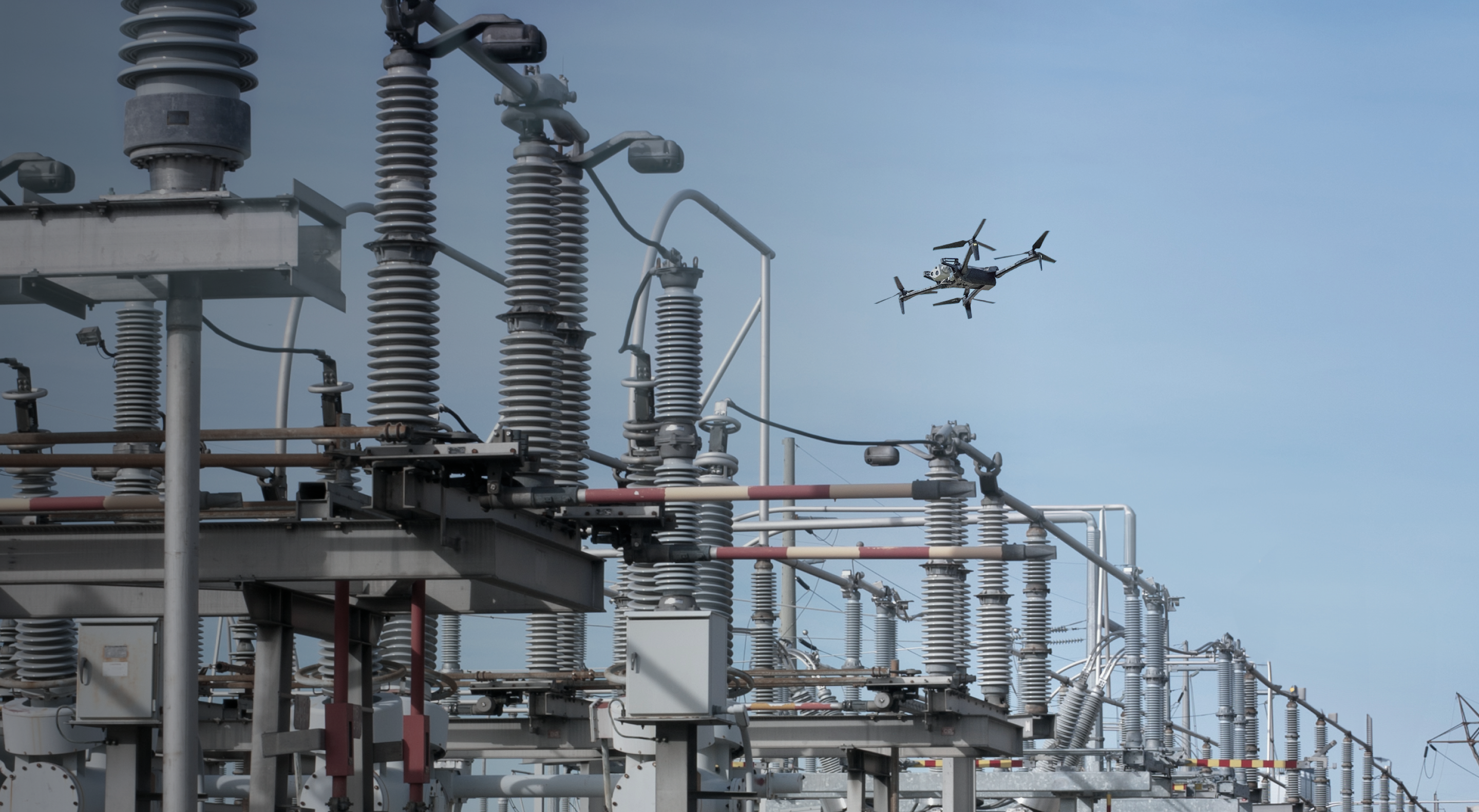
Watch us inspect a substation in real time from 2,800 miles away
If you had the ability to inspect any utility asset at any time, from a web browser anywhere in the world, how would your operations change?
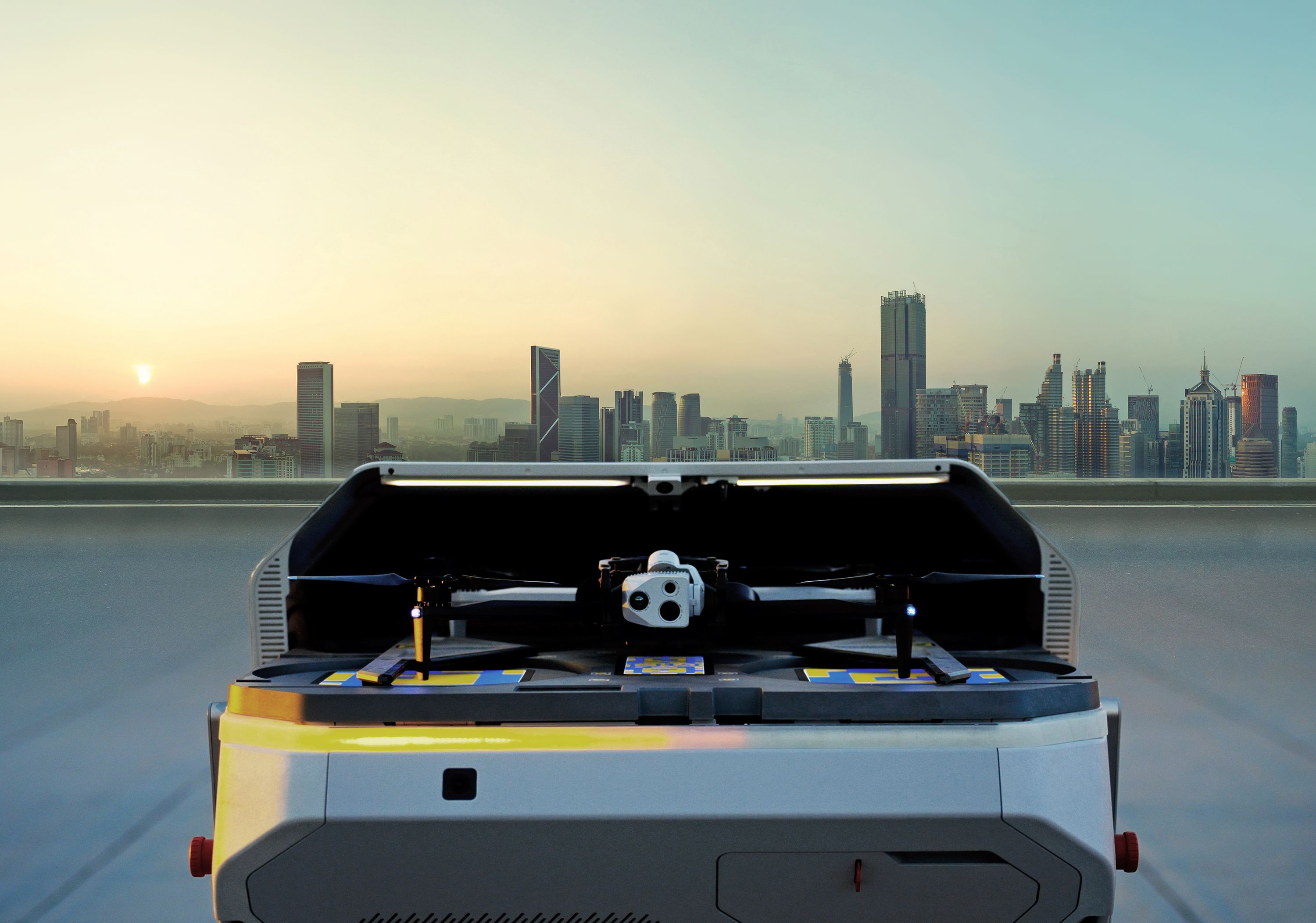
Watch an autonomous drone launch from a dock and inspect a demo substation.
Explore how Skydio can help you meet the challenges of remote assets, aging infrastructure, limited resources, natural disasters, and budget constraints that complicate asset inspection.
Learn more about how Skydio Remote Ops gives you the ability to conduct routine or event-based inspection from a web browser, significantly lowering inspection costs and increasing worker safety
Learn more about Skydio Remote Ops and Skydio for Utilities.
- My name is Christina Park. I am the Senior Director of Energy
- Strategy here at
- Skydio, and really excited to introduce our Live
- Ops remote
- substation inspection. Uh, I've been at Skydio for a year, and prior
- to that I was at the New York Power Authority for 15 years.
- Hey, I'm Corey Hitchcock. I'm the Utility Solution Specialist at
- Skydio.
- Uh, I come from a, a career at Southern Company where I
- was a distribution and
- transmission lineman and, uh, and worked there for 23 years and, uh,
- and helped build the, uh, drone program there.
- Great. So today's use case that we're focusing in on is substation
- monitoring. So over the last year or so, we've hosted a number of
- webinars on topics that are relevant to the utility industry,
- such as
- maintenance strategies for a- for aging infrastructure, and the path to
- condition-based maintenance. So today we're gonna focus what it looks
- like in
- practice with a mock substation inspection for Dock ware- warehouse in
- Hayward, California. Um, this type of inspection
- is one of our most used
- cases, and customers can expect to see benefits,
- um, such as gathering
- data on the condition of station assets, which enables making, uh,
- data-driven decisions. Um, also there's a security aspect and a
- benefit that can be had in terms of recent substation attacks, uh,
- and, um,
- uh, theft concerns of copper that have existed for a while.
- Um, and ultimately this is a way to, uh, keep your team safe.
- So to keep them on the ground to get the information that you normally may not have
- been able to procure easily, um, and to be able to use, uh, robotics
- that are not subject to electromagnetic interference.
- So keeping humans out of harm's way, but also having the old drone that
- can fly down under through your substation.
- So as we look at building a remote operations program,
- um, we wanna cover the components that you'll need to really build
- a, a DRO or Dock and remote ops program.
- So first and foremost, uh, there is a regulatory component.
- So to fly remotely, you're going to need an FAA waiver to fly
- beyond visual line
- of site. Um, here at Skydio we have a regulatory team
- on
- site that will help guide you through the process, and the team has been very
- successful with our utility customers, uh, in gaining the ability to fly in a
- variety of conditions.
- Uh, next there's hardware selection.
- So here what you'll see today is the outdoor Dock.
- We actually have an indoor version that is smaller and, uh, less
- concerned with weather proofing and, and those types of factors.
- Uh, but here we have the outdoor and the X2 drone.
- And as part of your waivers, uh, the FAA is going to require that you...
- the proper set of BVLOS sensors along with connectivity.
- So, um, looking at weather to ensure a safe
- takeoff, air traffic to
- ensure that the sky is clear, um, and you are going to need a reliable
- internet connection as well.
- After that, there is remote op software
- that will allow you to fly the missions.
- Um, we'll cover that in a few minutes live.
- So we'll move on.
- And then we have a deployment and training team that
- is on staff to ensure that you
- have a smooth rollout, um, and that you can hit operational values as
- soon as possible.
- So here are some sta- uh, stats about our Dock as of,
- uh, the end of last year. So they've been in the field for about a
- year.
- Um, we have 350- over 350 Docks that have shipped, and
- over 28,000 missions that have been completed, which excludes
- Skydio testing. So these are just customer missions
- and customer flight hours.
- So we're very excited, uh, with the progress out in the field.
- And with that, I'll hand it over to Corey.
- Thanks, Christina. So, um, what I wanna show you guys
- today is the, is the ease of use of the remote
- ops platform and kind of give you a tour.
- I'm gonna talk a little bit about, um, mission planning and then what the
- data looks like. Uh, today I'm actually in,
- um, San Mateo, California. We actually had, um,
- several utility executives out yesterday, so I had to come out here for a
- meeting. And, um, and so I'm operating from,
- from, uh, San Francisco this time instead of, uh,
- in Tampa where I
- normally am. Uh, so what I wanna do is, this is the
- landing page that you'll see when you log into the Skydio cloud.
- It will have your fleet here on the, uh, on the left of the screen.
- Um, and then when you select that fleet, uh, you'll zoom in to where the
- aircraft is, where the Dock is inside the warehouse.
- Um, it will open up the, uh, feed camera and
- then you'll be able to see, you know, what,
- what the real time conditions look like
- out where your Dock is. Um, in addition to that, and I believe
- Tommy's gonna share it in the chat, we've got a, um, a ready
- link that we can have. Uh, you can set that expiration
- for what you want. Um, uh, in this case I've got it set for about
- 6:40 today with our cloud link, uh, there.
- And you can copy that link and share it with anyone you want.
- And then when you're... when that link is finished or the incident you're working
- is complete, uh, you can either set a automated
- expiration date of the link or you can revoke that link there.
- So we're gonna leave that link going and then as, um, once I move to the live
- flight portion, if you, um,
- if you click on that link on your device, you should be able to, uh, to see,
- uh, the, uh, high resolution feed, um, from the drone,
- uh, during live operations.
- Um,
- so we have missions that you're able to build and, uh,
- plan. Once you plan that mission, it's there. The,
- the drone knows how to do it.
- You can actually set a schedule to run that mission.
- Um, and then, um, the way you create that mission's pretty simple.
- You just hit the Create New Mission button.
- You, uh, you can tap, uh, plan that mission live or you can plan that
- mission using way points or even a map capture type mission.
- Uh, and then once that's saved, once the mission's flown, the drone comes
- back, lands in the Dock, then off loads that data, uh,
- to the Skydio
- cloud so that, uh, that mission's saved.
- So, um, what I'm gonna do is run,
- uh, pick this mission right here. This is a substation inspection mission
- that we built at our Skydio- Um, dock, uh,
- testing facility. We've got an actual power transformer
- and some other
- substation props in there to kind of sh- give you a feel for what it would look
- like if you were operating this in, in the world.
- So I'm gonna go ahead and click Run Mission.
- Uh, it's gonna bring us to the, um, remote flight deck page,
- and we're gonna be able to see, um, the dock
- opening. So I've got the dock opening here.
- And then the, uh, arm is going to extend the aircraft.
- This is where you could, uh, do your inspection.
- So I can tap the Inspection mode, and it'll bring the, uh, aircraft
- back. So I can bring it back to different modes
- and then
- do my, uh, my inspection that way. So I'm gonna go ahead and exit the
- Inspection mode. The aircraft is good to go.
- And then, um, the dock is going to close.
- Something important to note about the dock is that it has, uh, onboard
- climate control and a positive pressure ventilation system.
- So there's filtered air that's being brought into the dock.
- And, uh, as the doors open, if you're in a dusty or dirty environment,
- that, um, that positive pressure ventilation keeps,
- you know,
- particulates or a large portion of the particulates from entering the dock.
- So with that being, we've got the dock out.
- We've done our inspection.
- I'm gonna go ahead and click the Launch Mission.
- This is going to be,
- um,
- fully automated. This is a mission that I had already planned,
- and we're going
- to... Uh, the, the aircraft's gonna take off.
- It's going to do a, um,
- a vision system orientation. So the
- onboard collision avoidance, um, cameras, uh, build a 3D
- model of what's going on around the drone.
- And, uh, and we're moving to our first waypoint
- here at our, uh,
- our dock subs- substation.
- It's our Northwide Electrical substation.
- So now we've got a, um, a wide view. Uh, we're kinda
- starting to try to understand what's going on out here.
- Um,
- and at any point during this mission, if there's something else I wanna look at,
- I
- can pause the mission, and I can enter Pointer mode,
- and I can look
- around. So let's see if there's anything else here
- that we've got going on.
- Oh, looks like we've got maybe someone, uh, hiding behind these
- giant Lego bricks. I don't know why they built a Lego brick
- bunker outside of our
- substation, but, uh, but they have, and we're gonna have to note that.
- So
- I'm gonna skip that, and I'm gonna resume the mission.
- Now we're gonna look at the, uh, other aspect of the transformer from
- a wide angle.
- And you'll see those AR Observer, the AR, um,
- uh, kinda indicators of the screen.
- That's showing, like, the angle that you've planned that mission at
- or, or the angle that the, the gimbal is and where the location is
- based, the air- the aircraft is supposed to take the photo.
- So I'm gonna go ahead and continue the mission.
- Checking out our high side bushings here.
- Um, those all look okay.
- Now we're gonna move around and check our, uh, expansion tank side.
- I don't really see anything weird going on there.
- Oh, looks like we may have some wildlife on
- top of this transformer.
- Maybe that's why a differential. So, uh,
- gonna move to, uh, kinda check the other gauges and other
- components on this power transformer.
- And so from this location, I can see that my, uh, oil expansion
- tank is pretty low,
- and it looks like my winding temperature
- is high enough that the fans should be running, and they're not, right?
- So it's at the upper limit there for my, uh, internal winding
- temperatures, and my fans aren't running.
- So we might have to send somebody out here to look at this one.
- But I'm gonna go ahead and resume the mission and keep it going.
- Hey, Corey. So-
- Yeah.
- I see a squirrel here. [beeping]
- Link loss. Link loss.
- All right. Well, it looks like we've got a audible alert
- [beeping] that we have-
- Link loss ... lost the link- Link loss ... to the server.
- So I'm gonna go ahead
- and refresh the page.
- [beeping]
- And we pick back up. We've got the aircraft in flight.
- It had...
- It was continuing the mission. Uh, now the mission's
- complete,
- and we're doing a, uh,
- a panorama at this point. So at this waypoint, I had it set up to do
- a, um, a panorama. That's all automated.
- What was, what were you saying, Christina?
- Uh, I was saying that it looks like we have a squirrel
- that's kind of fallen over
- here on top of the equipment, and I was wondering if you could talk a little
- bit
- about the value of this, if you could just see that this
- happened, um, particularly in the context of
- distribution
- automation,
- um, where having that information-
- Yes
- ... could get online quicker.
- Sure. Yeah. So, um, something to think about here.
- In this situation, we've got kind of a-- We've got our wildlife here that may have
- caused, uh, a differential on this bank.
- And we know that the, um,
- the bushings seem to be intact. They seem to be okay.
- So now we can make a decision that we've got this differential on the
- bank.
- We can send a test engineer out there to do, you know, the
- atmospherics on the transformer to make sure that it's safe to re-energize.
- Uh, but, but had we been out here flying and we f-
- we see the wildlife or
- we see, like, a completely blown-up bushing,
- then we know we need a
- crew. And we can go ahead and start calling
- that substation maintenance crew and
- getting them out there. Um, in the case of a high
- magnitude mo... I'm gonna go ahead and resume this mission
- and continue talking.
- But i- in the case of this, uh, high magnitude momentary
- fault where, um, you know, you've got distribution
- automation and out on the distribution line you have, uh, that
- high magnitude momentary which has locked your line out- But you,
- you
- can't safely re-energize that line without sending somebody to
- patrol
- it. Um, but it could be a situation where it
- was a lightning
- strike or a tree limb fell through the primaries or,
- um, you know, it's something that can be re-energized.
- Uh, and, and having that drone to be able to dispatch to that
- event-based patrol, like to dispatch to the section of
- line that the distribution automation scheme has identified the fault,
- like that's something that, uh, that is...
- that I think is super valuable and kind of revolutionized the way that,
- uh, that distribution outages are handled.
- Because you're, you limit your CMI,
- um, by, by being able to re-energize
- the, um... by being able to re-energize the circuit
- without having your lone worker or, um,
- you know, your lone worker to have to drive three
- hours to get to that
- spot and then patrol that line. The, the drone's already patrolled it.
- And the inverse also applies where if the drone patrols that line,
- you had a high magnitude momentary, like an instantaneous trip,
- then you fly the line and you find that maybe a car hit a
- pole at 3:00 AM and you're in a very rural environment, and the
- drone's actually the first, you know, first responder on the scene.
- And, and the company can get aid to the person
- that's out there.
- They know they're gonna need a crew because there's a broke pole or, uh,
- you know,
- something else is damaged that they need to fix.
- And, um, you know, then you, you've saved time
- by, uh,
- you know, making those rapid decisions.
- So as we pull up to the dock, we're gonna see the dock opening.
- Uh, I'm gonna switch to this camera 'cause
- it's pretty cool.
- Um, but you'll see the pedestal extend
- and the aircraft locks onto the, uh, fiducial on top of the
- dock, and then it uses these April tags here on
- the arm
- to, uh, kind of finely tune or finely position itself,
- uh, over the, uh, landing
- platform.
- And we'll switch back to the, uh,
- to the landing cup and we can kind of watch the landing
- happen.
- Yeah. I think especially for s- uh, substations that are in remote
- areas, uh, there's tremendous value in having a dock
- out there
- as opposed to, uh... It, it's, it's very uncommon that you can
- get headcount in order to stick, uh, a security personnel
- out
- 24/7 when the incidents that happen for these
- momentaries are, are not that frequent.
- So, uh, this is one way that you can save time and labor,
- um, by using a machine.
- And so we see now that the, uh, the d- the aircraft has landed successfully
- in the cup, and we're gonna go through the, um,
- the, the rotor folding behavior. So, um, the aircraft's
- going to, uh, fold those rotors,
- and then it's gonna recover, and then it's gonna start charging
- and uploading
- the data from this mission.
- So one thing that I forgot to mention early on, my apologies, is that
- if there are any questions, if you could put them in the chat, uh,
- and we will use
- that chat in the Q- in the Q&A section that will follow.
- Okay. So I'm gonna go ahead and exit remote flight deck
- and kind of take you guys
- on a tour of the media that we got. So, um, we come
- back to the, uh, the media screen. This is the Skydio Cloud.
- All this media from all the missions that have been flown are uploaded.
- You can select whether you want the photos or whether you want the
- video or, or all of the things uploaded each time
- you fly,
- um, as you plan the mission. So I'm gonna jump into these
- photos here, and I'm gonna look for,
- um,
- some of the data that we got on that station.
- So
- got our wide shot there. We can kind of see, um, some...
- our wildlife prop there on top. Uh, I can kind of see
- that that gauge is low, but we- we've got another one we can look at,
- another
- image that's closer. There's another image of our wildlife on
- top of our
- transformer.
- Uh,
- oh, it looks like we do have some damage on
- one of the low side bushings.
- So we've got like, uh, some chipped porcelain there on the low
- side bushing.
- Could be flashed. Uh, something we're gonna need to look at.
- And then
- over here we've got the, um,
- all the gauges that were on the oil expansion tank
- and our winding temperature
- gauge. So something I think is pretty cool is, uh, and, and this is
- a new feature that, uh, that I found last week in one of our
- latest releases. It's the, the ability to annotate, um,
- different things on the screen or different things in the, in the photo.
- So you can have like an indicator that, hey, something's wrong here.
- We've got a low oil level. Uh, I'm gonna show you how easy it
- is to annotate. So I'll create a single point annotation.
- I've got some categories here. We'll pick that high temp.
- Uh, and then I'm just gonna mark it on there,
- showing that, um, we've got a high
- windings temperature and, um...
- Oops. Hold on.
- We've got a high winding temperature there.
- And, uh, now that's saved on that, so you can go back and, uh, kind of
- analyze that as you move,
- um, throughout your data management piece.
- Uh, something else to note about our media
- library and, and
- how it works is that, um, the data that the drone captures
- can be pushed to, um, anywhere you need it, uh,
- through... We've got a kind of a program called
- Skydio Extend, which,
- uh, we've worked with partners in the utility
- industry to allow for data APIs,
- um-
- That exists to push the data where you need it.
- So you can push the data to ESRI, you can push the data
- to your photogrammetry partners, you can push the data to a lot of
- different
- places. And, uh, and we make that pretty easy,
- um,
- pretty easy to do. Uh, something else we've got here is a fleet
- management solution or fleet management system.
- Uh, if you're operating a hand-flown drone,
- like our,
- our new X10, and you have docks, they'll all be kind
- of shown in this fleet. And we can check a summary here.
- We've flown, uh,
- uh, 24, 28 flights on February the 27th.
- That was a pretty busy day. Um, but we can check the activity,
- um, in number of flights. We can check, uh, each
- individual flight and see who flew those, and then we can see if
- there's been any alerts from, uh, any of the flights that have happened.
- So it's a pretty cool tool, like a one-stop shop to kind of manage
- your fleet
- and, uh, and understand exactly what's going on out
- there.
- And we can see we- we've got the upload already happening on
- the flight that we
- just flew, and uh, that data should be available in the cloud
- for
- us to see in about six to probably eight minutes.
- Hey, Corey, I see a couple-
- I think just hanging out, letting that end. Go ahead.
- Oh, I was gonna say, I- I'm looking at some of the questions
- that came in, and
- while you have your screen up, I wanted to ask one.
- So can, can one go back to freeze pictures from
- the mission?
- So the video that was taken, uh, being able to go back and, and take
- screenshots?
- Uh,
- you mean they want, they wanna see the data that was captured?
- Like, you want me to go back to the media thing,
- and they wanna capture a couple
- screenshots?
- Is that the question?
- Yeah. It sounds like the question is, uh, can you freeze pictures from the
- mission?
- Uh,
- yeah. You, you can set the, the mission to, to...
- Yes, you can go back and review them, and like in this case, um,
- you can review the photos, and then you can annotate them,
- send them wherever
- you want. Um, you can also have the video running, uh,
- which
- it's not uploaded yet, but you can have the video running,
- and you can, um, you
- know, pause the video and get whatever screenshot you need
- there.
- It just won't be able to be annotated.
- You'll need to, uh, have, like the prearranged photos for
- the ability to annotate.
- Okay. Great.
- And it sounds like you are done with this, uh, live demonstration-
- Yeah
- ... correct?
- Yes. We've completed our inspection of this
- really small substation, and, uh,
- I hope everybody, uh, got something out of it.
- Yeah. So thanks a lot, Corey. And
- I think if we look at the utility segment, Skydio supports over
- 150 utilities, um, 128 of which are in the US.
- So we are quickly growing in this industry.
- We feel that it, uh, merits focus from us in terms of one of
- the essential industries that our civilization needs, uh, to run
- on. So we are very excited, uh, in growing our partnerships.
- And as, as Corey mentioned, we have a program called Skydio Extend.
- So we realized, um, that being able to capture the
- data is only one part of your workflow.
- It's really getting that data into your workflow, into the
- hands of people who need it, uh, so that you can come to actionable insights.
- I think this is what everybody wants out of using technology.
- So we have a segment called Skydio Extend where we have
- partnerships and integrations with, uh, as Corey said,
- photogrammetry, uh, your systems of record with, uh,
- GIS. And this is something that's being built
- out.
- So we are taking feedback from our customers in terms of
- which platforms which
- would be the most useful. So if you have that feedback, please be sure
- to pass it on to your account representative.
- And with that, we will head into Q&A.
- So looking at some of these questions, uh, number one, 'Has Skydio had
- success in identifying failing porcelain insulators on switches or
- buses or lightning arresters in substations before they
- fail?'
- Corey?
- Uh, that's a good question. So, um, we can identify pretty easily
- damaged insulators. Um,
- and, and there have been several cases where
- we've found flashed
- insulators that maybe caused an operation, but they
- didn't cause an outage. Uh, I also know of cases where some of our
- customers have been able to use the, uh, thermal
- capabilities of the X10 to inspect lightning
- arresters and find, uh, lightning arresters that were
- failing because they, uh, they were running, uh, some, some amount
- of delta T from the other, uh, arresters that were, you know, on
- the line there.
- Great. And along those lines, there's a question,
- 'Is the thermal camera a FLIR
- camera?'
- It is. It, it's really cool. It's a, uh, it's a FLIR Boson.
- Or on the X10, it's a FLIR Boson 640 by 512 radiometric
- camera.
- Um, we are working on,
- um, a dock enclosure for that aircraft as well.
- But it's a FLIR sensor. Uh, it, uh, has the
- ability, uh, for radiometry, so it's a fully radiometric
- sensor. And it has a really, uh, high sensitivity
- level, and, um, and you can use that data in your
- FLIR architecture. Like, if you have FLIR tools, uh, you can
- analyze that data there, you know, and adjust the parameters like you would
- in a
- thermographic inspection.
- Great. And we saw that the drone landed itself, came
- in, did some prop checks, and there is a camera in the dock to
- inspect your drone itself. So how often do you recommend
- on-site inspections of the drone?
- On-site inspections. So that, that number is going to kind of
- vary, uh, based on the location and
- conditions the dock is in, in place then.
- So if the dock's in place somewhere that doesn't have very much- Um,
- dust. It's not a very dusty environment, and the filters don't need to be
- changed. Then, um, I could see, I could see you going
- 60 to 90 days maybe without having to, uh, inspect or
- without having to physically go to the dock.
- Um, but, but if you're in a, a dusty like mining
- type environment, you may have to visit it a little more
- often, uh, as
- the filter clogs and that kind of thing.
- And the cameras might get dirty.
- Yeah. Uh, the... We have a couple questions about wind.
- So let's say that there's a high wind event that begins while in mid-mission.
- Will the drone auto terminate and re-dock?
- Uh, I don't think that's a feature that's
- available right now.
- I think, uh, you'll have to, um,
- terminate the mission, and then the drone will return to dock.
- Uh, but right today, like all of the missions are monitored by
- the re- current regulatory environment requires
- every mission to be monitored by
- a Part 107, uh, at least in the US, a Part 107,
- uh, certificated pilot. So, um, so yeah, that pilot would be
- monitoring that flight, and if it started, you started to receive like high wind
- warnings or, um, other like unwanted
- behaviors with the aircraft, you could terminate it, um,
- at any time during the
- flight. And it would return to the dock or land in place, uh, if it
- wasn't, um, you know, wasn't safe to get back to the dock.
- Great. And along those lines for, um, conditions, does the dock
- analyze weather conditions to avoid flying in inclement weather
- or to warn the operator?
- So the dock doesn't have... It still takes a human in the loop to like
- analyze the, the data from the weather station,
- but we do have weather
- station kits. They're called our BVLOS kits that
- are going
- with, uh, with our, um, X2 dock
- that, um,
- they have, uh, ADS-B in for air traffic monitoring,
- and then they have, uh, weather stations for precipitation,
- uh, temperature, relative humidity, density, altitude, that kind of
- thing. And, oh, and a, and an anemometer for wind.
- So you can see, um, you know, the magnitude of the winds and then
- also, um, you know, density, altitude, those kind of things.
- But the, there is no automated go, no-go, uh,
- decision made by the, by the drone today.
- It's, uh, a human in the loop has to say whether
- it's go or no-go.
- Great. And to clarify for some in the audience
- who may not be, uh,
- versed in the drone space, can you explain what ADS-B is?
- Uh, ADS-B is, um,
- automen- automated, uh, dependent surveillance
- broadcast. Uh, what it is, it's, uh, manned air traffic
- have a radio on board that broadcasts their
- position to other aircraft in the area and air traffic
- control. It's kind of like radar, but it's not really radar.
- Um,
- our aircraft or our dock can ingest that data
- from the radios that are f- that are on board the aircraft flying around
- the
- area, and they can, uh, ingest that data and then display it
- on the remote flight deck screen so that you can see if you've
- got, uh, aircraft, um, you know, in the area and you, you need to terminate
- flight or make some other type of avoidance maneuver.
- Great. Uh, and another question along the wind
- topic. What is the precision of reaching the
- waypoint,
- uh, when,
- when operating this outdoors, let's say with some wind?
- Does, does it require a close landmark?
- Uh, I don't know that I understand the question.
- Say it one more time.
- Uh, what is the precision of reaching the
- waypoint when you're operating it
- outdoors if it's windy?
- Oh.
- Does it require
- Um,
- it's-- No, it doesn't. It, so it uses...
- So our, our aircraft use GPS and vision collision avoidance.
- The vision collision avoidance is the primary way our aircraft navigates
- through
- space. So, um, as long as the, the vision collision
- avoidance system is, is running properly
- and everything's working
- fine, then the drone will pretty, pretty accurately, um,
- move back to that location and operate it.
- That mission that we just did, um, had only been
- flown a couple of times prior to me flying it today.
- And every time you fly that mission, the, the 3D mapper
- model that the VIO builds or the vision collision
- avoidance builds as you're flying is compared to the
- previous flight. And they're all kind of, um...
- The drone gets smarter every time it does the flight.
- So your locations will be more precise.
- All the things will be pr- more precise, and, um, wind
- doesn't really, doesn't really affect how that works.
- Okay, great. And a couple questions on regulatory.
- I can answer these. Uh, first is, any luck in Massachusetts
- with FAA waivers for non-line of sight flying?
- So, um, I don't know if we have a specific customer
- in Massachusetts to cite as a success story right
- now, but we have successfully acquired waivers
- with all of our customers
- that have submitted. Uh, and we do have quite a few utilities.
- So this is something that our regulatory services team is, uh,
- very equipped to do. Uh, and I can't imagine
- that Massachusetts would
- be any different. Um, how close to an airport can they fly?
- So each waiver is unique. Our regulatory team, uh,
- would need to help assess
- the situation in terms of proximity, uh, and the airspace to give a
- specific recommendation. We do have customers operating in various
- airspaces.
- Um, here. Does the drone have to live at a specific
- facility,
- or can it be far away and therefore used to inspect multiple
- substations?
- Corey?
- Um,
- so typically the idea is that you would have a dock at
- each substation, depending on the proximity of your
- substation.
- So, um, right now the way Remote Flight Deck works
- is you would
- have a dock at
- a segment of your infrastructure that you wanted to inspect.
- Typically, we see our customers putting them inside
- substations, and then
- the drone can patrol out from the substation a certain distance onto the
- distribution feeder or the, uh, or the transmission side.
- So, um, so today we're only, um...
- You really can't fly, um, you know, across town to another
- facility. You would need to install a dock at the
- other facility as well.
- Great. Um, we have a question about post-processing.
- So, will you start doing AI analytics on these
- images in the
- cloud? Uh, basically start being a,
- a drone deployer buzz solutions. So, um, like we mentioned
- earlier, through Skydio Extend, we have partnerships, uh, for
- post-processing of the data, and that was actually a very deliberate decision,
- uh, for our organization because we wanted to
- focus our software
- developers and our AI efforts, uh, towards development of,
- uh, what is on the drone, so that the drone can fly safely,
- know what it's looking
- at, um, and, and really fly autonomously.
- So there are many, many vendors out there that do
- post-processing, uh, and that is something that we have chosen to
- partner
- with rather than develop in-house.
- Um, and you can see if you go to our website,
- you can see a list, a full list
- of our partners and partners to come.
- Uh, we have a thermal follow-up question.
- What is the temperature span for the thermal picture on the X10?
- On the X10, I believe it's
- negative 100 to...
- I think it's negative 100 to 300 C.
- So negative 100 to positive 300 Celsius.
- Great. Um, and what is the range of the drone?
- Uh, this person is thinking of patrolling
- lines for faults.
- Oh, yeah, you can totally do that. Um,
- the range for our drone, the, the usable range is much more than
- you would be able to operate, uh, keeping the aircraft within line of sight.
- Um, I have under certain waiver circumstances,
- gotten the
- aircraft a couple miles from my location. [coughs] Excuse me.
- A couple miles from my location
- and, um,
- um, you know, it, you can do it, but you need, you know, those,
- the regulatory relief to be able to do that, uh, at least in the United
- States.
- Right. Um, there is a question about pro- uh, pricing.
- So will you be discussing approximate pricing?
- So for everybody who's registered for, for this, uh, webinar,
- uh, there is an account manager or, or a business development representative
- who
- will reach out to you that you can follow up with, uh,
- in order to discuss
- pricing.
- And can the drone be equipped with a corona detector?
- Which I suppose would affect-
- Uh, corona,
- yeah, so, so corona discharge, uh, and
- UVography is something that the, the technology
- is not small enough yet that we can install that on our aircraft.
- It still requires a pretty large camera and a pretty large aircraft to
- do. So, um, definitely something we're interested in,
- and
- as the technology improves and those sensors continue to, uh,
- to get smaller, it's something we'll look at in the
- future.
- Great. Uh, and we're coming up on time, so I'm gonna put in one last
- question here in terms of inspections as a service.
- So do we offer, uh, basically, uh,
- inspections as a service? Uh, we at Skydio don't. We are not a Skydio...
- We are not a service provider. Um, but as a follow-up, is there a
- provision for private drone service providers to offer this solution to
- customers?
- Uh, yes, we have drone service providers, uh, that use our drone, uh,
- and we have partners as well, um, with channels to, uh,
- purchase the drone depending on your organization's ability to purchase
- directly. So, uh, thanks everyone for attending and for your
- questions. We really enjoyed having this discussion
- with you and would love to
- follow up. So, um, thanks for joining us today.
Watch Time
34 Mins 49 Secs
Related Webinars
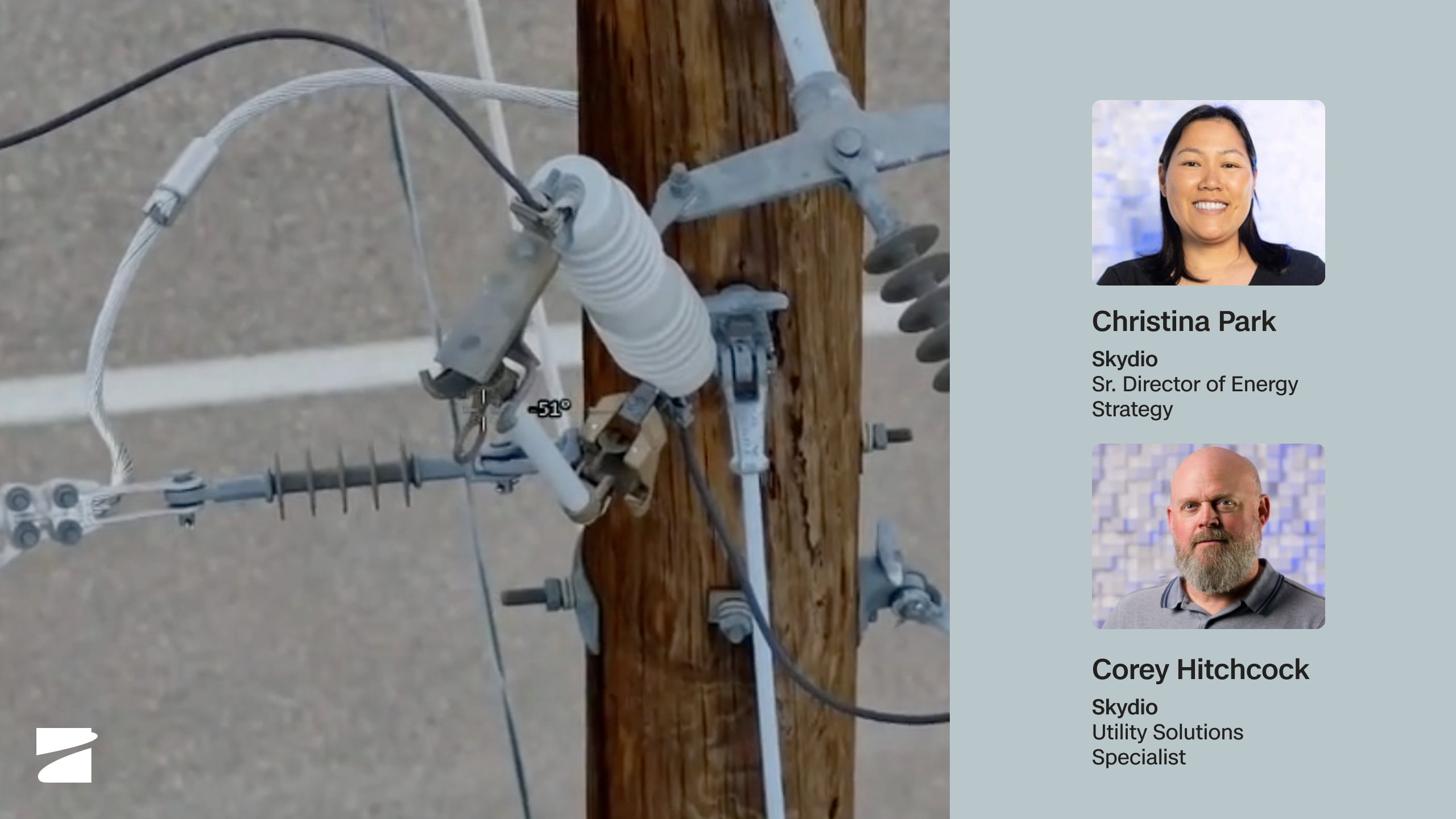
Dock for X10: Remote Inspection & Patrol, From an Office Chair
Watch webinar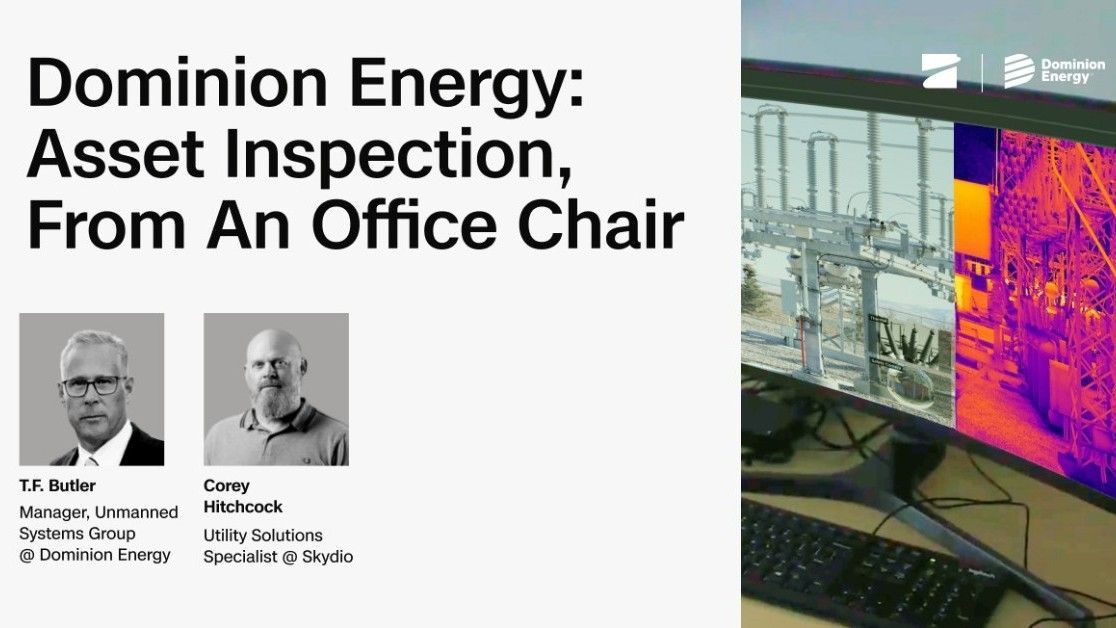
Dominion Energy: Asset inspection, from an office chair
Watch webinar
Demo: 1 Remote Operator. 2 Inspections. 1 Response. No Field Dispatch
Watch webinar