
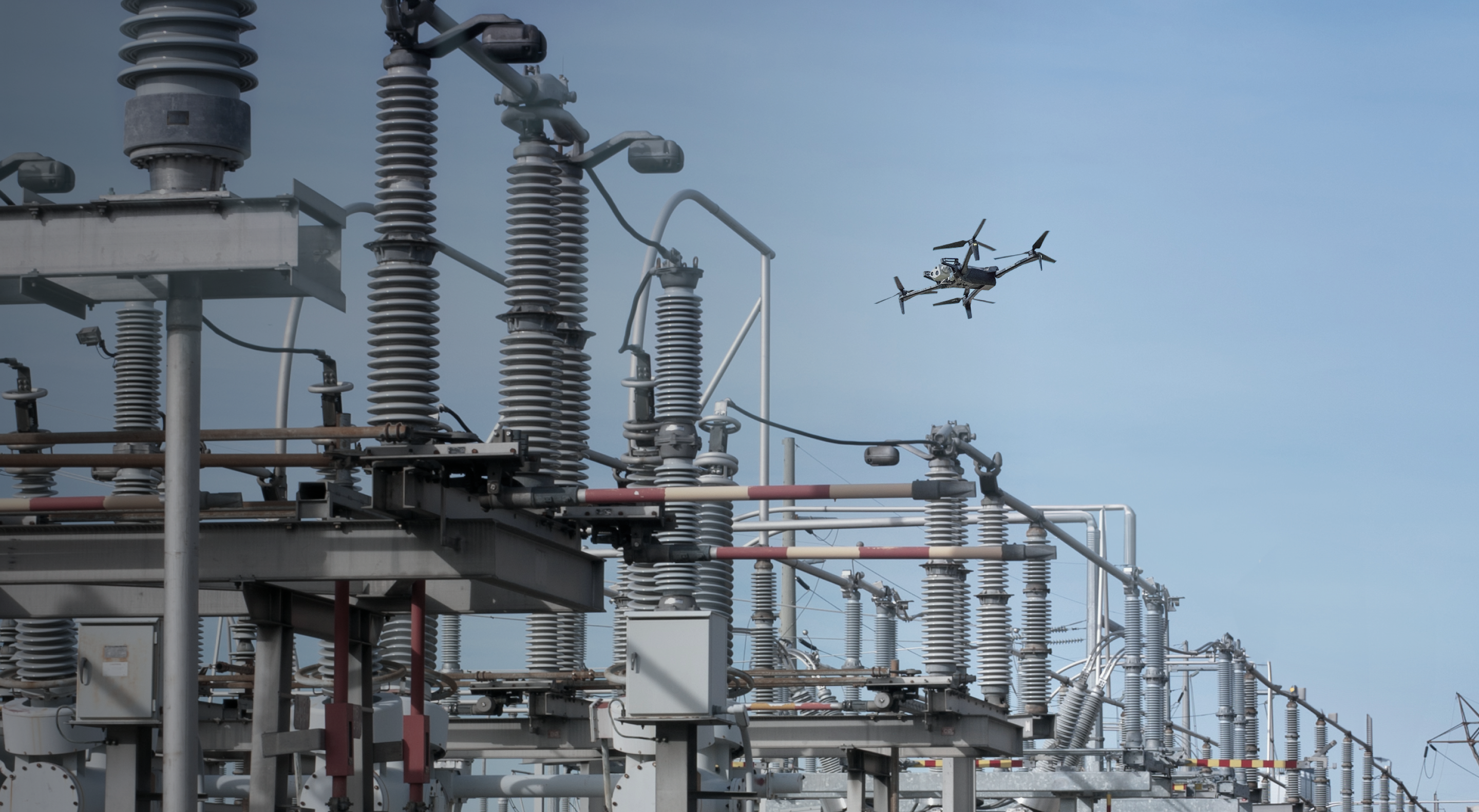
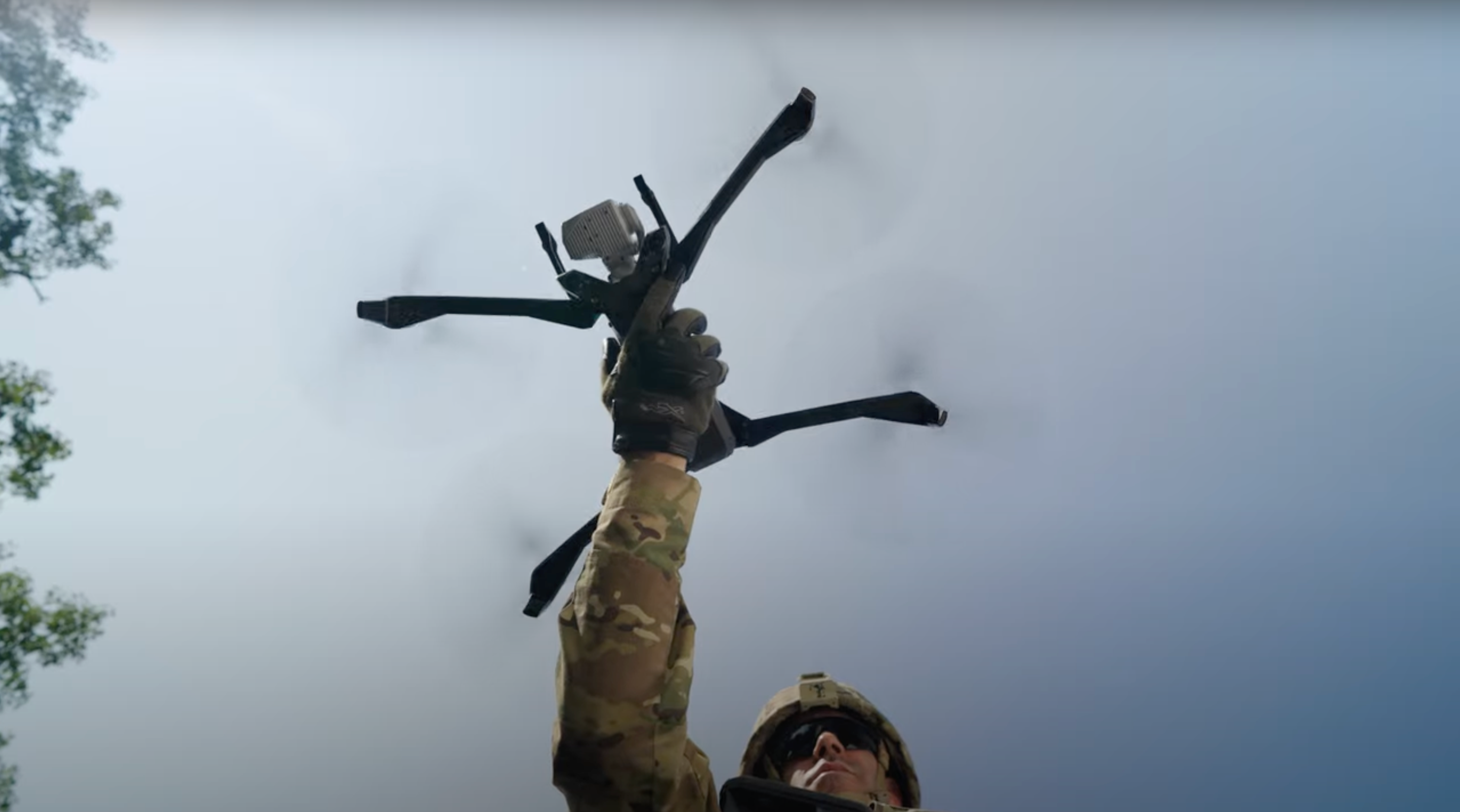

Delivering on that commitment requires much more than simply adopting new technology. It requires building permanent infrastructure, systems that are integrated, scalable, and ready to operate every single day. This is gonna give the ability to deploy police drones faster, farther and more effectively than ever before. This is the point where the future of policing moves from expectation to daily operation.
DFR Operational Readiness
Ready for dock-based DFR? Here’s what to prepare.

Launching a dock-based Drone as First Responder (DFR) program takes coordination across leadership, IT facilities, and operations. Small details matter, and addressing them early keeps your first flight on schedule.
That’s why Skydio created the DFR Launch team—a dedicated group of project managers, network specialists, and deployment engineers who guide public safety agencies through every step of DFR readiness. From FAA waivers to rooftop installs, our team helps you get it right the first time.
This guide outlines what to prepare before deployment—approvals, infrastructure, and cross-team alignment—so your program stays on track and ready for launch.
What readiness really means.
Operational readiness means three things: the site meets technical and access requirements, the systems (power, network, radio) are all validated, and the people (trained staff and FAA approvals) are in place. When all three pillars are ready, commissionings happen smoothly.

Why readiness matters.
The biggest gains come from addressing critical steps early, before they affect operations. Our structured readiness process identifies and resolves these blockers before they impact operations.
Why skipping steps makes it harder—DFR complexity.
People, process, and technology—these are familiar challenges in any public safety initiative. But with DFR, there are a lot of moving pieces that, if not thought through, can create avoidable complications that affect timelines. You’re not just launching a drone. You’re coordinating FAA approvals, IT configurations, rooftop installations, firewall settings, and cross-agency workflows. Clear coordination across workstreams helps timelines stay aligned.


Own the role: the DFR Program Manager.
Every successful DFR program has one person who keeps it all connected—the DFR Program Manager. This role is the central coordinator who turns a vision into daily operations.
Organizations benefit by establishing this role early in their DFR journey. DFR Program Management isn’t a side task—it’s a full-time responsibility that spans planning, deployment, and long-term operations. The manager oversees timelines, communication, and accountability across every team involved.
At Skydio, our DFR Launch Team partners with agencies to define and empower this role. We provide templates, readiness trackers, and proven workflows so your Program Manager has the tools and support to succeed.

The DFR Program manager’s core responsibilities:
Leader
Builds the plan, keeps the timeline moving, and coordinates with vendors and contractors.
Connector
Aligns internal teams and external partners, including city officials and the public.
Technician
Understands how the Dock and its systems work well enough to troubleshoot and flag issues.
Pilot-aware
Knows FAA rules, understands flight limitations, and local policy for safe, compliant operations.
Get in front of the right people early.
DFR momentum starts with early alignment across the teams involved. Even with a ready site, progress accelerates when teams share expectations, timing, and responsibilities from the start.
The first and most critical role is the Program Manager—the person who oversees timelines, communication, and task ownership. Then, before anything else, gather the key players who need to understand what DFR is and what it requires. Share the plan, define expectations, and agree on roles and responsibilities.
Who to bring into the conversation.
Each team plays a critical role in DFR deployment. Define what you need from them, confirm timelines, and keep updates transparent.

IT
Open firewall ports, verify network bandwidth, and confirm system connectivity.

Facilities
Coordinate power and conduit, arrange roof or site access, and site security; confirm compliance with building standards.

Policy / Leadership
Approve resources, align plans with legal and community expectations, and remove blockers.

Permitting / Planning
Secure required permits and approvals for structural or site changes.

Contractors
Complete infrastructure work—trenching, electrical, antenna mounting, and inspections.
Stay proactive and accountable.
Identify early on the people or teams whose input or approvals could delay the rollout timeline—often IT, permitting, or leadership. Bring them in early, clarify expectations, and stay in regular contact to prevent last-minute issues.
Confirm tasks in writing, assign clear ownership, and verify completion before moving to the next step. Skydio’s DFR Launch Team uses structured check-ins and progress tracking to maintain momentum and keep your DFR launch on schedule.

Obtaining the FAA BVLOS waiver.
Before any dock-based DFR operations, you’ll need a Certificate of Waiver (COW) from the FAA to fly beyond visual line of sight (BVLOS). This is the first step in DFR readiness—and one that most affects your deployment timeline.
Start the waiver process early. Begin before site work is complete, and early submission helps you stay ahead as your program scales to additional sites.
To apply, you’ll need to gather information about your operation, site, and airspace, and submit a package through the FAA's DroneZone portal.
Our regulatory services team will guide you through the entire waiver process—from strategy to drafting to submission—so nothing gets missed and you're cleared for takeoff faster. Our experts have secured hundreds of DFR-related waivers nationwide and know how to avoid the common pitfalls that delay approvals.

Identifying the right site, the foundation of your project.
Choosing the right site is one of the most important steps in getting your DFR program off the ground. A poor site choice can create safety risks, technical issues, or costly delays.
The DFR Launch Team supports agencies through detailed DFR site surveys—verifying structure, access, power, and communication conditions before any hardware ships. Our engineers confirm every requirement so installations are safe, compliant, and ready for sustained operations.
To ensure a successful DFR deployment, verify that your site meets the following fundamentals.
Quick site checklist:

Solid accessible surface
The Dock must sit on a stable, outdoor structure you can safely walk on.
Verified level platform
The surface must be truly level (within 3 degrees).
Unobstructed full sky view
Full, unobstructed visibility of the sky is required for safe launch operations.
Adequate clearance
Keep at least 12 feet between the Dock and any structure, and a 40° clearance cone around the deck for launch and landing.
Designated space for external radio
Reserve room for the external radio antenna, ideally with a clear line of sight to the flight area.


Think about weather and access.
Every DFR site must be safe and accessible year-round. The Dock should be easy to reach for maintenance, inspections, and demonstrations — without ladders, rooftop hatches, or restricted entry. If staff or operators can’t safely access it, the site isn’t suitable for long-term operations.
The DFR Launch Team evaluates accessibility and environmental readiness as part of every site survey. We confirm that each location has safe pathways, adequate lighting, and reliable year-round access — so maintenance and operations stay consistent in all conditions.
When comparing installation options:
- Rooftop sites provide clear sky visibility and minimal obstacles but may require safety railings or scheduled access
- Ground sites offer easier access but may need trenching for power and network connections
In colder climates, plan for 200V power to keep the Dock heaters running and ensure continuous operations during winter weather.
Get your infrastructure ready—work with IT, facilities, and vendors.
Making sure your infrastructure is ready is just as important as picking the right site. Power, networking, and radio systems are the backbone of every dock-based DFR site. Each must be verified and operational before installation. Validating these areas ahead of time ensures installation and live operations stay reliable.

Power drives everything.
The Dock requires a dedicated circuit—typically 110V in warm climates and 220V for locations that reach freezing temperatures, where built-in heaters run continuously. The average draw is about 2,000 watts during normal operations. Ground-level sites often require trenching for new conduit. Work with your facilities team to get ahead of required permits and contractor work.

Get your network access set up early—before your hardware arrives.
The Dock requires reliable, high-bandwidth connectivity. Use Cat6 Ethernet with RJ45 connectors and dedicate two network ports—one for the Dock and one for the external radio antenna. Minimum bandwidth is 20Mbps (100Mbps preferred) up and down; reliable upload speed is essential for HD video streaming and command response.
Work closely with your IT team to verify connectivity before hardware ships. Don't just forward documents, engage in discussions to make sure it's complete. Confirm that firewall rules are applied, ports are open, and network performance meets operational thresholds for latency and throughput. Completing these tests early ensures the Dock is fully online the day it’s installed.

Set up the antenna where it works—and where you can reach it.
The external antenna is a critical part of your DFR system. It needs to be installed in a location that provides strong signal coverage and minimal interference. As part of your site prep, identify a location that gives the antenna a clean radio frequency (RF) environment—away from other antennas or RF-heavy equipment. Examples of these include:
- Cellular towers and small cell antennas – Strong transmitters that can overwhelm or interfere with drone control and video links.
- Public safety radio antennas and repeaters – Common at police or fire stations; can cause interference in nearby frequency bands.
- Wi-Fi access points and mesh networks – Especially dense setups or outdoor units operating on 2.4 GHz and 5 GHz bands.
- Microwave backhaul or point-to-point radios – High-power, directional systems often mounted on rooftops or towers.
- Radar and high-gain communication systems – Used in aviation, marine, or weather applications; strong emitters that can disrupt telemetry or GPS.
Install the antenna as high as reasonably possible for reliable signal, but not so high that your team can’t safely access it for maintenance.
You’ll also want to confirm that power and network access are available at the planned location, or that your cabling plan supports the distance to your antenna. Planning this out ahead of time will save you time.
Learn from each install.
Every agency learns essential lessons during their first DFR deployment. It’s part of the process. The key is to use each experience to improve the next site—and the one after that. The faster you can learn from the missteps, the smoother things will go moving forward.

Some of the most common lessons include:
- Your first install will offer valuable insights that make each future site even smoother. Even with a solid plan, things come up—delays, blockers, or unexpected pushback.
- Momentum stays strongest when tasks are verified and communicated clearly across teams. Verification is everything.
- Build relationships, not just checklists. The more you invest in communication and trust with stakeholders, the easier it is to solve problems when they happen.
Each DFR program evolves and improves over time. What matters is how quickly you turn lessons into improvements. One of the best ways to do that is by holding a post-mortem or debrief after each deployment. Bring your team together, talk through what worked and what didn’t, and write it down. That way, your next launch can build on what you’ve already figured out—and avoid repeating the same mistakes.

Be ready when your hardware shows up.
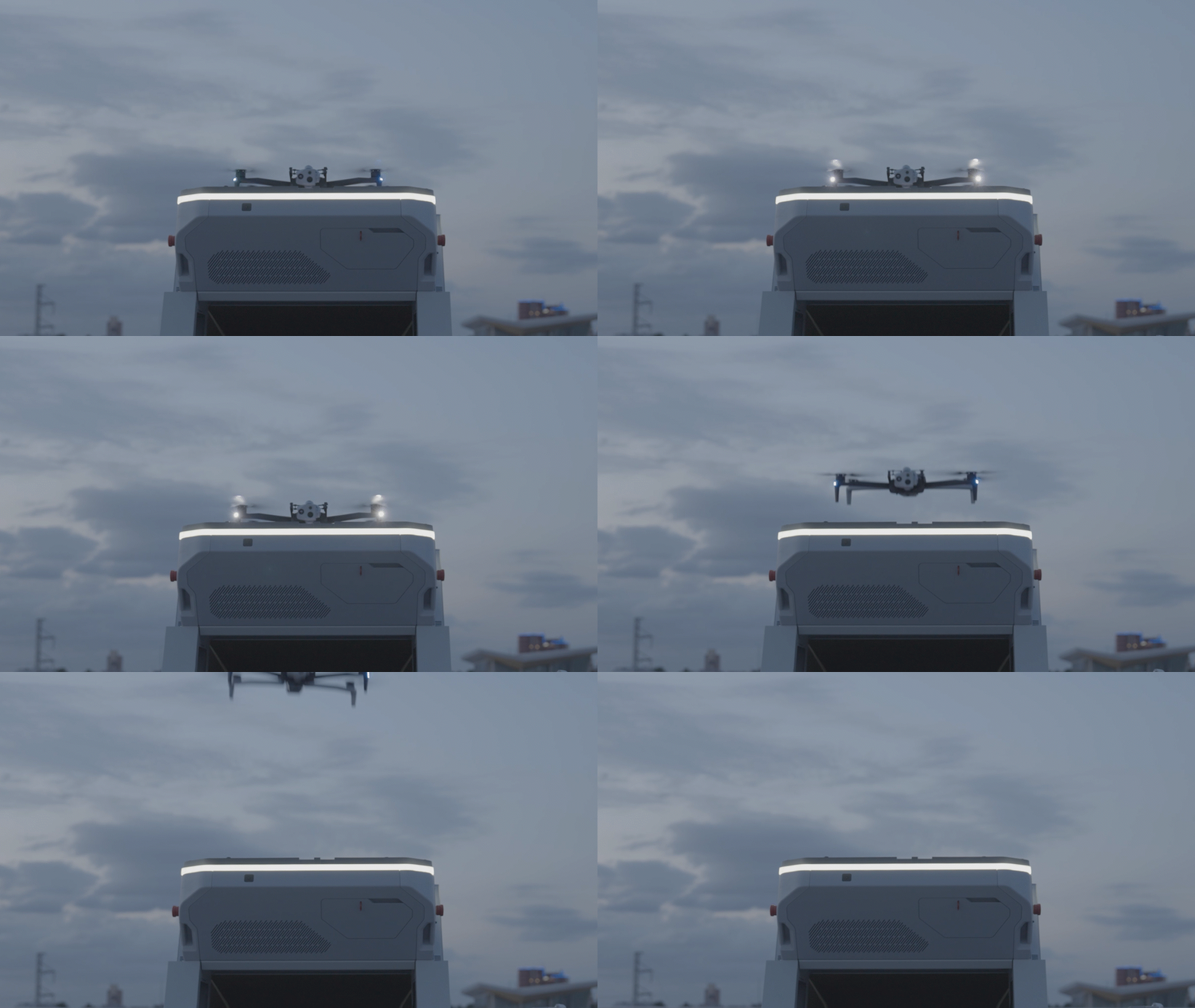
The goal is simple: be ready to power on and fly the moment your hardware arrives. That happens when everything is in place ahead of time. Power is installed and tested. Network ports are live and firewalls configured. Waivers are submitted and approved. The site is accessible and safe. Stakeholders are aligned, and your team is ready to go.
All of this takes planning and coordination—but starting early and staying engaged keeps things moving. Every day of preparation saves time, builds confidence, and maintains momentum. The agencies that succeed are the ones that prepare with intention.
Operational readiness means removing the unknowns before they appear. When the dock is delivered, you can plug it in, power it on, and start flying.

Use the tools that save time.
Build on what already works. Use existing resources to move faster, avoid mistakes, and keep everyone aligned. Whether you’re drafting a waiver application, coordinating with IT, or planning site installs, the right reference materials make a big difference.
If you’re unsure what’s available or where to begin, start the conversation with Skydio. Our team can help connect you with the tools, templates, and support that best fit your needs.
Ask for or create the following items to support your rollout:
- Download the Skydio Dock for X10: Operational readiness overviewA checklist for site readiness.
- A document outlining network and firewall requirements.
- A stakeholder map.
- A waiver application template.
- A checklist for integration readiness.
These tools streamline planning and keep your rollout moving efficiently.
Quick reminder—what ready looks like:
- Power installed and tested.
- Network and firewall configured and verified.
- FAA waiver submitted and approved.
- External antenna location chosen and prepped.
- Safe, clear site access for all roles.
- Program Manager assigned and actively managing.
- Stakeholders engaged and aligned.
- CAD/RMS and other integrations scoped and underway.
- Deployment date scheduled and vendors notified.
- Backup plan or point of contact for each dependency.