Dock for X10: Remote Inspection & Patrol, From an Office Chair
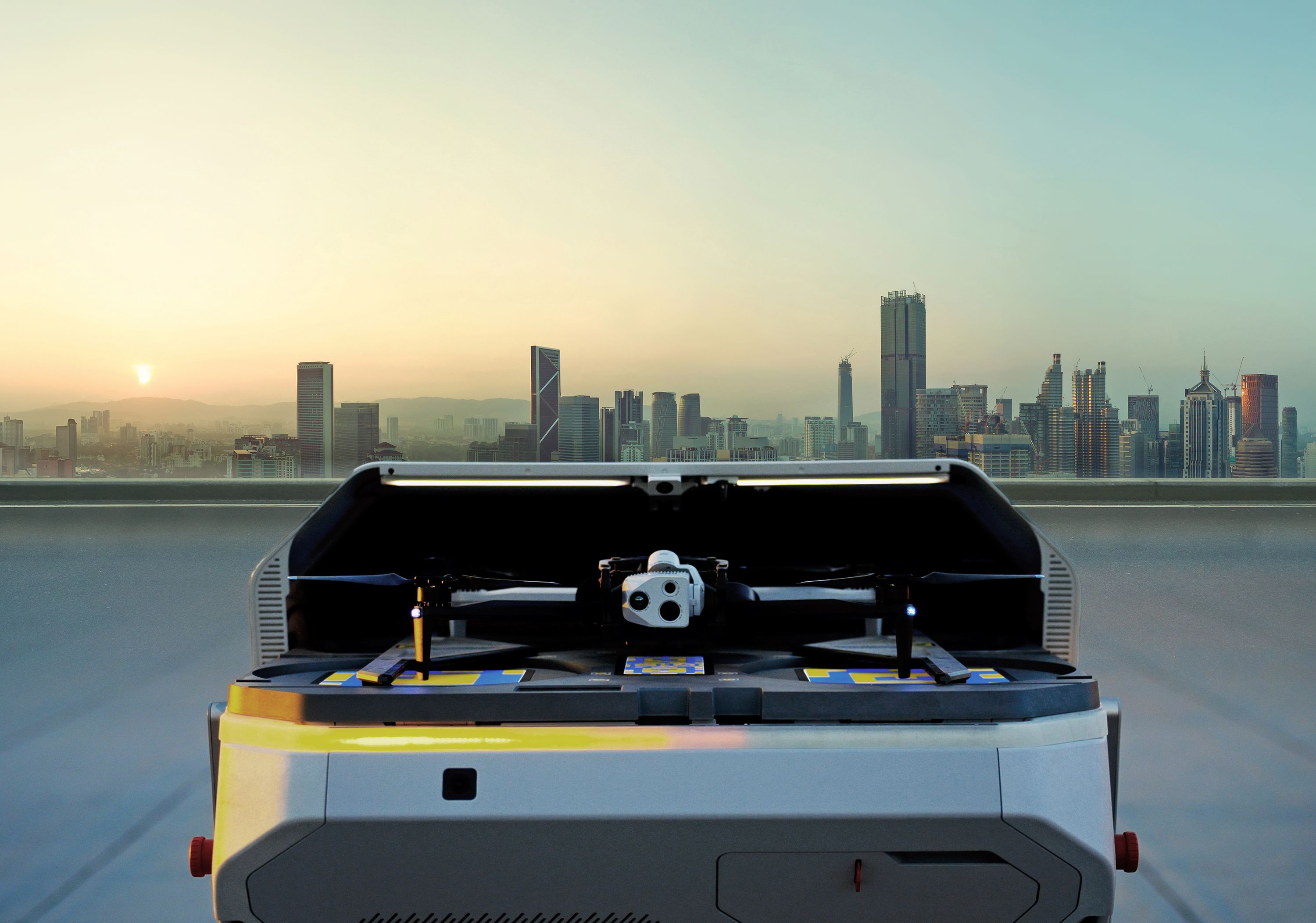
The Old Way: An alert happens. A crew rolls. You wait to understand what’s happening. The New Way: A remotely docked drone launches automatically. You see the situation live. And act within minutes—not hours.
Remote response with docked drones is no longer futuristic—it’s practical, scalable, and already in use across the utility industry. Watch this recorded demo to see how Skydio Dock for X10 enables real-time inspections across vast distances—whether for routine maintenance or rapid emergency response.
⚡️ What You’ll See:
- Remote Operations in action — one operator managing multiple events across multiple sites
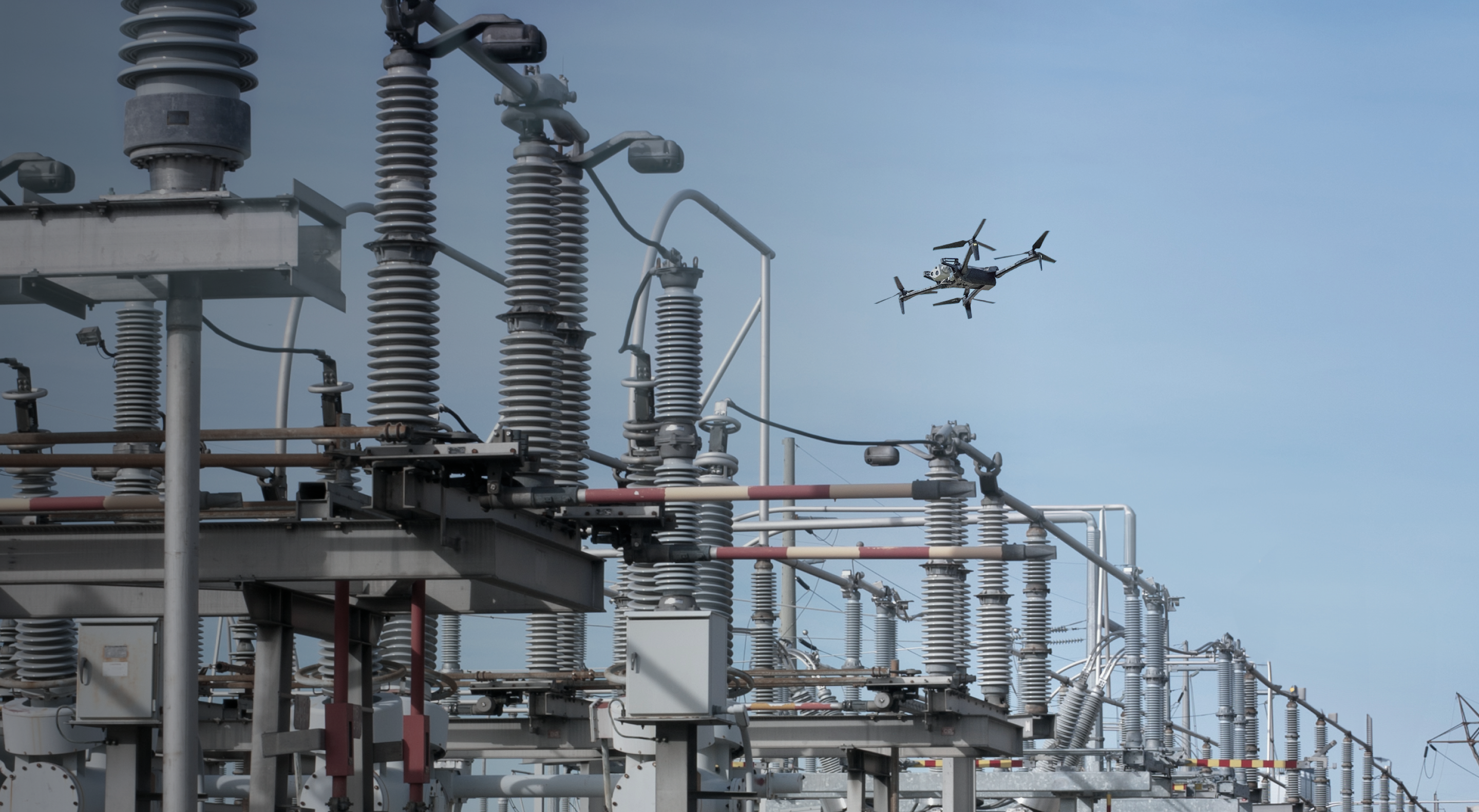
- Real-time inspections of a substation, distribution lines/poles, solar panels, and more
- Advanced features: live GIS overlays, alert pinning, high-res video streaming
💡 What You’ll Learn:
- How drones reduce O&M costs, truck rolls, and response time while improving safety
- Use cases beyond distribution — including wildfire mitigation, storm response, and security
- Why this tech isn’t just for drone teams, but for control centers, engineers, and reliability staff
📺 Watch now to see what remote drone operations can look like for your team.
- Hi, everyone, and welcome to our Skydio
- Utility live demo of remote operations. My name is Christina Park.
- I'm the head of energy strategy here at Skydio.
- Uh, and I'm happy to be here today with my
- colleague Cor- Corey Hitchcock.
- Uh, we both came ourselves from the utility
- industry.
- I had 15 years of, uh, engineering and asset management experience at
- the New York Power Authority. Um, Corey?
- Hey, I'm Corey Hitchcock. I come from a, a 24-year
- career at Southern Company, uh, where I was a lineman
- at Georgia Power in distribution and transmission, and then, uh, went on to
- develop the drone program or helped develop the drone program for
- Southern Company. So, uh, excited to show you what we've got today.
- Yeah. As we talk about the value of using
- technology, in particular drones,
- for inspections in the utility environment, uh, we're really at a stage
- where we've seen that there are many different kinds of drones out
- there, but the
- next step is to really be able to operate them remotely.
- Uh, s- which, and by that, we mean not necessarily having a person
- tethered to the
- drone with a controller standing underneath it,
- but being able to operate it from
- wherever you are. So Corey, where are you today?
- Uh, today I'm in Tampa, Florida, and, uh, we're gonna
- go, uh, do some inspections out in the
- Fort Collins, Colorado area.
- Ooh.
- And then, uh, in the, uh ...
- And then we're gonna move over to, uh, Clearview and, uh,
- do some inspections there.
- So I am actually at Clearview in, uh, the Bay Area in
- California at the moment, and I think if we could do a little bit of
- role-playing, this would be like a real-life scenario
- that you could do today with
- drone solutions. So
- I, as, for example, if I were the head of asset management in
- Clearview
- Power and Light, fictitious utility, let's pretend, uh, this is where I
- am, um, I may want to look at some components,
- either on my
- own site or a satellite site that we have over in Colorado,
- and my operator, Corey, is actually in Florida, and that's not a
- problem. He can operate from wherever he is
- and share the information with me
- as well. So I think we're gonna have a QR code pop
- up so that you
- from the audience, you can certainly watch on our screen
- what's happening on
- Corey's screen, but you can actually get a higher
- definition live
- stream on your own phone from wherever you are.
- So the value of this is really to say that you can have stakeholders,
- Corey and I are 3,000 miles apart right now, uh, but we can actually
- operate in real time with the same information and make decisions together as
- we
- do our inspections. So if you have a phone,
- please feel free to scan this QR
- code, uh, and it will take you so that you have your own high-definition
- live
- stream of what Corey's seeing on a screen.
- Okay. So, um, Christina, uh, I guess you
- needed me to go do this, uh, solar plant inspection.
- We've had, uh,
- uh, less than nominal output on this PV plant,
- and you wanted to go look at
- that this morning?
- Yes. I put in a work order for this because we
- have found that our normal
- maintenance strategies have been insufficient.
- We've been finding some panels that have been degrading or, um,
- getting deteriorated faster than anticipated.
- Um, so before I order my spare parts and really kind of optimize,
- uh, for what I have in the warehouse, uh, I'd like to get a little more
- information.
- Okay. Well, uh, I'm gonna go ahead and, uh, I
- have a pre-planned mission. Uh, what we're looking at here is the
- dispatch view, and I've just selected this dispatch view
- to show
- that, uh, uh, we've selected the call that, uh,
- or the work order for the solar inspection, and we can see that we're
- about, uh,
- 48 seconds away from it, and we're about a third of a mile away.
- So I'm gonna go back and identify or find my,
- um ...
- I'm going to find my mission that I have pre-planned.
- So we've got the Chrisman Field solar inspection here,
- and we're gonna run that mission. Uh, I'm gonna pick the vehicle
- and tap Run.
- Um, something that's important to note here in
- this operating environment
- is that we're operating at a private airport, and, uh, we
- don't want the drone or the operators to be able just to fly
- willy-nilly around the airport, um, due to the, the safety
- of flight there, uh, because this is an active airport.
- Um, and so what we've done is create, uh,
- these keep out and keep in, um,
- zones. So these are basically volumes.
- Uh, think of it like a geo-fence, um, but they're in 3D.
- So we can see the, uh, pre-planned mission, the waypoints one,
- two, three, four there. Um, and what's gonna happen
- is the drone's gonna
- launch. It's gonna transition under the threshold
- of the three-six
- runway, uh, and then through this, through this little tunnel
- here, and then we're gonna be able to, uh, move over to our PV
- plant and, uh, conduct our inspection.
- So I'm gonna go-
- Corey?
- Yeah.
- When we talk about these, uh, zones, especially with the runway, is the idea
- that
- we're just keeping the drone out of the way in case there's a plane that comes by?
- Yeah, absolutely. We're, we're keeping-- We're making sure that at no time
- the drone will ever cross the runway or, or be in an unsafe
- position, uh, with planes, uh, launching and recovering
- there.
- Great.
- So we're gonna transition under this, um, we're gonna transition
- under this runway here. We're gonna take a second to get a good,
- solid
- GPS lock. Looks like that's happening.
- Um, and then we're gonna move on, uh,
- across the runway threshold there.
- So you said this was a pre-planned mission.
- Um, I think one of the advantages of having a
- docked drone is that you can
- send the drone out to inspect whenever you like, instead of necessarily having to
- find a person to go out there, um,
- by themselves with their equipment.
- Absolutely. And you can also do it in bite-sized
- chunks.
- If, uh, you, you know, you, you don't have time to inspect the whole
- plant, but you got time to look at a little bit
- of it, you can, um,
- you know, pick a part of the plant and then operate that, um,
- that mission for that. So,
- um, we can see here, we also have another pretty cool view
- that is a
- bird's-eye view of what the drone's seeing in the 3D space based off
- the, uh, the map representation there.
- And then once we get to our location, I'm gonna, um, change the
- view over to a, uh, more,
- uh, kind of inspection-based view.
- I'm gonna expand the, um, the view of the PV plant.
- Great. So now I can see the panels.
- Yeah.
- How would we know which one we're looking at?
- Uh, so we can, we can look on the map and kinda
- see where the, where the aircraft is as it moves over the PV
- plant. We're gonna get to the center to the
- inverters, and we're gonna
- start from there because we've already inspected to the south, and we're
- gonna pick up right here and, uh, and start our-- start inspecting, and
- we're gonna transition to thermal once we, uh, once we get over there.
- Great. So the drone is equipped with both visual
- and thermal it looks like,
- and I think for solar, I definitely wanna see what the
- temperature gradient is,
- uh, and the condition of these panels.
- All right. So I am going to pause this mission
- and take over manually
- and see if, uh,
- if we can see any solar defects here.
- Oh, looks like we've got a cell level defect
- on that panel right there.
- Um,
- I can, uh,
- descend a little bit.
- Let me have a look at the rest of these.
- So traditionally, how would these thermal scans be done out
- in the
- field? Does a person just walk around with a-
- Typically, yeah, before drones, a person would walk around with
- a handheld, um, thermal camera, and they would try
- to, you know, uh, investigate the,
- or, or inspect the PV plant that way.
- Um, now, uh, with drones, we're able to see, like you could
- see there in the center of the screen, we've got a cell level defect at the
- bottom
- left of that panel. Um, and, uh,
- you know, we can, we can also create a mapping mission
- and then
- run, um... With Skydio Cloud, we can run the, uh,
- data through, uh, third-party solutions like Raptor
- Maps or, uh, DroneDeploy. Looks like we've got another one up here,
- uh-
- Oh, wow
- ... in the top left.
- The-
- Beautiful. Good to see.
- The, um...
- But while we were looking at these solar or at the panels,
- it looks like we've got a intrusion alert at the
- plant.
- Um, let me have a look at that call and see what that says.
- Uh, it looks like alarms on the fence line
- and inside the plant have
- activated. I'm gonna go ahead and have the drone respond there.
- I'm gonna change back to my visible camera
- and then see what we get.
- Okay. The-
- So I think what's really interesting is that if I, if we look from the visual
- view, it's impossible to tell that you had those cell lever--
- level defects.
- Oh, totally. Yeah, yeah. Yeah. That, that's-- Thermal's kind of a
- requirement there, and our 640 by 512 thermal
- resolution allows us to, to really get down to and see those
- cell level defects.
- So what I've done now is, uh, selected the, uh, intrusion alert
- that we have here at the plant, and I clicked respond.
- The drone is autonomously flying to this location.
- Um, you can do this with, uh, various devices on your
- system, uh, various outputs from your OMS,
- um, and you can do that. So now we're gonna have a look around
- and, uh,
- and see what we can see.
- Oh, looks like I got something there.
- Can you zoom in on that? Oh.
- Yeah.
- There we go.
- Yeah, it looks like we got a person with tan
- pants and a navy or black
- shirt there, um, on the outside. We had an
- intrusion alarm at the inverter site there, so I'm
- gonna, um... Motion detector went off there,
- so I'm gonna fly over to this
- inverter,
- um, that we were just at and do a little closer
- inspection and see what I can see.
- Yeah. This is really helpful. I think that when we think about utility
- inspections,
- there are some that are planned, like what we were originally doing, uh,
- for asset
- management purposes, um, in order to help our asset management
- strategies.
- But at the same time, uh, it's nice to know that
- when there's a trigger or an
- alert, that we can actually use the drone to get
- there faster than it would be
- to roll a truck to send a person to investigate.
- Yeah. And so, so what I'm gonna do here is have a look at
- these, um, transformers,
- um, the step-up transformers inside the plant.
- And with Skydio's collision avoidance, I don't have to really,
- um, be an expert pilot to get this close.
- All of these obstacles that are, that are inside the solar plant, the
- Skydio collision avoidance will allow us to, uh,
- or allow the drone-- me to operate with confidence
- and allow the drone
- to, uh, na-
- To not run into stuff. So we're gonna have a look at the closing
- mechanism here.
- Okay, so, um, while this, this transformer's
- behind a fence, there's no locks there.
- Um, the NESC doesn't require locks behind a
- fence.
- But potentially they were there, so we may have somebody come out and
- just have a look at this stuff and make sure that there wasn't any
- damage.
- But it looks like the captive bolts are still in place.
- Um, so I think we're...
- at least the, the plant is safe, uh, and we can have the, the
- appropriate people respond.
- I think given that we just had an intruder alert and we saw somebody on the
- perimeter, it might be a good idea for me to order
- some parts in.
- Maybe we should put on lock, a lock on that just in case.
- Yeah, that sounds good. Um, let me
- see what else we got. Looks like we've had some other calls come
- in.
- Uh, we've got...
- Let me check this one out. Uh, the police department reports a car hit a
- pole in front of the Christman Field Airport.
- So that's where we're at here.
- Uh, I'm gonna go ahead and manually, uh, get back on the
- other side of the runway.
- And I'm gonna bring up my,
- um...
- I'm gonna bring up my,
- my map.
- So that's really interesting, because I think that drones can be used by
- a variety
- of industries. Uh, and I think that when the 911 call comes in,
- the immediate thought that it goes to police or fire or EMTs,
- particularly if there's an accident, like a car hitting a pole.
- But at the same time, uh, utilities also need that information
- because it's my pole [laughs] and I need to know that my pole is okay.
- Uh, because that damage to that pole, uh, even if it didn't cause
- an outage right away, could cause, um, trauma, uh,
- and, and a potential repair. And it would be really good to know what
- the state of
- that is before it actually causes a power outage.
- Yeah, totally. And, and also there were times when I was a troubleman
- at the power company working the overnight shift on a, on a Friday night
- into Saturday morning and, and we would just get a lights out
- notification that, uh, you know, a certain device was
- affected and then we would, um, you know, go patrol behind that device.
- And then I can't tell you how many times I have come up on, come upon,
- um, you know, ve- serious vehicle accidents that, uh,
- that no
- one knew about. Um, and so we were able to get help to the,
- uh,
- to the folks there and, um, you know, we, we
- knew what was going on. It... I think having the dock-based
- drone to be able to go out and find those things not only
- is gonna improve your
- system operations, but it's gonna help you be a better
- citizen where you serve.
- Yeah, I think in that situation, obviously that was, uh,
- before this technology
- existed, but if that had occurred today, you could actually
- put that ready link up and call your local, um,
- EMT and fire department so that they could also see and understand,
- uh, what kind of support they needed to send.
- Absolutely. So what we're gonna do here, um, this pole
- had been hit overnight and, um, the PD said there wasn't
- really s- wasn't really much damage to the pole,
- but because this pole is involved
- in a MVA, we're gonna do a, uh, a quick inspection on it
- and see what we can see.
- I think something else that's important to note is that, uh, we're operating
- under a beyond visual line of sight waiver.
- Um, as Christina said in, in the beginning, we...
- Uh, I'm in Tampa. This drone and dock, I'm
- flying real time in Fort Collins, Colorado.
- And, um, and we're able to do that, uh, with the help of our regulatory
- services folks.
- Uh, all right, so let's see if we can't get in and have a look at this
- switch.
- Looks like it's all modern polymer hardware, so really the only thing that,
- that could be damaged is this switch.
- So I just wanna make sure that switch is closed, 'cause it manages the pull off
- in the, uh...
- Uh, it, it's, I guess this is the source for the airport, so we
- don't want the airport to go down.
- Definitely not. There would be a lot of calls about that.
- And I think we've seen in the news, uh, in the last few months that, uh,
- Heathrow went down,
- um, and had that power outage that caused, I don't know, 70,000, uh,
- rerouted flights or something like that.
- Yeah. And something else that's really cool to
- note is that, um,
- uh, other drones don't have this feature.
- What, what you're seeing right now is what's called frame lock, and it's
- really, really cool. Um, you can move around, and then the
- drone will do its best to, to maintain, um,
- what component it is that you're looking at in, in
- focus. So you don't really have to be flying the
- drone.
- You can look, like I wanna look over here at this bolt.
- Um, I can stop and the drone will lock on to
- this, uh, the
- bolt or the clevis, and will hang out there until I move it or
- change its point of interest to something else.
- But this switch looks good, so, uh, we're gonna go on and check
- out our last call that we've got. And
- let me see what that's gonna be.
- Uh, looks like that's gonna be a, um,
- operation on transmission with a fault location analysis.
- And looks like the fault's located 150 feet from
- the, uh, Russ Field Substation. So we're gonna, uh, go
- respond to that.
- Uh, and I'll go back. I'll leave the map on so you guys can kind
- of see what we're
- looking at here.
- Yeah. So if we think about this and, and zoom out, well, figuratively zoom out
- in the overall workflow management, um, I, I think it's pretty cool
- because I, as someone in asset management, I can put in work orders, uh,
- and tickets for Corey to go out and inspect the assets that I wanna see.
- But at the same time, a- as you can see here, there are calls
- that have come in,
- um, that- As he's going out, he can go and investigate those and get the
- information, uh, in real time and immediately, uh, where
- information is needed so that people can respond.
- Oh, hold on, I gotta change this setting.
- I had it set for
- up and o- or backtrack, but now we're gonna use up and over,
- and what
- that's gonna do is allow the drone to, uh,
- calculate how far we are from the dock, and then tell us whenever
- we,
- uh, need to come back.
- All right, and we can see in the AR, the augmented reality on the map, that,
- that,
- the location of our call. Um, so we were able to get lat
- longs from the fault location analysis and be able to,
- um,
- uh, use that to, you know, send the drone to the right
- location. So we're gonna fly out h- here and have a look at this transmission,
- and then ha- have a look around the substation from
- outside the fence.
- Uh, because, um, we wanna make sure that,
- uh, we wanna make sure
- that there wasn't any damage with that fault being, being that close to the
- station.
- So Corey, I noticed that you had a pop-up
- that said the boost was activated.
- It looks like you're covering a lot of terrain here.
- Yeah, I'm moving at 36 miles an hour.
- So, um, the, the cool thing about this,
- um, the, the X10 is that you can adjust the
- speed of the aircraft. I'm just flying with a keyboard
- and a mouse,
- and you can adjust the speed of the aircraft based off of, uh, how close you
- are to, uh, your assets, right? So we're pulling up on this
- transmission. I'm gonna go ahead and turn boost mode off and
- allow me to move a little slower. There's even a, a crawl
- mode for, uh, you'll see here in just a second as I get
- close
- to this, uh, this pole top, I'm going to slow dra- drastically
- slow down.
- We suspect there, uh, that this is a lightning, uh,
- event. Uh, we,
- um,
- only had an operation, and that operation was--
- or we had one operation, and the
- operation was due, was in the middle of a,
- of a weather event. So we're gonna have a look at the top of
- this pole and see if
- we can't...
- I'm gonna activate crawl,
- and I'm gonna start moving a little bit closer.
- [sighs]
- And in additi- in addition to, um, you know, the collision
- avoidance that Skydio has, our heads up display gives us a lot of
- information, a lot of information to the operator.
- Um, the key thing I'm using right here is the ability to see that
- my gimbal is pointed down at 35 degrees, and I'm
- looking at the top of the pole. Looks like it started to rain a little
- bit.
- Not a problem, because we have, uh,
- we have-
- Oh, it's raining a little
- ... the ability. Yeah.
- We have the ability to operate in light rain.
- So,
- um, I don't see any damage to the top there.
- We're gonna see if we can't look at the, um,
- see if we can't look at this power bank, see if there's anything going on there.
- We can see our sight glasses, and this level of detail we can see
- from outside the station. Um, I'll go ahead and zoom back out,
- and you can
- see how far away we actually are-
- Wow
- ... from, from the power transformer.
- But we can get into, um...
- The, the Skydio obstacle avoidance, uh, allows
- us to operate inside stations and, and that's typically what most of
- our customers are doing, are installing docks inside stations,
- uh, to support station operations.
- And, um,
- so I'm gonna go ahead and head back to our dock.
- How does the drone know where the dock is after it's gone to a bunch of
- different places that it wasn't originally planned for?
- Uh, so,
- so the, the drone remembers where the dock is.
- Uh, we do some, uh, some,
- a setup in the beginning. So as we install the dock, there's some
- commissioning that goes on. Um, and that, that position
- that the dock is in is, is always remembered by the drone.
- And, um, and it has the ability to autonomously
- return to the
- dock as well, so.
- But I'm manually flying it here because I've got to cross this road, and,
- um, and until we, uh, have a parachute,
- um, we, we're gonna have to not fly over moving
- vehicles and
- unprotected people. So I'm gonna pause here right before we
- cross this
- road, and, uh,
- make sure it's clear to cross.
- Yeah, I think another feature we can call out
- here is you can see the name of the
- road. So when we think about that car hit pole, uh,
- inspection we did earlier, if there was a need to send a crew out there to
- do a repair, it would be easier to help them
- locate 'cause you know exactly where you're looking.
- So these overlays look really helpful.
- Yeah, they definitely are. Um, and I can, um,
- increase the level of detail here on the, uh,
- augmented reality overlay.
- I'll show you that real quick before I land.
- Okay, so what, what I just did is turn on the augmented reality overlay,
- and what that's done is allow the, um, the street
- name and stuff to be overlaid, um, in the drone's
- view. So you kinda have a better understanding
- of where you're at.
- All right, I'm gonna go ahead and land here.
- Um, Christina, was there one more site you wanted to look
- at?
- Yeah. I think actually I got, um, a call from
- someone in our building, uh, here at Clearview in San Mateo,
- California. So I was wondering if you could switch docks and
- drones and actually come over here and do an inspection for me in California.
- Um-
- Sure. Let, let me get this, uh, this drone landed and, uh,
- we will, uh, we'll transition over to Clearview.
- Awesome. Yeah. I actually had surgery six weeks ago,
- so it's
- a little hard for me to actually hobble out there, uh, and take a look, but
- I'd really appreciate it if you could launch the drone off of the
- roof and, uh,
- scope out the situation for me.
- Yeah, no problem. So, uh, our drone's landed here,
- and I'm gonna go ahead and transition over.
- I- that's such a cool view to me.
- Yeah.
- And, uh, it doesn't get old watching a drone land
- a couple thousand miles from me. Um,
- so now I've transitioned over to a dispatch page
- here at our Clearview,
- uh,
- campus, and what I'm gonna do is ...
- I think what you need, did you need me to look at a, a car hit
- a transformer or something? Was that, uh, about what you were interested
- in?
- Uh,
- yeah, and I think there are a couple other assets here too,
- but I don't think it's
- raining here in California, not that it seemed to have been a problem in
- Colorado.
- But where are the drones...
- Oh, I see. I think they're on our roof here.
- Yeah, they're on the roof, so that's what we'll see there.
- Um,
- I thought I heard about a car hitting a pole to the west
- of building E there. So let me-
- Or it might have been on Hillsdale. Uh, let's just take a look.
- Okay.
- [typing]
- Hold on a minute. I gotta transition to, uh,
- with my quick two-factor authentication here. Hold on just a second.
- Yeah, I think it's a real game changer.
- I think, you know, I came from the New York Power Authority,
- where we obviously
- serve the state of New York, but even within the state of New York,
- we had
- different power plants, um, across the state.
- It would take me about nine hours to drive from our headquarters in White Plains
- all the way over to, uh, Buffalo and Niagara, uh, where, where one
- of our major power plants was. So the ability to
- have your staff in multiple locations and be able to get
- information and stream it and make decisions together, I think is
- really valuable, uh, for utility asset management, um, and also
- just various departments such as engineering, transmission
- and distribution and
- generation. So today we got to see a little bit of
- all of those spaces. We got a little peek into the substation,
- um, flew
- down some distribution lines, as well as looking at solar
- panels in the generation space. You can obviously sub solar panels
- for, um, hydroelectric dams or, uh,
- nuclear stacks or any other, uh, assets that you have for generation that
- normally would require somebody to erect scaffolding or to
- rappel down the side of something and get harnessed up.
- Um, so I think there's tremendous value no
- matter which, uh, area of the
- utility you're in.
- Okay, so I'm back. I had to do a quick two-factor
- authentication to, uh,
- log in there. Uh, but it looks like we've got some, uh,
- some markers that have shown up here and, uh, we're gonna
- launch our drone on the roof and we're gonna go have a look at some of
- these calls.
- Great. So it looks like there are different keep out zones here.
- Um, we're obviously not near, near an airport.
- Yeah, that's ... So the keep out zones here
- are because we're doing reliability
- testing with, um, some drones, and they're constantly flying in that
- orange area over our headquarters.
- But as we launch here, you're able to see, um, kind of
- our hive on the rooftop. So, um, I'll have a look
- down there and you can see,
- uh, we've got some,
- some docks sitting,
- uh, co-located. There's a version one dock, and we've got,
- uh, four or five
- docks up here.
- But the first thing we're gonna do is go have a look at a,
- um,
- we're gonna go have a look at this transformer.
- So the PD res- reports that a car hit a f- three-phase
- pad mount transformer at the northwest corner of building E and there's no
- lights out. Um, so we're gonna go ahead and respond.
- Um,
- I can see that pad mount transformer kind of right here.
- I'm gonna go ahead and
- go to a full video view for you.
- All right, so, um, we've flown over to this
- transformer and, uh, because it's a 911
- call, um, typically, uh, you know, the,
- um,
- the 911 calls don't come in associated with a device.
- So we wanna associate, uh, this call with a device, but
- just from a, uh, a quick view, a wide angle view of the
- situation, looks like the bollards aren't damaged
- or anything like that.
- So, um, we'll get a little closer and see if we can't clear
- this call without having to do a truck roll.
- Yeah. So I think the main value of the drone
- is the idea that you can have it go
- out first and just give you an answer.
- Is it a real problem or not a problem?
- And if it is, you can get the magnitude of the problem
- and
- right-size the response to it.
- You know, I don't see any exposed cable
- or any damage to the bollards or even any car tracks.
- So, um,
- we may reach back out to PD to make sure, um, that this is the
- right location. But,
- uh, looks like it's gonna be a T-number
- 75360. So we'll make a note of that and associate
- that to this call.
- Um,
- so now we're gonna go have a look at...
- What's our next one? Let me clear it. Let me clear this call up, though.
- We're gonna set that to closed, so we've cleared that call.
- Uh, let's go look at... Christina, which one do you wanna see next?
- Uh, can we take a look at, uh, switch
- 123?
- Okay. We're gonna go fly over to switch 123.
- Looks like they're showing, we're showing customers out behind the,
- uh, UD riser switch X-ray 123. So I'm gonna go
- ahead and hit respond there. And, uh, we're, we're gonna be able
- to see the pillar show up over that, uh,
- location and the aircraft moving that way.
- I'm gonna declutter our view just a little bit and clear up some
- of the, uh, the street names.
- All right. So we're here. Uh, there's our switch pole
- there. Looks like it's a transmission under
- build, so, or
- distribution under build on a transmission pole.
- So we're gonna ease, ease up to it, and then we're gonna descend
- down so we can get towards the distribution level.
- I think we have a couple questions coming in.
- Uh, when we talk about the altitudes that we're flying,
- particularly earlier you
- were flying over the solar panels-
- Mm-hmm
- ... um, do you remember what altitudes we
- were flying and how close we could
- get to them?
- Um, we can get within one meter of the solar
- panels.
- Uh, there's like a one-meter bubble around the
- aircraft.
- Um,
- at that time, or I guess at that, um, particular,
- uh, mission, we were flying at about 70 feet over the
- panels.
- Um,
- maybe a little less. I didn't really...
- Oh, we've got a open switch there that we can see.
- And we've got a closed switch. Let me see if I can't get a little better
- view of
- it.
- We're still pretty far away.
- I'm gonna go back into that crawl mode.
- There we go. And I'm gonna ease up to the pole
- and descend as we,
- as we go.
- So I think another, uh, kinda contrast to point out is
- that, um, when we were flying in Fort Collins, Colorado,
- the,
- uh, the density altitude there was around 6,000 feet.
- And, uh, here our density altitude's probably
- around 100 'cause we're pretty close
- to sea level here. But, uh, but we can operate in both of those
- environments.
- I think we're running out of two different docks, uh, here 'cause we're in two
- different locations. But Cory, how long is our battery life, uh, on our
- X10?
- Um, so that depends on your performance.
- But, uh, but we advertise about 39 minutes, um, of
- flying outside the dock, so. We can see here in this
- switch that we've got, uh, we've got a switch open,
- and it looks like a solid blade
- bypass or a solid blade disconnect.
- And this isn't a real critical problem or not anything I would ever send anybody
- out for. But, uh, the, when the, the next time this fuse blows on
- this, um, this cutout, we'll probably change that door out,
- uh, 'cause we've got some, uh, exposed fiberglass there.
- But, um-
- I'll go ahead and make a note of that so that we can kind of keep an eye on
- it, uh,
- when we do our next rounds.
- Sure.
- And so we're gonna go up and have a look at this pole top as well.
- Yeah. This is pretty tall. I think this would be a real pain to get
- somebody out
- there to just do an inspection to look at the top of the pole.
- Oh, yeah. I mean, in this location, uh, this would most
- likely have to be climbed or, or there would be like a lot of in-
- customer
- environmental impact by getting a truck in there and, uh, you know, tearing
- up the landscaping or whatever. But we can see if there's a real need to
- get a
- truck there by just, uh, flying up and having a look at the top of the pole.
- So
- see if I can get a little closer to it.
- So both from the effort and a safety perspective,
- I think there's a real value in
- getting an aerial view, uh, particularly because poles, uh,
- rot typically occurs at the top of the poles.
- Yeah. And it looks like, uh, there's, there's no pole cap on this.
- Um, I don't know. I can't remember if that's the standard
- here or not. Um, but it looks pretty good to me.
- It's probably something we keep track of, um, as we're looking.
- You know, we'll, we'll snap a photo of it here,
- and we'll be able to, uh, check it
- out, um, as time goes on
- to, uh, see the rate of change.
- I think different utilities have different standards.
- As you said, a pole cap can be required for one
- and not for another.
- But I think also we know that, uh, the climate is changing.
- We're seeing an increase, uh, in weather patterns
- that will increase the wear and
- tear on our assets. So it might be something to take note of,
- uh, in terms of,
- uh, whether that is something that we want to add, um, to our inventory.
- Yeah. So I've got one more call. Do you wanna go look at this, uh, other
- pole out here? It's a steel pole that was hit by a car at the corner of
- Clearview and West Hillsdale.
- Sure.
- All right. I'm gonna go ahead and respond to that.
- Um,
- and this, uh, what's happening now is all autonomous.
- We've just, uh, selected the call, uh,
- location and just clicked respond.
- And so the drone that we're operating is able to, uh, fly out to this
- location. And then we're gonna have a good look at
- these poles.
- Again, we're gonna grab a, uh, asset number,
- uh, see if we can't get an asset ID tag, um, to
- allow us to associate this call with an account.
- So how far are we right now from the pole? It looks like you're zooming in.
- We're a ways from it. I'm not really sure.
- We can look on the map and get a, get an idea.
- Hold on, let me change.
- So I think what's nice is that we have options.
- We could get all the way up to the pole if we wanted to and have confidence that
- we're not going to hit it, but at the same time we don't necessarily
- have to be so
- close, uh, and near anybody. Um, and we could
- get a pretty crystal clear
- asset ID even from further away.
- Yeah. We're across a four-lane road, I guess, and we're maybe
- four times the distance across a four-lane road,
- um, here where we're at right now. Uh, but that's keeping us
- inside, like, on our campus and inside our, our, uh, keep in area
- that you can see with the green line there.
- Um,
- well, Christina, I think we've finished here.
- Do you wanna, uh, go ahead and I'll return the drone to the
- dock, and we can see if we can answer some questions here?
- Yeah, that sounds great. Um, I think one of the things we also wanted
- to show,
- today we had, uh, clear and sunny weather in California
- and a little bit of
- light rain in Colorado, but, uh, one of the things I wanted
- to show was a little video, um, that shows what
- the dock can do and what the drone can do in more extreme weather conditions.
- So maybe we could get that up as we get our questions together.
- So you can see here this is some of the testing
- that we have done here at
- Skydio so that you can see even in extreme heat, um, in a
- fair amount of rain, uh, heavy rain, and wind, uh, and
- in snow and subzero conditions, that the dock is fully
- operational. Uh, and this is actually a really fun video.
- Uh, this, these are the docks on top of our rooftop
- at our headquarters, and you
- can see on a very windy day, you can see some rain,
- you can see the flag
- moving. Uh, the drone is actually coming in to land,
- and you can see that
- it's correcting itself with the physics models that are embedded in the AI on
- the drone in order to make that landing even though there
- is a fair amount of
- wind. Um, so you can see this one right in front of
- us really kind of battling it
- out in order to stay on trajectory and land on its landing pad.
- And once it does land, then, um, the dock is going to
- initiate closing to bring these, um,
- levers in to put the drone centered in the right place before the hood comes back
- over. So we are really proud of... Oh, yes, now you can see the flag really,
- really blowing. But we're proud of what this drone can do
- out there in real-life
- conditions.
- So all right, we have some really good questions here.
- I think if we recap, we can see that, uh, we've been able to do a lot today.
- We looked at generation. So we looked at some solar assets.
- We were able to, uh, identify some cell-level defects.
- I think that hap- hap- that helps me as an asset manager, um, to
- understand, uh, what maintenance I need to do
- and what parts and
- equipment I need to order, um, to be able to get those work orders out
- there.
- We were also able to see the tops of poles and switches that
- were on these poles, um, and even peek into some substations.
- So, um, the assets that you can look at are limitless, uh, by
- doing remote operations, and we can also see
- that Corey can operate drones in two
- different locations, uh, really while sitting in his office chair.
- So, uh, for a couple of these questions, um, are there keep-out zones
- o- are these keep-out zones automated, uh, or do you need to manually
- define them every time?
- Uh, that's part of the dock commissioning
- process.
- You would, uh, define your keep-out zones, uh, based on,
- you know,
- custom needs. Whether you, uh, your, your drone
- operation policy might keep, uh, keep you from flying
- over, say, a distribution bus or something like that.
- You could, um, have the drone keep out of the
- distribution bus, but they
- could get closer to the transmission bus due to the, uh, you know,
- greater clearances there. So it's all custom.
- You can customize it any way you want.
- Great. Um, and how does the launch pad work with
- snow?
- So does somebody need to go out there and clear it before the flights?
- Is the drone stored there all year round?
- Yeah. The, the drone is there year round.
- Uh, it is heated and cooled to maintain
- optimal, uh,
- battery health. So to, to maintain that battery chemistry,
- um, it has a heater and cooler installed, and it
- also has the ability to melt snow from the rooftop
- and, uh, and make it so that the drone can operate in, uh,
- in pretty
- much, uh, you know, in various weather conditions.
- Great. Uh, and how do these drones handle GPS denied
- or low
- connectivity environments during these autonomous inspections?
- Um, so, so in a GPS denied environment or, or a
- low connectivity environment, um,
- there, there's a couple of op- options you can use.
- Um, we have the ability to, um,
- set a time limit that the drone would, say, go, um,
- would disconnect. So if, if the drone disconnected and I
- wanted to, uh, wait a minute, b- you know, allow the drone to
- reconnect, then, uh, then we could do that,
- or we could have the drone immediately
- return home. Uh, we could have the drone even backtrack
- its, uh, its approach path, uh, as it returns to
- make sure that, um, you know, it's going, uh, in a,
- in a safe, uh, path as it returns to the dock.
- Great. And I think we talked about Colorado
- and how there was an
- airport. So can you see incoming aircraft that
- are broadcasting their
- position in the map view?
- Oh, yeah, yeah. I forgot to, I forgot to mention that, and, uh- But
- yes, we have ADS-B in on the Dock.
- And what that does is it funnels, um, real time,
- uh, data, um, into the cloud
- environment so that the operator can make real time decisions.
- Great. Um,
- and when creating missions, do you pick an area to inspect
- and then the
- software picks the most efficient route, or do you
- manually program them yourself?
- Uh, you could do both. You could manually program an inspection
- mission, or
- you could create a polygon. Uh, like over the PV plant
- that we were looking at, you could create a polygon and then,
- um, the drone would, uh, would determine the, the best
- path it needed to take to cover that whole polygon, uh,
- and solar map.
- Great. Um, regarding the augmented
- reality, uh, can the AR ingest GIS
- data with structure numbers displayed in real time on screen as
- points?
- Uh, no, we can't do that with, uh, with AR currently.
- Um, but we're working on, uh, custom map layers
- that will be able to... Uh, you can take your GIS data and
- then on the map view you would be able to see your
- asset data lines, switches, poles, that kind of thing.
- Yeah. And I have a really interesting question,
- and I think we can deep dive a
- little bit on BVLOS for those who don't have as much background in it.
- Someone asked, how do you maintain visual line of sight
- while you're
- remote, uh, which inherently we do not have visual
- line of sight-
- Yeah
- ... uh, from what we hear. Um, and is this type of flight only
- allowed by the FAA for emergencies?
- No. So, so that's a great question.
- So, um, the,
- uh, our waiver parameters for where we
- operate, we had a
- waiver for, or we have a waiver from the FAA to
- operate with no visual line of sight on the aircraft.
- And what that does is it comes with different parameters
- based on the
- location and the risk level. Uh, in this location,
- um, we were limited to 200 feet maximum,
- uh, over, over the ground. Excuse me.
- And then, uh, we had to ensure that when we transitioned
- across the road that there was no moving traffic.
- So it depends on your site, but, uh, Skydio's
- regulatory team has been very successful with, uh, with getting our
- customers, um, you know, the waivers they need to really, uh,
- unlock the true value of the Dock, um, for their use
- case.
- Yeah, I think that's a really important
- call-out, because it's one thing to buy the
- equipment and be able to use the equipment.
- It's, it's another thing to be in compliance
- with it, uh, and have the waivers that
- you need to be allowed to fly it. So, uh, another related question,
- which you may have half answered, what is needed to fly BVLOS?
- Uh, so to fly BVLOS, you need a waiver, um, and,
- um, some specialized equipment that comes with the Dock.
- Uh, so the Dock's been
- built and designed with the idea that, that it would be operated in
- a beyond visual line of sight, uh, um, mode.
- So, um,
- so
- as you, um, start your journey with Skydio,
- uh, we'll do some site assessments, do some figuring out, and then do some
- analysis on your GIS data, and then apply
- for or, or help you apply for a waiver.
- And then once your waiver is awarded, we'll do the best to, uh,
- to train you up on the waiver and then, uh, have you operate it.
- And I think what's exciting is there are so many utilities now that have been
- granted, uh, various BVLOS waivers.
- I think the FAA is very familiar with, um, Skydio
- and our remote operations, uh, for utilities.
- So the way has already been paved. Um, so it's not an
- impossibility or something that's nascent at this point in time.
- Uh, as far as the data goes, uh, Corey, what happens to the feed,
- um, after the mission?
- Uh,
- so the data that's captured by the sensor, uh, can be pushed
- different places. So the Ready Link is one place.
- Uh, we have a pretty extensive API suite,
- um, with Skydio Cloud that allows you to push the data feeds
- into
- third-party AI solutions like Levatas for, uh, kinda
- on-the-edge analysis. Um, but ultimately once
- the drone lands, it's going to upload.
- It's gonna charge the aircraft, and it's gonna upload all of the data
- that was
- captured to the Skydio Cloud. And then, um, there's a lot of
- different, you know, API connections that can be made from the cloud to get
- it into your asset management system or get it, you know, uh, into
- your Esri instance or whatever it is that you use.
- Great. Um, I think we'll take two more questions.
- So what are the requirements for a Dock site?
- So as far as power, space, surface, surroundings.
- Uh, it, it depends on the application, but,
- uh, but,
- but it- You would be very hard-pressed to find a
- substation that didn't have
- room to, uh, install a Dock, and then you would just pull station
- service power over to it and then, um, have some
- connectivity. So basically all you need for a Dock
- is power and connectivity.
- Um, about, uh,
- I think it... I, I can't remember the exact number, but,
- uh, I can have somebody
- reach back out to the person that asked that question about, uh, more
- specifics on their site and, uh, and placing Docks, you know,
- according to their use case.
- Awesome. Uh, and last question we'll take today for the
- sake of time.
- Uh, are there any latency concerns with flying
- from such a distance?
- Um, it depends on your connectivity.
- Um, I think we were running around 80 or
- 90 milliseconds of latency there.
- I didn't have the connectivity pulled up, but it was pretty snappy and
- responsive as I was giving it inputs.
- So, um, I didn't really notice latency.
- Um, but it's important to have a, a good, uh, backhaul
- there. And our, uh, new radio that we've
- got and the Skydio Fusion allows us to, uh,
- seamlessly transition between a 5G connect-
- connected aircraft and a Skydio Link-connected
- aircraft. So, um, I don't-- I forgot to mention it when we were out
- there, but when we flew down to the substation,
- um, uh, I think we tran- We may have transitioned
- over to, uh, cellular. I couldn't see or didn't really notice it,
- but, um, but yeah, it,
- it depends on your connectivity.
- Yeah. Uh, well, I think we are about out of time.
- Any of the questions that were put in the chat that
- were not answered, uh, somebody
- will take note of this and actually reach out to answer your
- questions.
- So, uh, fear not if you drop something in there.
- We really appreciate everybody joining us today.
- Uh, and we're really excited to talk about the
- value of operationalizing
- technologies such as drone and r- remote operations in the utility space.
- Thanks, everybody.
- Thank you all.
Watch Time
49 Mins 53 Secs
Related Webinars

Demo: 1 Remote Operator. 2 Inspections. 1 Response. No Field Dispatch
Watch webinar
Why Every Utility Will Have a Drone Fleet Sooner Than You Think
Watch webinar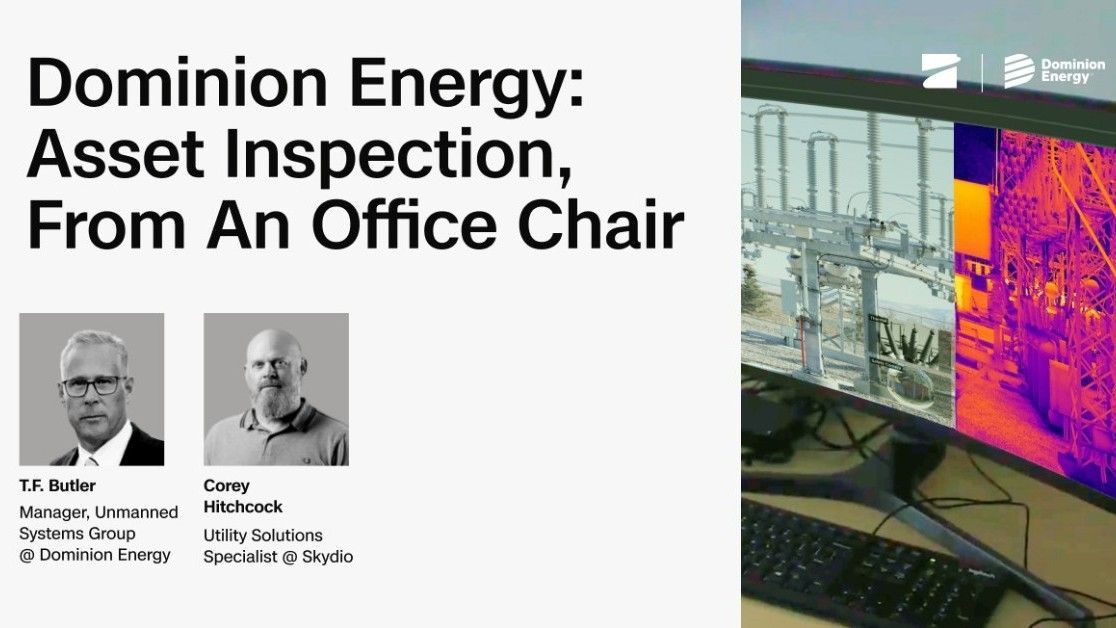
Dominion Energy: Asset inspection, from an office chair
Watch webinar