Extending Field Team Reach Through Remote Operations
Utilities are responsible for more infrastructure than ever, much of it aging and exposed to severe weather, while experienced field workers retire and take decades of system knowledge with them. Crews spend a lot of their time traveling to assets just to inspect them, and that inspection data often never reaches the asset management decisions it should inform.
In this Energy Central session, Christina Park (formerly NYPA) and Michael Dorr (formerly FPL) draw on their utility careers to look at where a person needs to be on site, where work can be done remotely, and how inspection data can support maintenance prioritization and capital planning.
We discuss:
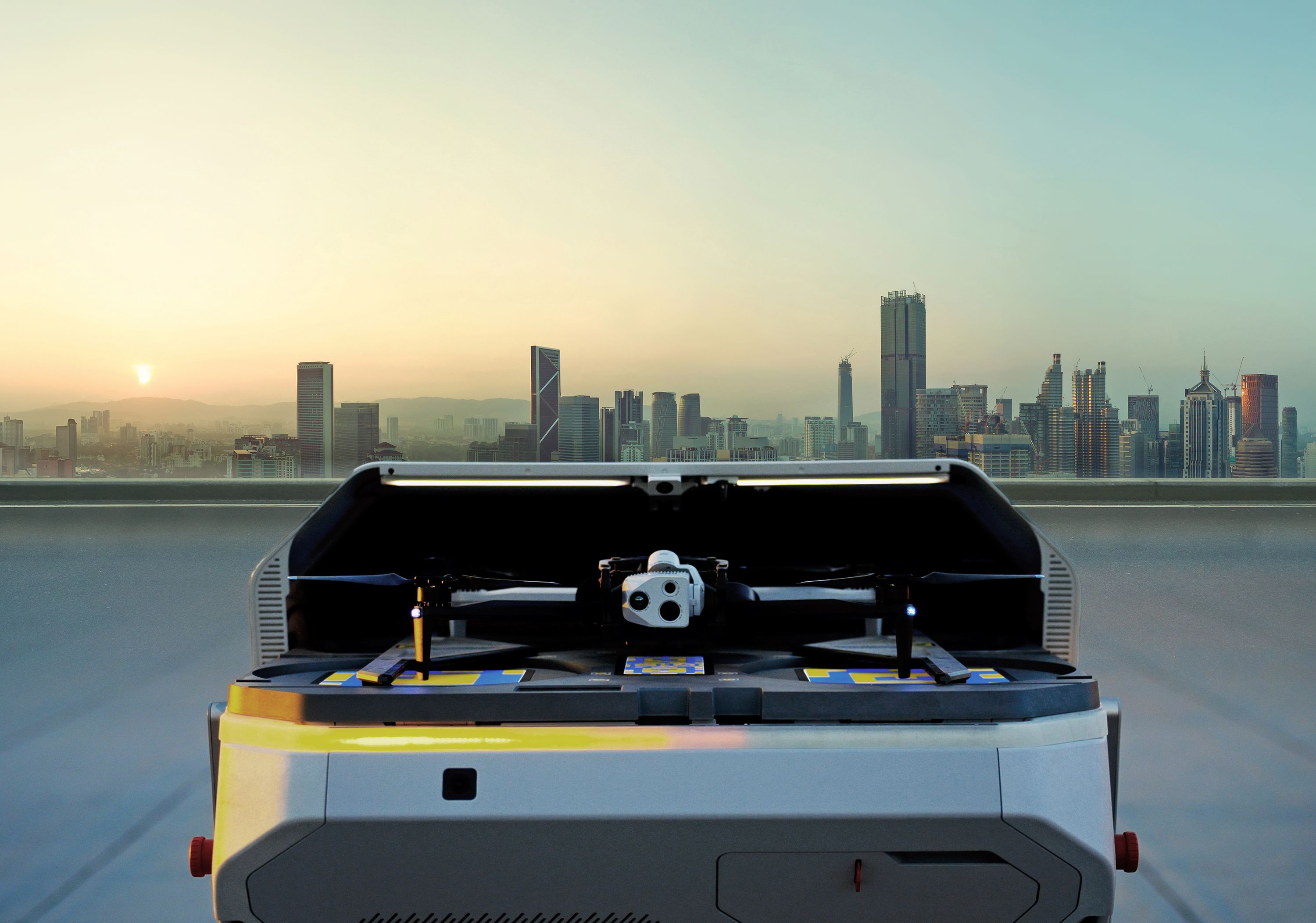
- Docked Drones & Remote Operations: Exploring how permanently stationed drones enable remote inspection and response, cutting down on unnecessary field trips
- Asset Command Platform: How existing asset data can drive automated inspection planning and incident response, reducing mission prep from weeks to minutes
- Live Demo: A walkthrough of real-time mission creation, live stream sharing via ReadyLink, and a simulated incident response
- Knowledge Retention & Workforce Transition: How standardized digital inspection records help preserve institutional knowledge as experienced workers retire
- Hello, everyone,
- and welcome to today's Energy Central webinar entitled Extending
- Field Team Reach Through Remote Operations.
- We're excited to have you with us.
- Thank you, and good afternoon, everybody, or good morning, depending on where you
- are, and welcome again to today's Energy
- Central Power Session,
- Extending Field Team Reach Through Remote Operations.
- I'm Energy Central's Community Manager, Matt Chester, and I have the pleasure of
- moderating today's discussion. So if you're here, if you work in utilities,
- you
- know the challenge well. Your service territory isn't getting
- smaller, your
- infrastructure isn't getting younger, and storms, wildfire risk, and
- customer expectations, they all keep going up.
- And most teams aren't getting more people, and try as we might, none of us are
- finding more hours in the day. So the question becomes, how do
- you extend what your crews can see and do without the
- time-consuming and expensive task of sending a truck out every time there's a,
- there's an issue? So that's what today's session
- is all about.
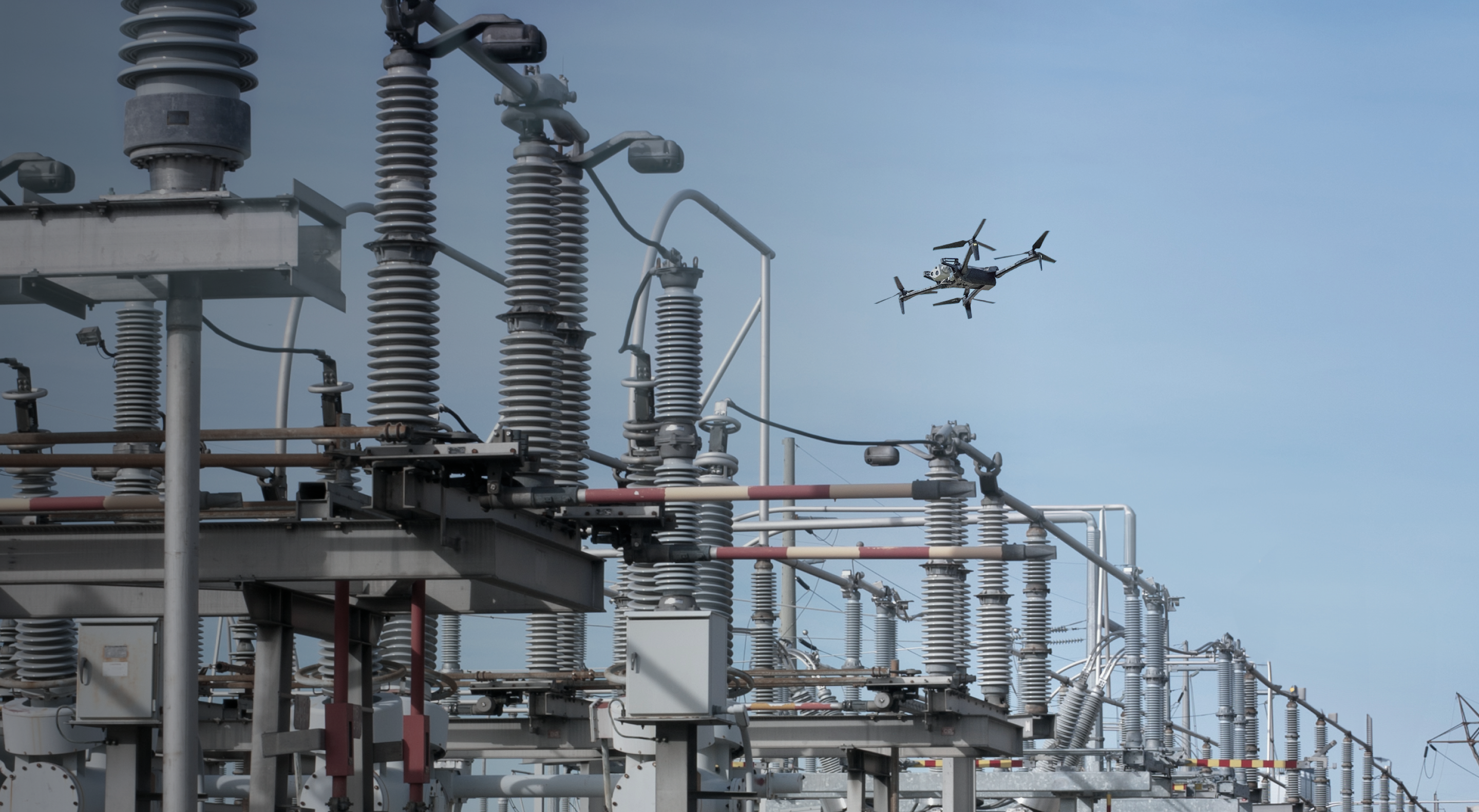
- We're gonna look at how utilities are using drones to inspect assets,
- respond to events faster, and keep crews out of harm's way so your
- experts can focus where they're needed most.
- And joining us today are two, two key experts who have their own deep
- histories
- in the utility space as well. We have Michael Dorr,
- Integration Specialist at
- Skydio, and Christina Park, Senior Director of Energy Strategy at
- Skydio. While they're the experts in this drone
- space for us today,
- Michael spent over a decade at Florida Power & Light,
- Christina put in 15 years at
- NYPA, so they truly understand the utility
- perspective just as well as anyone.
- A few, a quick housekeeping note, as mentioned before,
- we will be monitoring the
- Q&A panel here. So we're gonna carve out some time at the
- end to get to
- the audience questions, so be sure to throw those questions in as,
- as the
- conversation is going along. We'll collect them
- and address them towards the end of
- today's session. And with that, let's get started.
- Christina, I'm gonna turn it over to you.
- All right. Thanks so much, Matt. I am going to assume that Zoom
- is gonna work. Thank you so much for the intro.
- My name is Christina.
- I'm here with my colleague Michael, who recently came on to Skydio in
- July. As of June, he was still a customer and a really great
- partner to us for a lot of the topics that we're gonna talk about today.
- As for myself, I was at the New York Power Authority.
- Worked my way from engineering over to strategic operations and asset
- management, and really just have a passion for
- operationalizing technology
- and seeing our workflows progress to make things more efficient for everyone.
- So just a little bit of background. Skydio was founded in 2014.
- We are the largest US drone manufacturer. So here are some stats.
- I won't read through them all, but we do have a great many customers
- across many
- different industries, but utilities is one of our primary areas of
- focus, which is why people like myself, Michael, Cory Hitchcock, and
- others have been hired in to bring in an understanding of the problems that we're
- trying to solve as we create the solutions.
- So what I wanna do is actually step back and just level set.
- What is the problem that we're trying to solve?
- I think it's very common that a technology vendor will come in with
- a really
- great product, but that doesn't actually mean anything
- if you're not solving a very
- real problem. I wanna look at some of the challenges
- that utilities are facing
- today. One I think is increasing demand for energy,
- so I know myself,
- my husband purchased a Tesla. We installed a charger,
- and now our electricity
- bills are higher as our gas bills go down.
- But in general, we are seeing that the grid was made at a time
- that the consumption of electricity is not what it is today.
- As we work to increase our generation and subsequently
- transmission and distribution, the assets are more taxed than they
- were at the time of installation.
- Additionally or consequently, we can see that aging
- infrastructure is creating costs and reliability risks that didn't quite
- exist before with the same maintenance strategies that were time-based in the
- past. Additionally, there is a growing scope against shrinking
- resources. I know even at the time that I was leaving NYPA, there was a huge
- push for an expansion of our transmission lines and building
- more transmission towers for renewables, and again, other facilities.
- In the face of that, I don't think anyone's O&M budget
- is really allowed to go up
- in order to accommodate that. When you're trying to keep the same
- headcount or
- possibly reduce your headcount while increasing scope, that means
- that something's
- gotta give, and I think utilities are really frequently finding their backs
- against
- the wall.
- And again, it- I think if we just look at the news,
- it's really unfortunate, but
- there is a rising frequency and magnitude of natural disasters.
- We can see that those out west, the wildfire mitigation plans are becoming
- more and more robust as we see an increase in those
- occurrences, as well as those of us in the East.
- I myself live in New York, and Michael is in Florida, so I think he is bracing
- himself for a hurricane season much more than I am, or maybe you're in the middle
- of it, actually. But I think, and I'm bracing myself for this winter,
- as we can see in this picture on the right.
- So we see from a lot of our utilities that we partner with across the
- US especially, we can see that no one is immune
- to inclement weather and the effects that it has on our grid.
- So in the face of that, I would posit that utilities need a clear,
- accurate understanding of grid conditions in order to make informed asset
- management decisions. This sounds like it's not rocket science.
- However, at the same time, it is very difficult to make all of these
- critical
- decisions in the right order at the right time in the right priorities.
- In order to help that,
- the question is, how do we get ahead of these growing
- challenges, assuming
- that they are only going to continue to grow over time?
- And I think the answer is to close the digital blind spot to
- enable real time data-driven decisions.
- And the good news is that technology has come a long way in
- many different forms
- over the last decade so that it has become reliable enough to
- be able to actually use in operations.
- So if we look at this in the last decade or so, we can
- see that transformative technology is not necessarily new to the utilities
- industry, and I'll give an example with smart
- meters.
- So once upon a time, which was not that long ago actually, this is
- how meter readings were done. Somebody manually walked up and down the
- streets and checked every single meter. They were frequently analog.
- They would walk with a clipboard and come around, record for each house,
- and that is how you got billed.
- And over time, this was digitized.
- So you can see that with the digital meters, it became easier both for
- the reading purposes, but also for the worker starting to
- deploy iPads and iPhones and other tablets, and a way
- of digitally recording in order to make it faster and also
- cut down on the human error.
- And when smart meters came out, it was really a revolution.
- I remember even for myself, I got a notice that Con Edison
- was gonna come and
- install a new meter at my house. And it's great because I can actually see
- for
- myself, and you have a digital record for
- everything that's going
- on with not only your home, but from the utility side, being able to
- see your entire network or entire neighborhoods who has
- issues. It's really implemented in a way
- that has allowed for a
- two-way flow of information, where before it was a one-way flow.
- So we can see by this example that there is a technology that
- has come out and operationalized in such a way that it's
- hard to look back and remember a time when somebody was coming onto my property
- [laughs] to take a paper and pencil reading of my meter.
- [lip smack] Grid awareness has long been defined by
- trade-offs in quality, coverage, timeliness, and cost.
- And I think for us at Skydio, we're very excited about the solutions
- that we're creating and what it means for this industry,
- because much the
- smart meters, I think there is a way to get autonomous and
- to get automated with the information that
- currently is really hidden in plain sight and just waiting to be collected
- in order to help those asset management decisions.
- So in that way, this is just a visual to show some of the
- different aspects
- of utility generation, transmission, distribution, where typically
- inspections have been done manually. So you can see that people are out there.
- These little lines are really meant to denote that these
- are far
- away. When you have solar fields, they're not necessarily in urban
- areas and communities. They're typically out where you have more
- space.
- Same thing with substations. Depending on the substations and the size,
- they may be
- in a more remote area that takes time and could possibly be dangerous
- to drive to. Likewise, you can see on the left,
- you have people who
- are scaling at heights or coming up into a bucket truck with a
- lot
- of PPE in order to get their eyes on the assets and to be able to
- take a, a comprehensive inspection of certain
- assets. So we can see that these are not only laborious, but they
- incur a certain amount of risk. So in light of that, many utilities have
- started using drones. So putting the pilot on the ground has
- inherent
- advantages. Obviously, they are not in the air.
- You take away the fall risk.
- You take away the expenses of the bucket truck or the PPE, the
- rappelling equipment, in order to have them come down from a,
- a, a height. And again, having somebody out there
- in perhaps a large solar field, you can inspect more of the panels without
- actually having to walk and do them all yourself.
- The substation is probably the most stark example.
- We all, I think every utility professional has
- taken arc flash training
- and watched somebody's face be burned off when there is an explosion.
- I think that the more we can keep people out of substations and out of those
- zones, the better. And so this is a way to actually send the robot in
- there instead of the person. So there are obvious safety benefits that
- come with putting drones in the air, along with the efficiency
- benefit where, for example, in distribution, most of the damage
- tends to occur from the top down, but that is not something that you can see the
- most often from a walk down. So those are some of the advantages of
- using the drones. But what we wanna focus on today
- is really the next
- step in that evolution and putting docked drones out there
- for remote operations. So in this scenario,
- you can see in the upper right-hand
- corner, you have a person, and my colleague Michael was that
- person at FPL, which is very exciting, and he can share his personal
- experiences with that. But you can see that you can have one
- person or a team of
- people monitoring fleets of drones that are docked,
- meaning that they live out there where the assets are.
- So when there is an issue, instead of somebody having to roll a
- truck and go out there and do the first inspection for it,
- you can
- actually send the drone to get the information that you need
- and then determine
- what equipment you need, who needs to go, and in what priority this needs to
- be done. So [lip smack] this is gonna be a game changer, and it
- is a game
- changer for many of our customers as they work through their
- inspection and their response needs.
- So what do we do with all this data? I think that it's a good idea to
- capture it, but it needs to mean something.
- So what we are positioning here is that you already have a lot of
- data about your assets. You have an asset database.
- You have asset managers.
- And when you introduce something like drones, sometimes it can be a very
- parallel process and a parallel set of data.
- One thing at Skydio that we're really focused on
- is bringing those together
- so that it doesn't make your work more complicated.
- So when we can take the data that already exists in your database
- and use
- that to plan the missions or plan the inspections that the
- drone will do, you can get faster, repeatable missions, which will
- improve the data quality and data integrity, which is in
- service of leading to a clearer view of the grid and
- ultimately enabling faster, safer, more informed decisions.
- So again, whether this is in a response function
- or in a proactive
- function, this can be a tool that can help you.
- So our solution puts your assets at the center of all your
- decisions in service of these two primary use cases that I just mentioned.
- So first we'll talk about incident response.
- So airborne in under 20 seconds, respond to any alert,
- and give teams instant
- visibility. This is actually born out of Skydio's
- autonomy and a lot of product development that went into our
- adjacent industry, DFR, which is Drone as First Responder.
- So this is primarily for law enforcement and public safety
- personnel. But what we found is that is not limited to
- just them, and in utilities there is often a need to respond.
- So what we can see here is you can [clears throat] auto-generate
- response missions from your OMS alerts and then deploy
- autonomously and get on scene in minutes.
- So you'll see a marker appear, and we will demonstrate this live in the
- second half of this presentation.
- So from the nearest docked drone, you can deploy and get on the scene,
- which gives decision-makers the context to take appropriate action
- So what does this actually look like?
- Incidents don't actually wait for a flight plan.
- It takes a while to plan missions to say, "I want to go here and look
- at it from this angle to this angle." But what, when you have integrations with
- your OMS or ADMS or whatever your monitoring system may be,
- an alert automatically gets created in order to respond, and the
- drone can get there within minutes.
- So you can see here,
- in the middle here, you see there's a feeder, and typically,
- when you have some
- sort of fault come in, you don't know exactly where it is,
- but you know where the
- power is out. So you can see with these red highlights
- that
- these poles have all been highlighted down this line, and the drone will go out to
- where the marker is and then go down the line until the pilot
- can see
- what the issue is. And here is a screenshot where you can see when the
- drone launches, it will go out to where the marker is
- and then turn
- and then go down the line. So this little alert symbol
- is the lat-long of
- where the drone is routing towards.
- On the other side, we can see on the proactive side, this
- is what you are
- doing mostly day to day, and this is where you're probably going to find the
- most
- value. So you can easily plan inspections from
- existing asset data,
- execute detail capture and strategies autonomously,
- and then send that
- data downstream to initiate a mitigating action.
- Why did we do this? So asset-based inspections
- is something that we launched this
- year in partnership with our early access partners like
- Michael at FPL, AEP Ohio, and Southern California Edison,
- amongst others. But it, the idea is to start and end with your
- data because we want to improve the quality and quantity of information.
- At the end of the day, having these separate buckets of
- information turned out to
- be more arduous than helpful. So when we
- look at this, every inspection is defined by the asset that needs it.
- So in this example, we are looking at distribution poles.
- This is information that already exists in your database,
- so we can pull that out,
- where the locations of those poles are, what the characteristics of the poles are,
- and Michael will demonstrate in a little bit what this looks like in real life.
- So these little bubbles and dots that you see here are typical
- four-quadrant and nadir, meaning top-down shots
- of poles that are typically taken.
- Once upon a time, someone like Michael had to sit
- and actually put
- in each of those way points, right?
- Each of those numbers to say, "I wanna take a shot here, here." And what
- we've done is we've said, "If you can bring in the assets,
- you can automate that."
- So there's a set of predefined shot sheets that sets the required shots by
- asset type from a full orbit to a single top-down.
- So again, these four quadrants and the nadir top-down, that is a very
- common shot sheet. If that's not what you want, that
- is something that you can
- customize. But once you determine that, you can do that for every
- single one of your assets that are similar to that type.
- So the advantage of this is every inspection
- is comparable to the last.
- So having repeatable inspections is very important for not only
- keeping your digital record but really making sure that you
- can monitor over time what degradation is on your
- asset. So that is something that a lot of people had asked for,
- and I think
- even from the manual perspective, having a person go down
- and do an inspection and then one month later having a
- different person come down
- and do the same inspection can often lead to different interpretations
- of the magnitude of what they might see.
- So hopefully, this will be a step towards
- standardization
- of the inspections process. So this is another screenshot where
- you can see a little bit zoomed out.
- This is a neighborhood where each of these icons represents a pole in
- the area. But you can take a territory and divide it up
- depending on how you would normally do inspections or what you think is most
- efficient. So these are some examples of missions that
- are created, uh, from
- a dock in order to go down different parts of this
- territory. So you can create this all autonomously
- very
- quickly and have them run repeatably.
- One other feature that we have developed
- that we're very excited about is asset geo
- correction. In the example of distribution poles,
- what we have found is
- that as we are using asset-based inspections and
- Asset Command, the asset data that we're bringing in is not
- actually correct. So as we were working with some of our early access
- partners,
- it's all well and good until they had an event and it was
- cheaper to let a pole run to failure, re- replace the pole.
- That pole may or may not have ended up exactly where the previous pole was.
- Or in other instances when you have construction
- or new development,
- you may move those poles over in order to make room for new neighborhoods
- and maybe not go back and correct that in your asset database.
- It was required that the data you bring in is accurate, otherwise
- you are autonomously sending a drone out and it is taking pictures of air.
- So in that process we thought it is very much a need to
- have an up-to-date asset database.
- So with asset geo correction, you can automatically detect, verify,
- and correct
- GIS data, and it looks something like this.
- So you patrol the assets.
- You identify that there is a pole there, what the characteristics of
- that pole is, the, the lat-long location and also the height
- and what is on the pole. We construct the model
- and then we match it to the
- GIS system. So you can see here on the picture on the
- right, there is a
- discrepancy with where the database said the pole was and where the poles
- actually were.
- So in reality, this is another zoomed in version where you can
- see that
- if the locations are off, that is something that you can make a
- loop and take the data that we've collected
- and push it back into your system in
- order to correct it. That way your asset managers know
- that the data that you
- have is accurate at all times. [lips smack] So
- these are the core Asset Command workflows.
- You can see whether it's set up pre-flight, in-flight, or post-flight.
- There are certain features that have built, been built in order to
- map them to your existing data or to correct your data, but
- also to streamline the ability to do the inspections,
- whether it's from planning to the ex- inspection itself.
- So with that, I'm very excited to hand it
- over to Michael, who will do a live demo.
- So Mike, you are in Florida, correct?
- And you're muted
- That is correct.
- Yeah. Where in Florida are you, Mike?
- South Florida. Jupiter, Florida.
- Okay. Is that on... Okay, you said South Florida, and then east of-
- East coast
- ... east coast.
- Yes.
- Okay. I just wanted to give an idea out there
- because...
- So Mike's in Florida, I'm in New York.
- Many of our docks, our company is based in California.
- They are all over the country, but Mike is going to give us a demo
- of Asset Command and really show just how easy it is to
- inspect near his house.
- Heh. And on the other side of Florida.
- We also have some docks in Ohio for, in Clearview Power, as you can
- see from this map. So
- as mentioned earlier, I came from FPL and was an early
- beta tester for the Skydio dock. So
- it's been wonderful to see the feedback that we
- provided back then make it, make its way into this product,
- to take the weight of
- the scale of
- this program off of
- operations and pilots, right? When you start looking at the number of
- poles that can be inspected from a dock, it can become very overwhelming.
- So it's been great to see Asset Command mature as it builds this, as we
- build a fleet of Skydio flighting, flying robots to put your physical
- infrastructure at your fingertips.
- It's really done a great job at doing that.
- There's various ways to create proactive
- condition assessment sort of missions that,
- that assign all that metadata to those poles.
- One of them can be just from a, a one-off mission.
- So we have the ability to quickly come into a
- site.
- I'm gonna create a mission here,
- and I'm just gonna call it feeder demo.
- And I can select whatever drones are available to
- me in what's called an organization. So I have these drones available to me.
- I'm gonna select this one,
- which is in Jupiter, Florida,
- and it'll make all of the assets available to me, so you
- can see them on the screen here. You'll notice this little green
- dot on here. That is, that is indicated that pole has
- been inspected recently.
- So speaking of that, I'd like to actually come back out real
- quick
- to show
- this home screen because this is a challenge for drone
- operations and programs, is to have an operational overview of
- what's going
- on. So as you come into Asset Command, this gives
- you an overview of your operations, what's been
- inspected, the different inspection summaries,
- any open
- incidents that need to be responded to, but also whether
- we integrate in with METAR and TFRs.
- So it gives you all this information. So we're clear to fly in this area.
- So let me go back. I apologize for that detour, but I thought that this was
- an important thing just to, to touch on.
- So as we go in, we'll go back to creating this one-off
- mission here.
- All right. So Mike, can you tell me what you're doing here by-
- So right here, I'm just setting some specific details.
- I'm naming the mission. I'm selecting the dock or the site,
- and then
- also the device, 'cause you can have multiple devices
- assigned.
- So once I'm done here, I'm setting, I'm finishing my details.
- Now I get into where I'm interacting with the assets.
- So now I'm gonna select them, and I'm gonna show you there's various
- ways that you
- can select them. You can just click on it, or we have a lasso tool.
- So if you know you have a stretch of poles that you wanna inspect,
- you can use this lasso tool, which will select those assets
- for you.
- And then what you're able to do is to add those to
- your inspection.
- So as this comes up, I've selected 10 poles.
- It's gonna load those for us. But here, I can now select that
- shot sheet that Christina was showing you.
- Here are the different templates.
- If you look in the lower left here, there's a nadir, a quadrant, and a
- custom. So you can select what you'd like.
- And then as you
- zoom in on the assets, you can actually see the inspection being
- built.
- So as I'm s- I wanna have six photos around the pole.
- I'm gonna stay at 12 meters out. I wanna look at 45 degrees
- off.
- And then what it'll do is it'll generate these waypoints
- around that asset.
- We also have what's called an orbit phase because maybe you don't want the
- photos being taken over the circuit and you wanna
- alter all the photos around it. You can set what's called an
- orbit phase, which kind of lines up each one.
- And again, it's doing them to all of those poles.
- So you're not having to select and
- say, "Here's where I want my picture." It's
- creating a very standard shot sheet
- for every asset that you have.
- So once I'm done there, I can come down and set some other
- settings.
- Maybe I wanna speed up between poles, so I can set
- that. There's also photo settings that you can
- set. So I wanna capture thermal in a
- radiometric JPEG.
- And again, it's applying the shot sheet to all the
- assets, so you're just doing
- it once and saving it. So once I'm done, I can click
- add those assets.
- And you'll notice here, I got an error message because these two
- waypoints
- that it automatically created are in the keep out zone.
- So it allows me the ability to quickly delete those without
- having to go and find them. So again, just the automation-
- Into the mission building is,
- is quite helpful. Then you can set your return to home
- settings.
- You see the statistics on the mission.
- It's only a nine-minute mission capturing 58 photos, and
- then I can save it and it's ready to execute.
- Hey, Mike, what's a keep-out zone?
- A keep-out zone is a, what's called a geo-fence, which is a...
- We're not allowed to fly in those areas.
- So in this neighborhood,
- the keep-out zones are actually higher than the keep-in
- zones, so the drone will not fly into there.
- So we don't wanna be flying over their homes or through their backyards.
- This neighborhood has all of their power poles in the front of the h- of the
- house, so we're able to do some, with our
- waivers, perform those inspections of flying over
- people with
- the parachute and other regulatory requirements in
- place. A lot of utilities have what's
- called shielded DV loss. In other words, you have to fly within your
- utility right of way or other safe fairing areas,
- and this ensures that you keep out of that area.
- So the drone will never fly over these
- homes or their backyards.
- Yeah, and I think that's really important for
- the utility from a, uh, corp
- comms perspective and transparency with the customers.
- I think that is a concern that people often raise.
- Is there a drone that's gonna spy on me in my house and end up in my
- backyard over my children? And so I think it's important to call out
- that y- you have to operate according to
- regulations, but the keep-out zones
- are made in order to keep you compliant and to protect everyone.
- Correct. Yeah. So that's a sh- a way of creating a, a, a
- one-off mission, selecting those assets.
- But another way is what's called an inspection planning operation.
- So if I know the feeder that I'm gonna inspect,
- so I know... I'm gonna search for it here.
- 'Cause this is the weight of this, right?
- People talk scale in the terms of how many drones that we were
- gonna put in the field, but to me, scale was
- how are we gonna create missions quickly so that we can
- move on with operations, so we're not spending our day building
- missions all the time. So this particular feeder
- circuit in my neighborhood,
- it's identified all of those poles, and I've added them
- to the operation. So
- once this gets added,
- I can now come and add other attributes to
- this inspection. So it could be
- one or multiple drones if I had multiple drones to service this
- area.
- But I now only have this one, so once this loads, we'll assign it.
- So now I've assigned that drone,
- and because now it knows where home is, so to speak,
- I can now generate the missions. And then this is what you're gonna...
- This is really the power for me for Asset Command, to be able to
- quickly generate these missions with the click of a button.
- Because
- before we had asset-based inspection or Asset
- Command, creating missions for this particular
- feeder probably would've
- taken two weeks, with both creating the
- mission, testing the mission, verifying that it's
- collecting the data that I wanted.
- And as you can see on the left here, these missions are just showing up, and
- then we can start to click on them and see what that
- inspection looks like.
- So this particular one is gonna inspect these certain feeders,
- will return home, do all of its post-flight processing, and
- then have the next
- inspection of that operation on deck.
- So
- within just a few minutes, I've been able to create inspections for
- 178 poles. And then once it's
- completed,
- I can then schedule it or assign it to a pilot,
- but then that mission is then out there to re-Zoom and re-
- perform that inspection again. So change
- detection, any other sort of machine learning,
- post-processing, thermal anomalies, any of that stuff can be using the
- same sort of shot sheet. 'Cause a lot of times these machine
- learnings, they need that picture right on top of it.
- So the combination of a solid asset, the
- precision of this system, the RTK navigation
- precision that we have is really providing that
- detailed photo that utilities need to
- gather that intel out of that remote inspection, right?
- So as it's doing that, it's just creating them, and then
- as you can see, we're not gonna schedule this,
- but I can then generate
- a schedule so this runs,
- whether it's annual, weekly, whatever you need, right?
- Hey, Mike, how long would it have taken you?
- I'm seeing a lot of poles here-
- [coughs]
- ... and I'm assuming at
- four or five shots per pole. But if you were going to, in
- your previous role, be sending a drone out to do
- this inspection, how long would it have taken you to plan
- this,
- to schedule it to go?
- From our previous dock-based drone, like I mentioned,
- it would take us two weeks.
- But even from our DSP sort of patrols, where we would
- have pilots in the field driving around,
- again, this is gonna be in that same sort of week to two-week
- timeframe
- because of the requirements that are needed for flight planning
- for handheld manual flights, right?
- Because it falls under a different workflow, different risk
- sorts of calculations that need to be performed before those
- flights
- are completed. Then you have the, the heavy weight of
- managing all of the post-processing, right?
- Taking the images and putting them on a folder
- and uploading them
- through some third party or doing a media sync directly from the
- drone.
- Again, there's a lot of manual intervention
- involved.
- So that's why Asset Command with a dot-based solution,
- there's so much automation
- that's taking
- the hard and heavy work away. It's stripping that out and allowing
- the
- pilots to execute the missions and the engineers to obtain the data
- that they
- need to make decisions, so from a condition assessment, right?
- And then
- the power of having that OMS integration to-
- Yeah, no-
- ... manage that outage.
- That's really helpful because I think for me, in my past life, from an asset
- management perspective, if somebody approached me and said,
- "I wanna deploy a
- piece of technology, but it's gonna take me two weeks to plan
- this
- out so that it can go out and do that," I would say, "Forget it.
- I'm just gonna send a person to go do that inspection
- while you're doing that." So
- I think this really helps close the ba- the, close the gap a
- little bit from one side of the org to the other.
- And I think I've personally found, I've sat on both sides of technology
- testing and implementation, and I think it's really important to
- make it make sense for all the different stakeholders.
- Yeah. And even that scenario, you're gonna send somebody out to drive
- around in
- traffic, and the safety aspects of that.
- One use case that we showed a lot of value on was pre-checks.
- What, the utility I worked for had this, this workflow.
- When they had a request for service, they had to do a certain amount
- of research of the grid. But they also had to drive out
- and physically get
- eyes on it, and we had a area within reach of our
- dock, and we
- used the dock and the drone to do that inspection, and it gave them
- all the information they needed. They didn't have to go out into the field.
- That wasn't an incident, but it was still work that needed to be done
- that was simplified because the drone was there.
- So right now-
- Hey, you're gonna... If you're gonna run it,
- could you also make sure to display
- the Ready Link so that the audience can-
- Yep. Yep. So I'm gonna execute this pre-planned
- mission
- that I had generated. This doesn't go far, so it'll get on
- scene quick,
- and might be the only pool-side dock appointment.
- [laughs] So while this is generating, Mike, can
- you explain what Ready Link is?
- Yeah. So Ready Link is the ability for you to scan a QR
- code and see the live flight on your s- on your phone,
- and you can share it with anybody out in the field.
- I'm not sure why I just errored there. We're gonna re-run this here.
- So that you can p- you know, share it with anybody that you need to,
- whether it's
- in the DCC or crews in the field, so that they can get...
- My drone's resetting. Give me a second. Live demo technical difficulties.
- So again, to get that, that real-time situational awareness
- as the drone is really flying is incredibly valuable.
- So I'm gonna run this mission now.
- Yeah. So realistically, whether it's in a response scenario
- or an inspection
- scenario, sometimes you wanna escalate or sometimes you want different
- departments or different stakeholders to have access to the information.
- So the advantage of Ready Link is a QR code that pops
- up that anybody, including those of you in the audience,
- will be able
- to put your phone up or your computer or iPad and be
- able to see what the drone sees. And often, depending on what your
- bandwidth is, I think Mike's bandwidth is pretty good right now 'cause he's at
- home, but we have done these demos from hotels
- with
- questionable Wi-Fi, and sometimes when you're streaming a stream, what
- on the screen is not as clear. But with Ready Link,
- you can literally see what the
- drone sees. Oftentimes we've had people tell us on
- their own iPhones as they're
- following that it's even clearer.
- Yeah, I'm not even s- there we go. So there's the Ready Link for this flight,
- if
- you still see it there. So again,
- that's a valuable feature to be able to share with, with
- anybody else out in the field or the DCC to understand what's going on.
- So if anybody from the audience would like to snap that QR
- code, you can actually follow along with this
- mission that Mike
- has created. And so as the drone goes, you can see what it sees.
- Yep.
- All right. So what are we looking at, Mike?
- I just had an incident here and I'm trying to respond to it.
- So showing the ability to run more than one
- flight at a time in the incident panel here.
- Doesn't seem to wanna... I don't know if this is my internet.
- Yeah. So what Mike's talking about is what he's looking at on the dashboard
- on the
- left, on the screens you can see that the drone,
- regardless of what Mike's doing right now, is going along its path with
- the mission that Mike created. When you see the little crosshairs come
- up, you can see that is where the drone is taking the photo.
- And you can see these distribution poles that are being inspected.
- But Mike appears to have gotten an incident. Where is that incident from?
- Is it in your territory?
- It's on the Palmetto side. It's on the west coast of Florida within
- my
- territory, but right now I think between Zoom
- and this, it's
- not
- allowing me to execute on it.
- Oh.
- Wouldn't be the first time that Zoom gave us an issue, but-
- [laughs]
- So Mike, you said earlier that you're on the east side.
- So-
- Right
- ... within your network, how far away is Palmetto?
- This is a very realistic scenario, right?
- If you have a territory, I worked for NYPA, we
- were responsible for all of New York
- State. We don't do distribution, but we were doing generation all over the
- state,
- and transmission. And realistically, when something occurs and I have to get in
- my truck and get out there, it's not necessarily convenient for me.
- So if you're in Jupiter and there was an incident in Palmetto,
- how long would it take you to roll a truck out there?
- From here, four and a half hours.
- Yeah. So in order for Mike to go look at that,
- that sounds pretty painful for
- something that could, at the end of the day,
- not actually be significant.
- So it sounds like this is not letting us do it now,
- but-
- I'm gonna return to home to see if I can come out here.
- Let's land this guy and see if we can...
- Typically, we can run two drones at the same time,
- but we're gonna land
- Mike's drone and cut this mission short for a little bit and see if we can
- respond to that incident out in Palmetto.
- Yeah.
- So the-
- I did fly them both earlier.
- Yeah, the advantage of that... Oh, that is a nice pool situation there.
- So the advantage, like we said, is that instead of rolling a truck,
- because at the
- end of the day, if the incident, we come across it and find that
- everything is fine, we just saved ourselves a four
- and a half hour drive.
- Actually nine hours going there and back in terms of a qualified worker's
- time.
- So it looks like your drone has landed safely.
- Yeah. Let's get back in the incidents here.
- So there's a tab for incidents and a
- respond here button. So it looks like 37 out
- circuit with a circuit number and a fuse number.
- Yeah, my browser's struggling right now. There we go.
- All right.
- So I don't know if there's a little bit of a lag here.
- Mike, you're-
- Oh, there definitely is.
- My internet is struggling.
- Okay. So let's see if... I don't know.
- There we go.
- Keeps going back.
- Okay.
- 'Cause it's still... But.
- Let's give it one more shot, otherwise we will-- We're coming up on the
- 45-minute mark, so we could start the Q&A, which is when we were
- going to do it anyway. But you can see here, actually, there is a
- details section here. So when you're integrated with your OMS,
- much like you would if you were a manual worker getting
- a patrol notice or a request for a patrol, you can see it
- says 37 customers are out on this particular circuit.
- So you can see the magnitude of it. If there are multiple incidents that show
- up, you can choose to prioritize which to get to first.
- And much like you would do in a normal scenario, it would probably be prioritized
- by how many customers are out in terms of severity
- and magnitude.
- So here, Mike is going to try and go respond to this, which
- would just be what I showed on the slides earlier, that a marker would show up.
- So there's a little mark, a red marker that shows up like an alert
- with
- the lat/long of where the incident is, and the drone would know
- to take the safest available path there.
- So as we said before, we have keep out zones.
- Obviously, Mike is not going to fly his own drone
- [laughs] from his backyard
- there. But the concept of remote operations is,
- no matter where you
- are, as long as you have an FAA BVLOS, or
- beyond visual line of sight waiver to fly these drones, you can
- take any dock that is nearest or within the range
- of the, of where you wanna go, and you can fly
- there. So
- Mike, what are we looking at now?
- Getting there.
- Okay.
- So this is that... This is a perfect example of don't run Zoom
- while you're running
- remote flight deck. [laughs]
- [laughs]
- But this would've been the s- experience in that
- situation. So
- I could have grabbed this, and I'm actually gonna try, see if I can
- go back to mine as well, but we'll see.
- I don't think it matters where we look at it.
- Yeah.
- But here's...
- Yeah. So we're getting there.
- Multiple-
- So this is responding to that outage that was opted
- into the incidents in the Skydio cloud
- through that OMS integration. You'll notice we're flying
- over this, what would be considered a keep out
- zone. Because our waiver in this area is a little different, we're able
- to fly differently. But what in the orange is set to an
- altitude of 100 feet because that's our limit for our
- parachute. So we need 100 feet for our parachute to
- deploy. So in areas that we could potentially be over homes
- and
- whatnot, we set that and keep out zone to 100 feet,
- so you'll see it
- fly over it. So because of our regulatory waivers,
- we're
- able to do that.
- So this is performing this response.
- So if this circuit was out and this recloser
- locked out,
- we just sent the drone in a matter of seconds versus a
- truck rolling. And because
- of the system, I can now... It got there, so it marked in the
- system that the drone is now on scene, and the
- pilot can now take over
- and look around or patrol
- or, again, share that QR code with the engineers
- to get additional feedback on what they're looking at.
- Because maybe the pilots aren't necessarily trained up on
- distribution condition assessment, but to be able to share that with the,
- with that engineer to help him understand is very,
- very helpful. And then just the-
- Hey, Mike. Oh, yes. I was gonna ask if you could put the ready link up,
- because
- this is actually a very good example of if your internet or a
- stream of a stream is not ideal, having the ready link would allow everyone
- to be
- able to see more clearly.
- Yeah.
- And then the Zoom capabilities to be able to really dial
- in on
- the component.
- Getting blown around a little bit, but I'm still able to keep
- that component very
- well in frame.
- Another nice feature about the ready link is when you're looking at it, you have
- the ability to flip between a regular RGB or a
- thermal. To s- for that engineer to be looking at any thermal
- shoots without it impacting what the pilot's seeing.
- So get ready link is specific to that user.
- Awesome.
- Yeah.
- I think...
- So it looks like this has arrived at the location.
- Is that correct?
- Yeah, so I'm returning home, but I could cancel out and respond
- somewhere else, right? So now I'm flying
- manually, so if there was desires to
- look at other equipment while we're on scene, we can.
- So again, the combination between being able to
- manually fly
- it, automated response,
- and then the autonomy to be able to
- figure out where to fly and where not to fly is a
- game changer in the utility industry, because we've seen it, right?
- I have a story about a, a transformer across the street blowing,
- and I was standing there and I thought to myself,
- "If my drone had seen this, it
- probably would've cut about two hours out of that outage," because it took
- an hour before somebody even to arrive to inspect and to
- understand what the situation was.
- So-
- Yeah.
- I think-
- The biggest, and the biggest, again, the biggest thing that
- after implementing this for a major utility,
- the drone and the dock have become infrastructure, and probably the s-
- one of the smarter smart grid assets that you could have,
- because
- they can go look to see what other, what your other smart grid
- assets are complaining about before you need to drive a truck out.
- Yeah, this is great. I can see that the do- the drone
- is returning to the dock.
- You bring up a great point. There's always going to be a balance
- between
- autonomy and having the human in the loop.
- There is always the ability for a human pilot to take over the
- drone, even if it is on a pre-planned or a response mission,
- as we saw here. What happens a lot, and we had some really good stories at
- Ascend, where a lot of utilities would be flying a
- specific inspection to look for a bird's nest or, and then go
- past it, and they suddenly notice that there was an issue on
- another pole or another asset that was outside of their regular inspection.
- So that's something that you can do with a drone
- that you wouldn't necessarily
- need, you wouldn't necessarily be able to do
- with a person, because a person would
- be more limited in terms of their vantage point and also just how fast and how far
- they could walk or drive in a particular inspection.
- So we have found that there are a lot of success stories where some of
- the
- biggest issues and defects were found, not necessarily
- accidentally, but more by, by chance as they were conducting a
- different inspection. So that's another advantage.
- I found them on accident. [laughs] A- and that's the beauty of it,
- because we didn't, you didn't even know it was there, right?
- The...
- Especially when you're looking at heat, thermal anomalies.
- Those are the ones that are hiding from you that'll cause
- that outage.
- Yeah. No, this is great. So I think, Mike, we're gonna, I
- think, hand it back over to Matt so that we make sure we have some time
- for Q&A, but thanks for sharing that with us.
- Yeah.
- Yeah. Thank- this has been amazing to watch,
- and we've gotten a lot of good
- questions from the audience, so I'll just dive in.
- One asked, "With these inspections and demos, I would imagine the public is
- seeing drone inspections more often.
- How has the public reacted to the increase in drone traffic, and are there any
- issues for the utility from that?"
- Yeah, that's a great question. I do not live in the state of California,
- but PG&E has something on their website and a
- commercial that came out, I think, a year or two ago.
- I remember seeing Nicoletta wants to know, "Why are there drones?
- Why am I seeing drones?" Or something like that.
- So I think there is a very concerted effort to communicate
- with the public in terms of when inspections are being done and why
- inspections are being done. So I think there,
- there's always going to be a visceral
- response when you see something with a camera near your
- property or your family, and that is a very understandable response
- that has come up quite often. And I think what many utilities are doing,
- and
- PG&E does an amazing job of this, and there's actually a very concerted
- effort
- with transparency to explain, number one, why are
- they doing inspections with drones and how is this increasing the reliability
- of
- the system, because nobody likes having their power
- out, and also
- when might this happen or what can you expect.
- FPL did a great job of public outreach communication.
- They also have a,
- they would get a list of where they would be doing feeder inspections
- and would do robocalls. So the phone call would go out,
- automated phone call, "Hey, you expect to see drone inspections." So
- again, it was just communication, right? We're not looking for stuff.
- We're not looking for...
- We're not spying on you. So communication's key.
- Yeah, I think two good case studies there.
- One, one viewer asked, "Are the drones parked at landing spots or
- does someone take it out that way?"
- No, they're in a dock. They have a,
- a climate-controlled enclosure with onboard weather sensors and
- cameras that you can see outside of the dock,
- the inspection camera within the dock itself so that you can
- perform a remote inspection of the vehicle.
- You can maneuver the dock, and the camera's looking at, at it,
- so you can
- inspect it as, like that. So that, that's the beauty of it.
- You don't need to have a person on site.
- You just need power and internet, and then to be able to, to
- launch, to do whatever you need. Give you superpowers, right?
- And you're doing it from the comfort of your, of your office.
- Yeah. That's, that's great. What's the coverage of one of these docks?
- The, the viewer said they heard between two
- and a half to three-mile radius.
- Is that accurate?
- Yeah. That's the... Ooh, finally. My internet's finally behaving.
- So yes, it is about that. It, and a lot of it depends on your
- regulatory nature. Some utilities have to shield,
- so they're having to navigate a maze.
- But with the changing regulatory landscape- You're gonna be able
- to do more point to point flies, the bird flies, which is gonna
- extend out your range greatly. We s- I had set up a
- test where I was out four miles. Now, granted,
- I'm not gonna be on station for long
- while I'm there, but at least I got some intel while I
- was there.
- But again, those condition assessment inspections,
- it's better to do
- it closer to home, but the ability to get far is there,
- especially as the regulations become more favorable for that.
- You'll notice that tried to launch, but my Internet's so poor right now
- [laughs] . But you could see the h- how that user
- interface could potentially look.
- You'd have both, both flights going on with the ability to
- control both, send both home from a detect and avoid
- situation with other drones.
- Yeah, so I'm killing my Internet today.
- [laughs]
- [laughs] We appreciate it.
- Yeah.
- I noticed in one of the views you had pulled up it looked like there was a, a
- Doppler of sorts, and somebody asked, "How are weather conditions and
- forecasts factored into both reactive and proactive missions?"
- So yeah. So the system itself has onboard weather.
- It's gonna tell you when it's good to fly and not.
- And then, like, the dashboard that you sh- saw that had the METAR.
- So it gives you an operational overview.
- Every utility's probably gonna have their own SOPs in regards to
- weather. The drone is IT rated. We've had it in
- some significant rain before. And
- from a res- from a reactive standpoint, I think that's useful.
- Wind speed's obviously gonna be the biggest concern with that, but if
- the winds are within range and it's raining, reactive,
- we've sent it out.
- Now, proactive condition assessment, probably wouldn't wanna fly in that
- because rain getting on the sensor and the lens and could impact
- the imagery that you're getting. So you wouldn't even fly for that.
- But for reactive, send it as long as the weather
- or the winds
- are within range. 'Cause again, nobody wants to get wet
- when [laughs] they're out
- there, but the drone can.
- Yeah.
- I think the, the demonstration today definitely showed
- the clear value
- within the T&D area. One user asked, "Has Skydio
- done any work with the substation environments?"
- I'll take this one. Definitely. I think one of the things
- that sets us apart
- and was very important to us when we were designing these drones, a-
- and this is really just part of the autonomy, but is particularly useful for
- utilities, is that Skydio drones are not affected by electromagnetic
- interference. So putting the drones and putting these docks in your
- substations is something that you can feel safe about.
- So we have many customers, AP. You guys had them in your
- substations, Mike. And I think that's actually the place
- where it started because
- ultimately you're putting this big robotic piece of equipment that
- is fairly complex, and that is an investment for your company, out
- there. Most people like to put them in the
- substations because there's a natural
- fence around them, so it prevents vandalism,
- it prevents people from
- coming and tampering with it. Even though you are doing T&D
- inspections, they are most often placed in substations.
- They don't have to be, but that is where we have found there's a lot of
- value.
- And the inspections within the fence are also done.
- So you can look at breakers, you can look at pretty much any piece of
- your
- equipment, and do gauge readings and things like that.
- We've had, AP has used them for their FAC-8
- inspections and
- verifications within substations, being able to get up at heights
- and really get
- those nameplates and get clarity on all of the data of their
- assets so that they can do their asset attestations and stay in compliance.
- So that is one example. But that is a long answer to yes.
- They are being used within substations.
- We also have other products that have come out, such as our R10 drone
- for confined space inspections, so that is starting to get some traction in the
- generation space as well.
- Excellent. Excellent.
- Yeah, we have-
- And I think we have time for... Go for it
- ... just one, one last thing on that.
- Again, all, the majority of your use case
- is right there.
- Substation security around your substation transmission distribution.
- It's all right there.
- Yeah.
- I think we have, we're right up at time.
- I have time for one more question, so I'll throw out, i- in the idea of
- experienced workers retiring, how can utilities make sure a tool like
- this is
- actually helping capture what that 30-year lineman knows, rather than
- just collecting more photos?
- Yeah, I think that is the, one of the biggest challenges that exists
- in the utility space. Even when I started, I was intending to stay
- for 30 years. Most people in my generation, and
- certainly older, that was the norm.
- Part of that is because it takes a long time to learn the
- utility space and to, to learn the trades and to really be an
- asset to the company. And what we found, even in my time
- about five years ago, is that the number of retirements
- was pretty stark,
- and the number of impending retirements was also pretty stark.
- So the, the idea of having a digital record
- and capturing that
- knowledge before someone goes out the door, typically it was done just by
- tribal knowledge, right? You have [laughs] someone has an
- apprentice, they
- share, they ride along, they do all these trainings together,
- and then they
- eventually retire and someone takes over.
- A- as I said, that's really not the case anymore.
- So I think that when you have the ability to capture digital
- records, it's not to say that you don't need a transition
- when somebody moves on,
- but it does make it a lot easier because they don't take all the knowledge with
- them.
- Excellent. This has been extremely informative,
- and I know we're right at the hour.
- So we thank you guys so much for sharing the demo and the,
- your insights today. And-
Watch Time
55 Mins 32 Secs
Related Webinars

How Cross-Functional Data Powers Modern Utilities (Live from DTECH)
Watch webinar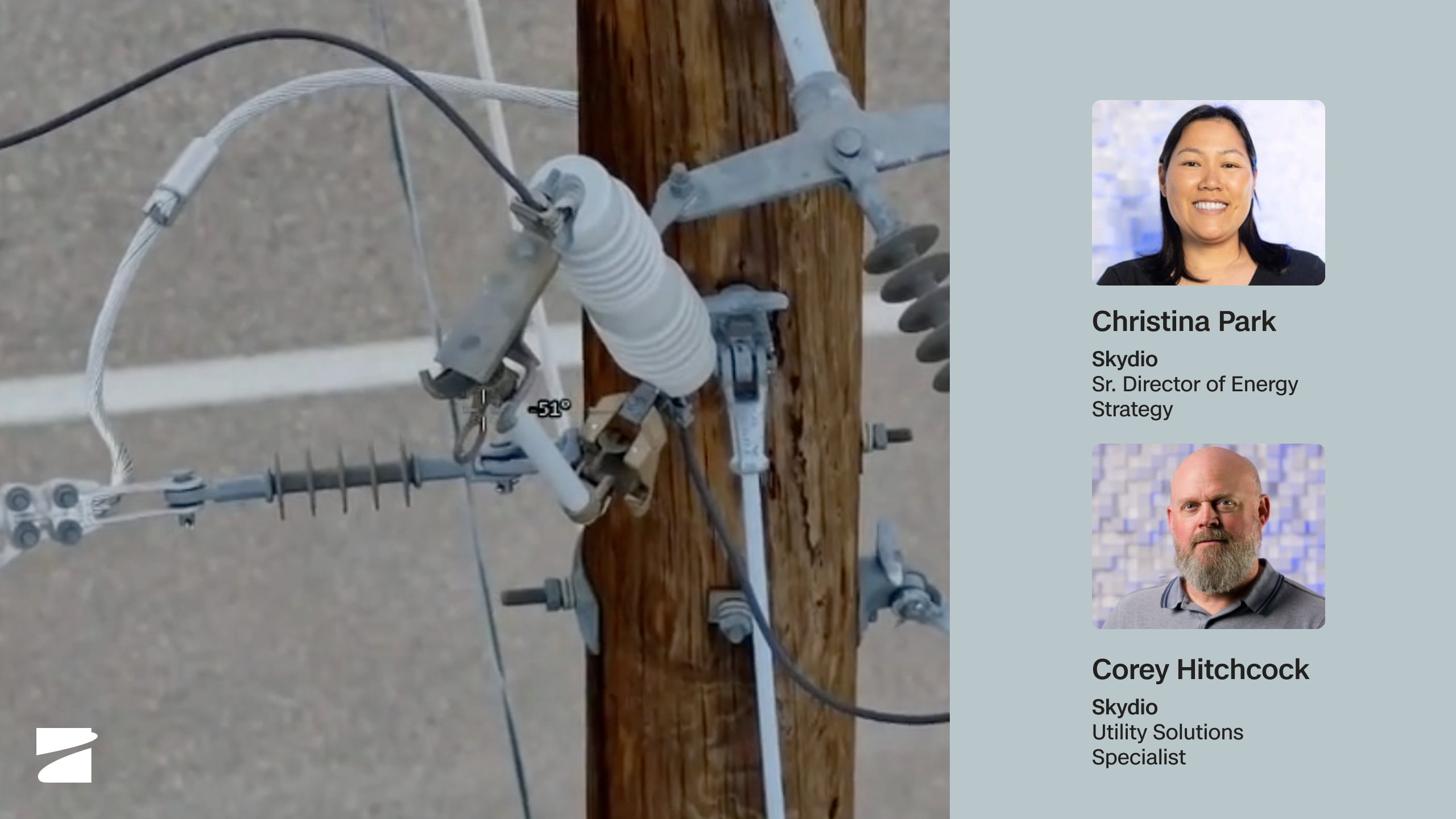
Dock for X10: Remote Inspection & Patrol, From an Office Chair
Watch webinar
You've never been inspected like this before
Watch webinar